Apollo Solo Manual Using UAD Plug-Ins 84
Using Tags to find a preset by characteristics
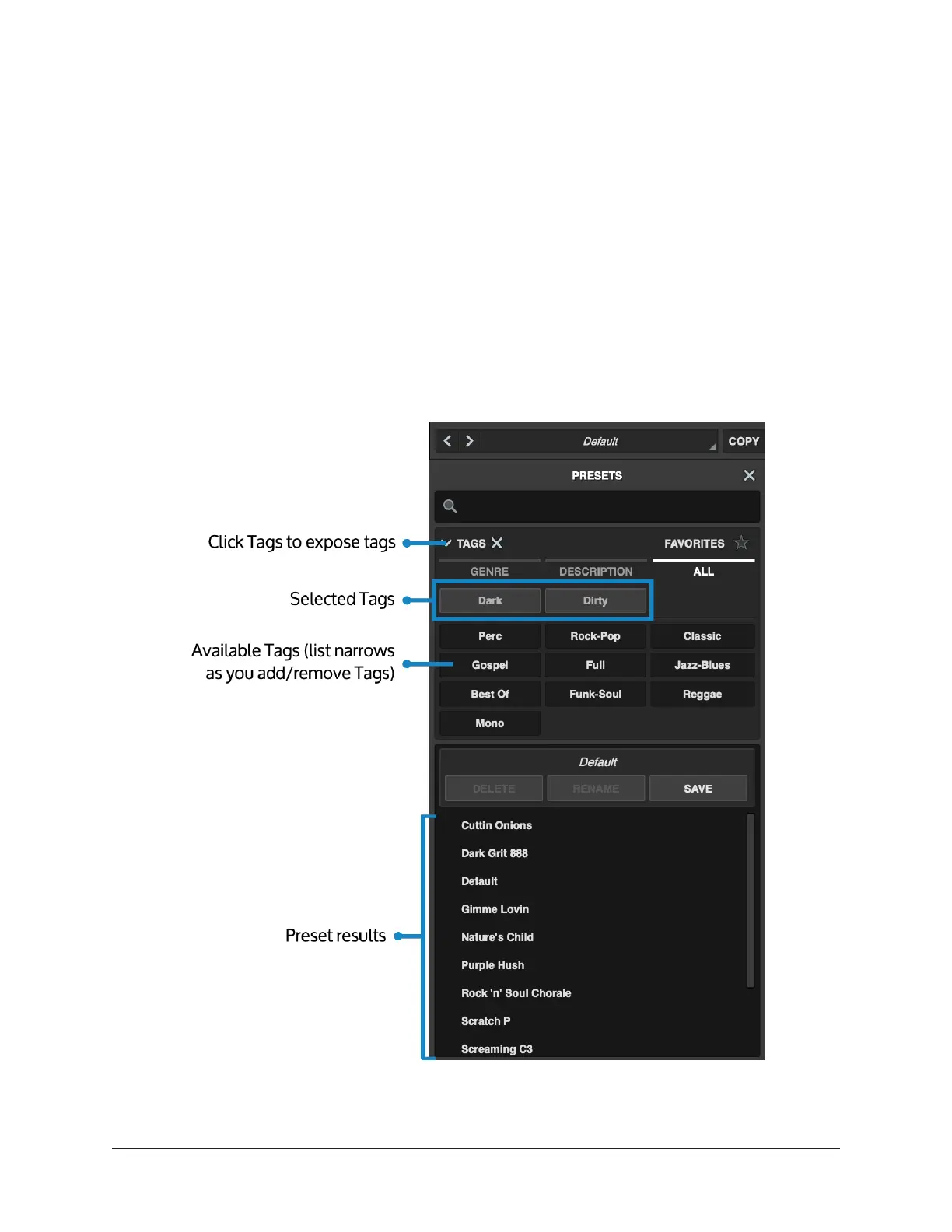
The Tags feature allows you to find presets based on descriptive terms, genres, and other
categories.
• To show the list of tags, click TAGS.
• To close the list of tags, click TAGS again.
• To filter the list of presets by a tag, click the tag. Click one or more tags to narrow
the list of plug-in presets. Each tag you add narrows the list of results further, and
also reduces the list of tags.
• To remove a tag, click one of the selected tags.
• To stop filtering by tags, click the X next to TAGS.
Note: You cannot add new tags, or add existing tags to plug-in presets.















 To Next Page