32
Create Communication with Receiver: *for P1 (relay 1) access code:
1.Carrykeypadtoreceiverlocationforprogramming.
2.EnterAccessCodeforP1(relay1)onthekeypadandcontinue
topressthelastkeyentered(redlightblinks).
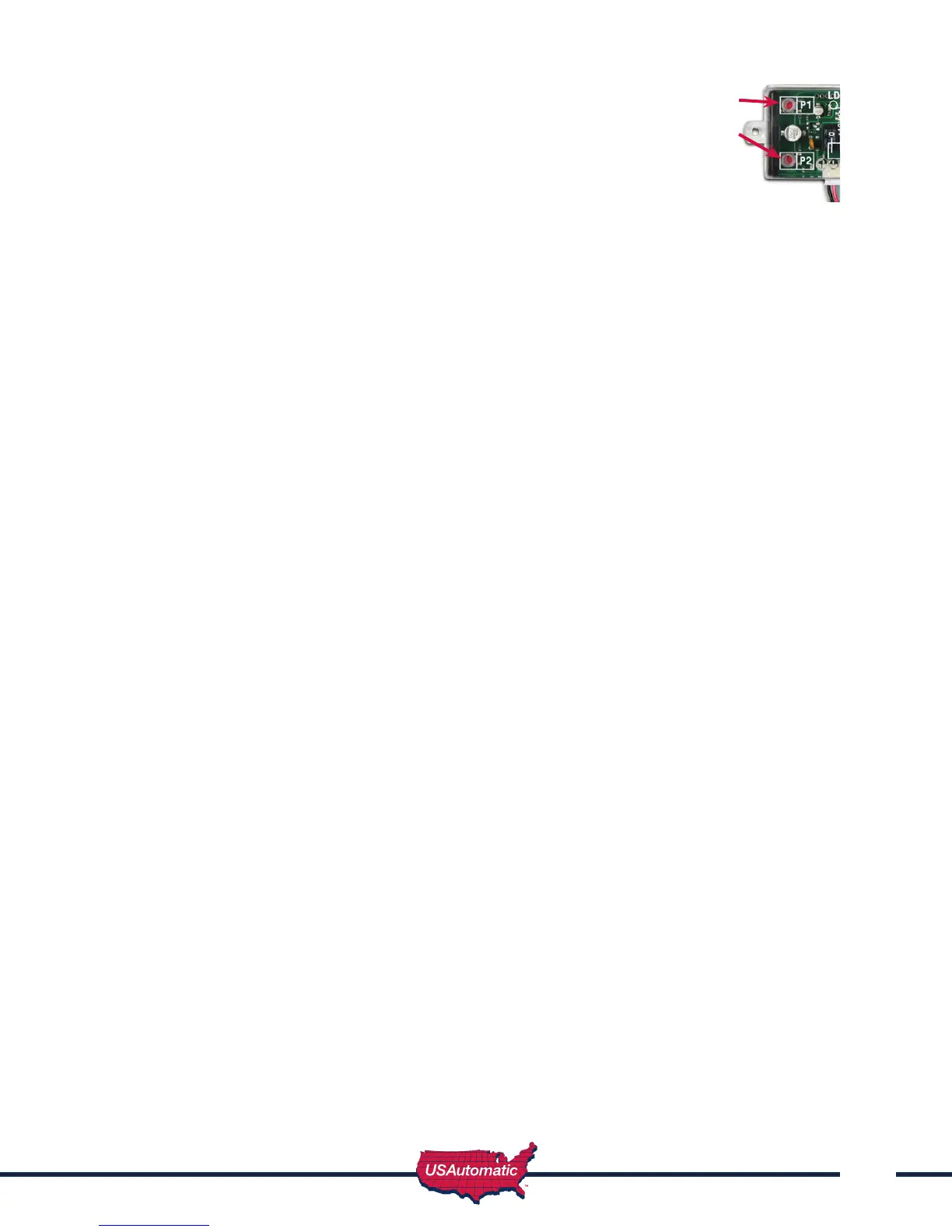
3.PressP1(learnbutton)onthereceiveruntilLD(greenlight)
comesonandrelayclicks.
Create Communication with Receiver: *for P2 (relay 2) access code:
1.Carrykeypadtoreceiverlocationforprogramming.
2.EnterAccessCodeforP2(relay2)onthekeypadandcontinuetopressthelastkeyentered
(redlightblinks).
3.PressP2(learnbutton)onthereceiveruntilLD(greenlight)comesonandrelayclicks.
Programming New Master Password: Once created record here for reference __________
NOTE: The Master Password is NOT an access code. This is a MASTER programming code used
to access the programming of the keypad. It is not used to operate the gate.
1.EntertheMasterPassword“11111”.
2.Enter“8”Ifcorrect,2shortbeeps(if1longbeepisheard,startoverwithstep1).
3.EntertheMasterPassword(upto5digits),iflessthan5digits,“#orB”isrequired.
4.Enter“8”
5.EntertheMasterPasswordagaintoverify.
6.Press“8”Ifcorrect,2shortbeeps-NewMasterPasswordisset(If1longbeepisheard,startover
withstep1).
Programming Master Password Back to Factory Default: (11111)
1.Enter“11111”.
2.Press“8”(longbeep).
3.EnterPUKcode.(PUKmustbe5digits).
4.Press“8”.
5.EnterPUKcodetoconrm.
6.Press“8”(2beeps)Masterpasswordresetcomplete.
Receiver Programming
Relay P2 programming from momentary to latching mode (to hold gate open)
1. PresstheP2push-buttonuntilthegreenLDlightcomeson,thenrelease.GreenLDlightshould
besteady.Ifashinglatchmodeisset.
2. IfnotashingreleaseP2immediatelyandpressP1once.
3. GreenLDlightshouldbeashing.Latchingmodeisset.
Verifying Receiver P2 relay is programmed to latching mode:
1. PresstheP2push-buttonuntilthegreenLDlightcomeson,thenrelease.
2. GreenLDlightshouldbeashing.IfgreenLDlightissteady,redotheReceiverProgramming
sectionabove.
Deleting Single Access Code:
1. Enter the Master Password.
2. Pressthe“7”key.Ifcorrect,2shortbeeps(if 1 long beep is heard, start over with step 1).
3. EntertheAccessCodetobedeleted.
4. Pressthe“7”key. (cont. next page)
P1 Button
P2 Button
Receiver



 To Next Page