3-23
Common Operations > Shortcuts
4
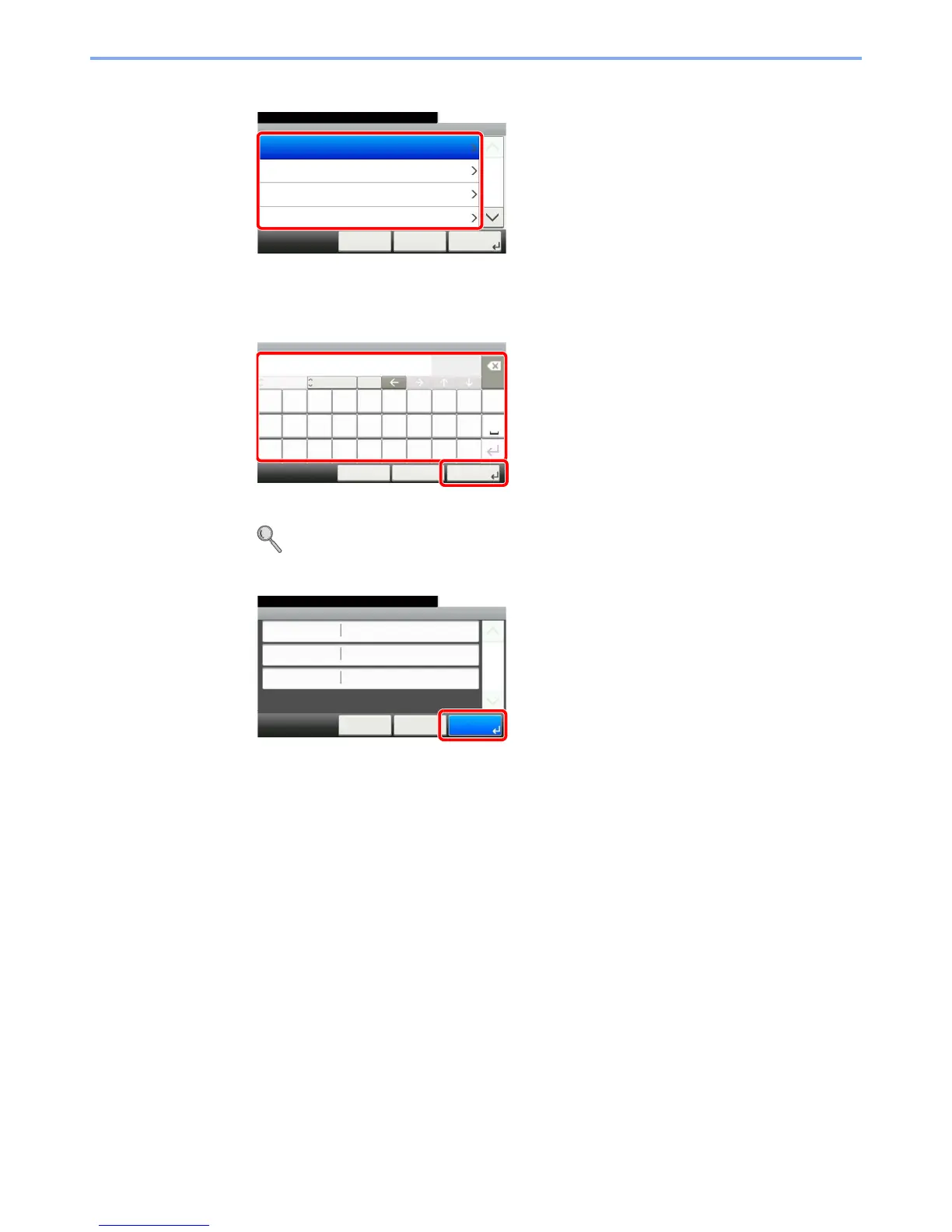
Select the function.
Select the function screen to display with the shortcut.
5
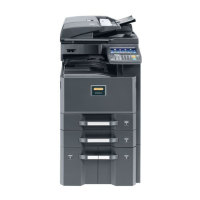
Enter the shortcut name.
Up to 24 characters can be entered.
Refer to Character Entry Method on page 11-7 for details on entering characters.
6
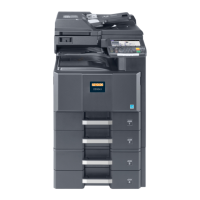
Register the shortcut.
Confirm the settings and press [Save]
10:10Select the functions.
Zoom
Density
Duplex
Paper Selection
< BackCancel
1/5
Next >
Add - Functions
GB0792_00
Input:
Limit:
< Back Next >Cancel
Add - Name
poitrq
l
uyew
kgfajhds
.vc@xz
Shortcut 1
Del.
10
24
A/a
mnb
ABC
1
2
GB0057_04
Add - Confirmation
Shortcut 1
10:10
Cancel
Select the item that you want to change.
Name
Functions
Number
< Back
1/1
Save
Zoom
Shortcut 1
GB0793_00


 To Next Page