Document Box
OPERATION GUIDE 6-5
6
Printing Documents
The procedure for printing documents in a custom box is explained below.
1 Press the Document Box key.
2 Press [Custom Box], select the box containing the
document you want to print and press [Open].
NOTE: If a custom box is protected by a password,
enter the correct password.
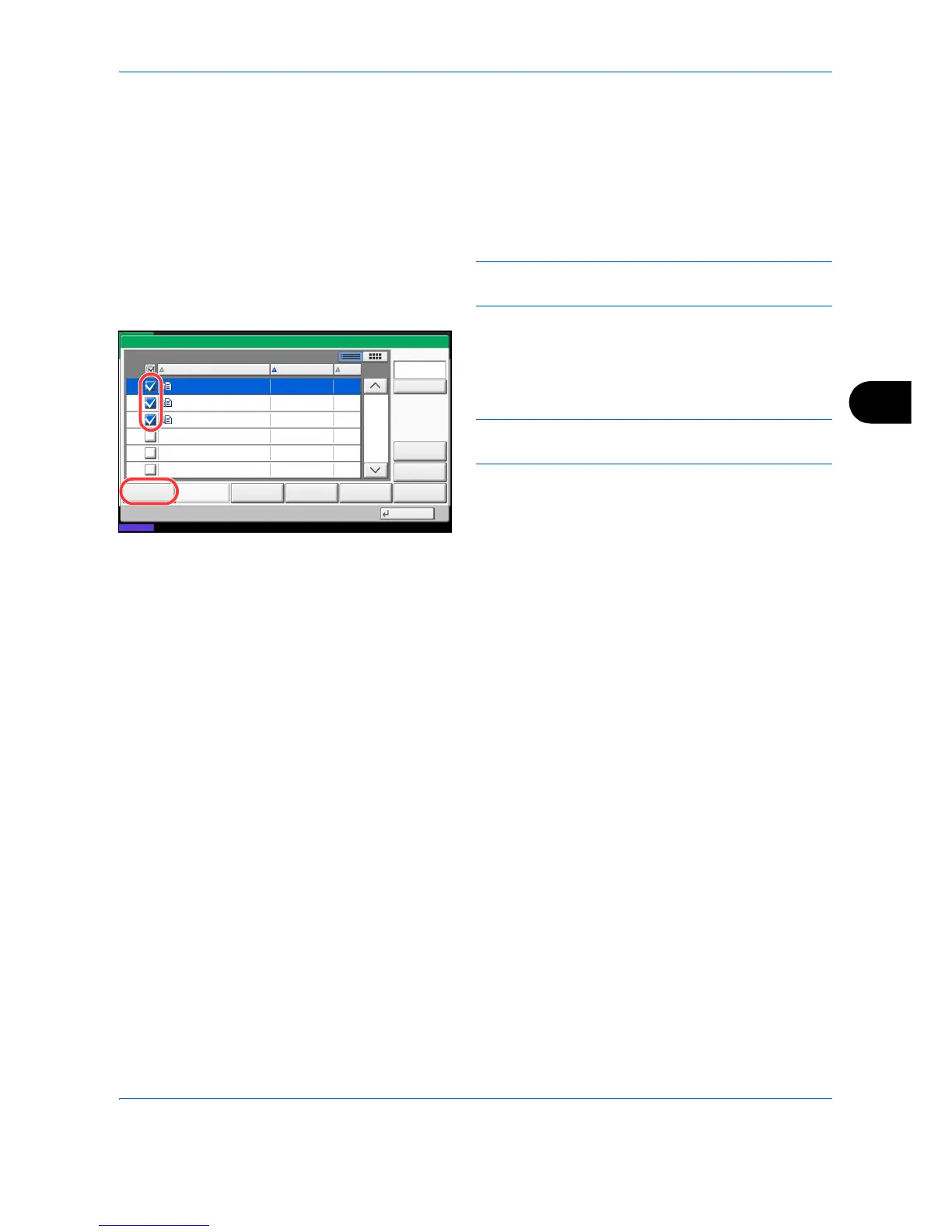
3 Select the document you wish to print by checking
the checkbox.
The document is marked with a checkmark.
NOTE: To deselect, press the checkbox again and
remove the checkmark.
4 Press [Print].
5 Set the paper selection, duplex printing, etc., as
desired.
6 Press the Start key. Printing of the selected
document begins.
1/1
000 0404200710574501 10/10/2008 09:40 21
Box:
File Name Date and Time Size
MB
Status
08/08/2009 10:10
0404200710574511
0404200710574521
10/10/2008 09:50
10/10/2008 10:00
MB
MB
21
21
Print Send Join Move/Copy Delete Store File
Detail
Preview
Close
000
000
Search(Name)



 To Next Page