Troubleshooting
OPERATION GUIDE 10-25
10
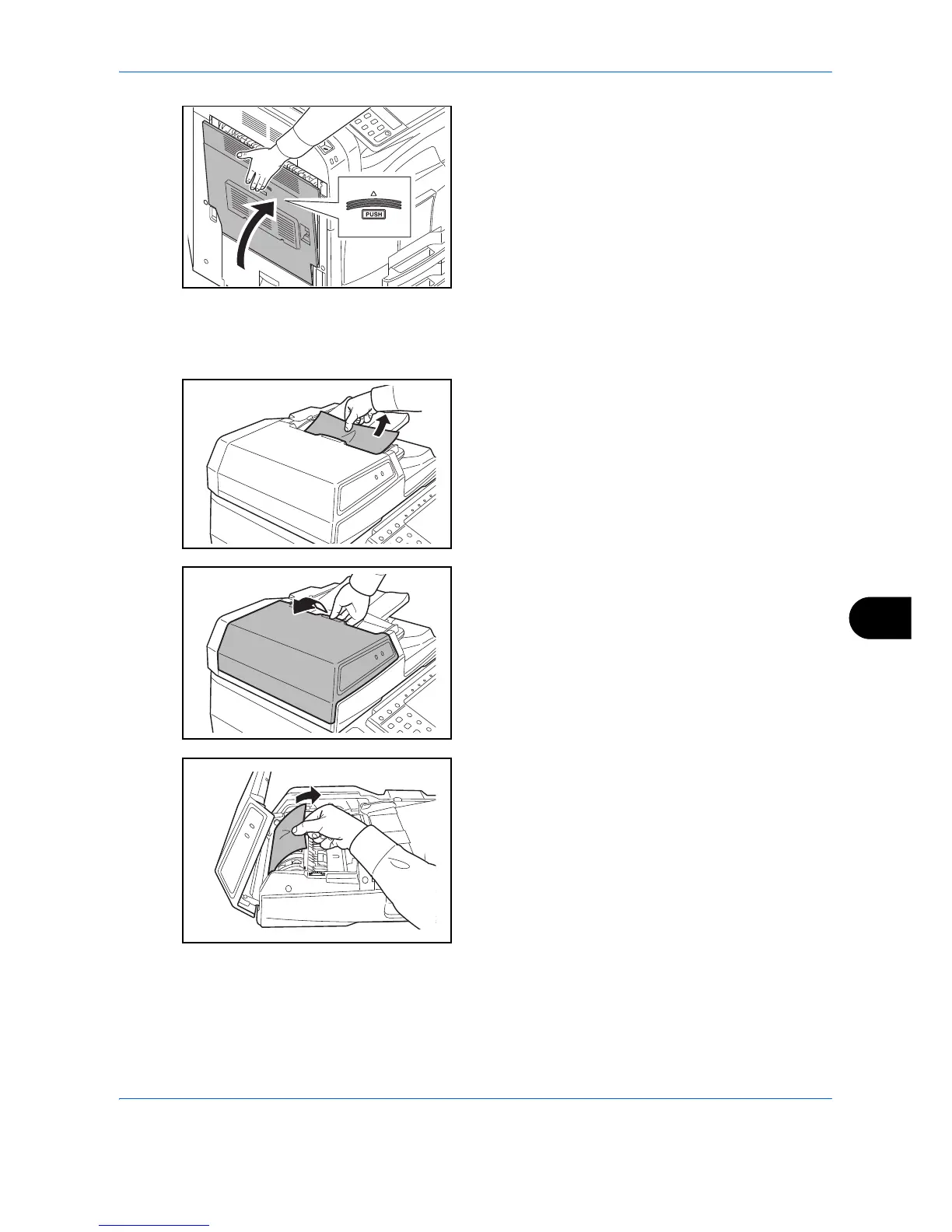
11 Press the specified position to close left cover 1.
Optional Document Processor
Follow the steps below to clear paper jams in the optional document processor.
1 Remove any paper from the original tray.
2 Open the document processor top cover.
3 Remove any paper.
If the original tears, remove every loose scrap from
inside the machine.



 To Next Page