Status / Job Cancel
7-2 OPERATION GUIDE
Checking Job Status
Check the status of jobs being processed or waiting to be printed.
Available Status Screens
The processing and waiting statuses of jobs are displayed as a list on the touch panel in four different screens
- Printing Jobs, Sending Jobs, Sending Jobs - Timer waiting, and Storing Jobs. The following job statuses are
available.
Displaying Status Screens
Use the procedure below to display the Status screen.
1 Press the Status/Job Cancel key.
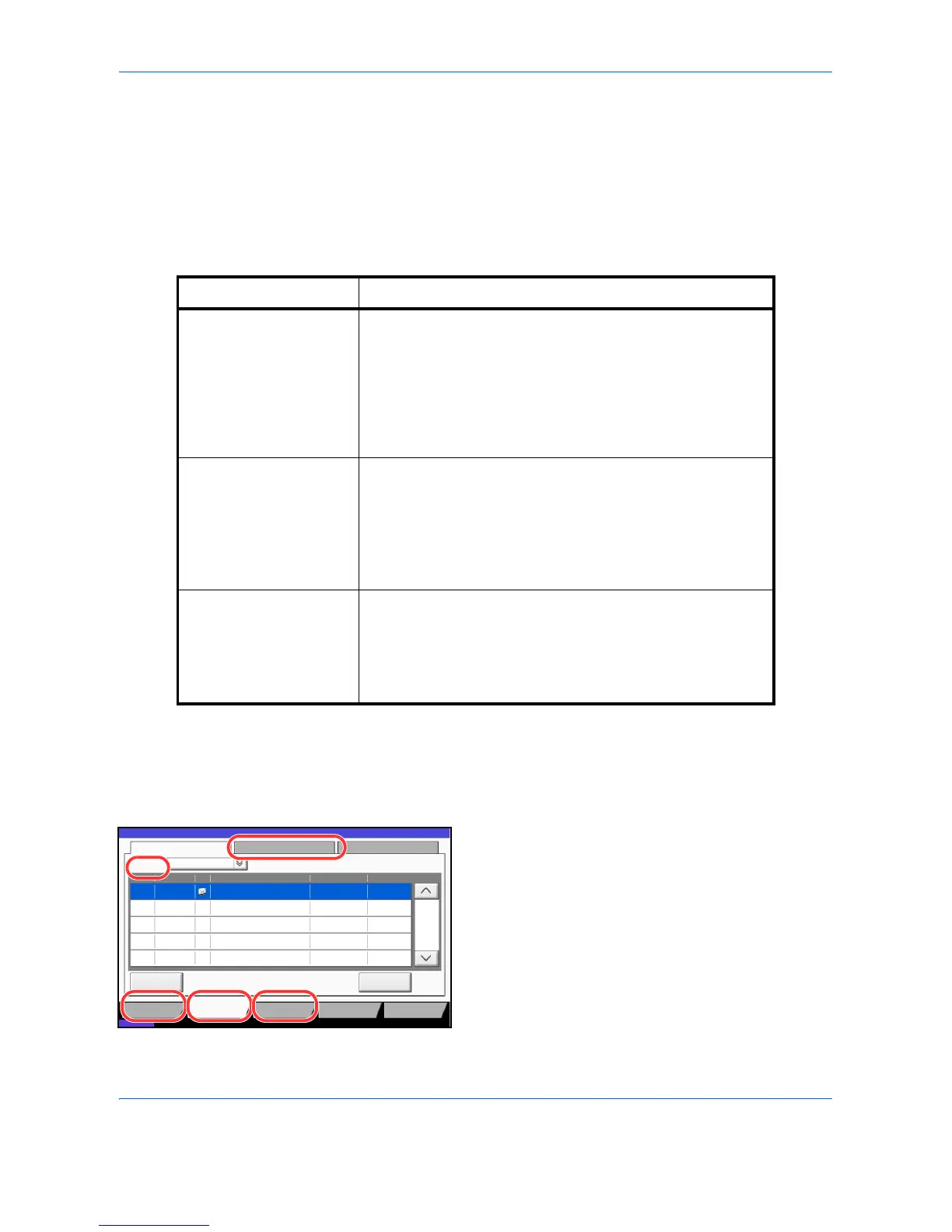
2 The Status screen appears. Press either of
[Printing Jobs], [Sending Jobs], or [Storing Jobs] to
check the status.
To check the scheduled transmission job, press
[Sending Jobs] and then [Scheduled Job].
For an explanation of the screen, refer to Details of
the Status Screens on page 7-3.
Screen Job statuses to be displayed
Printing Jobs • Copy
• Printer
• FAX reception
• i-FAX reception
• E-mail reception
• Printing from Document Box
• Job Report /List
• Printing data from removable memory
Sending Jobs • FAX transmission
• i-FAX transmission
• PC (SMB/FTP) transmission
•E-mail
• Application
• Multiple destination
• Sending Job FAX using Delayed transmission
Storing Jobs • Scan
•FAX
•i-FAX
• Printer
• Join Box Document
• Copy Box Document


 To Next Page