Status / Job Cancel
OPERATION GUIDE 7-13
7
Pause and Resumption of Jobs
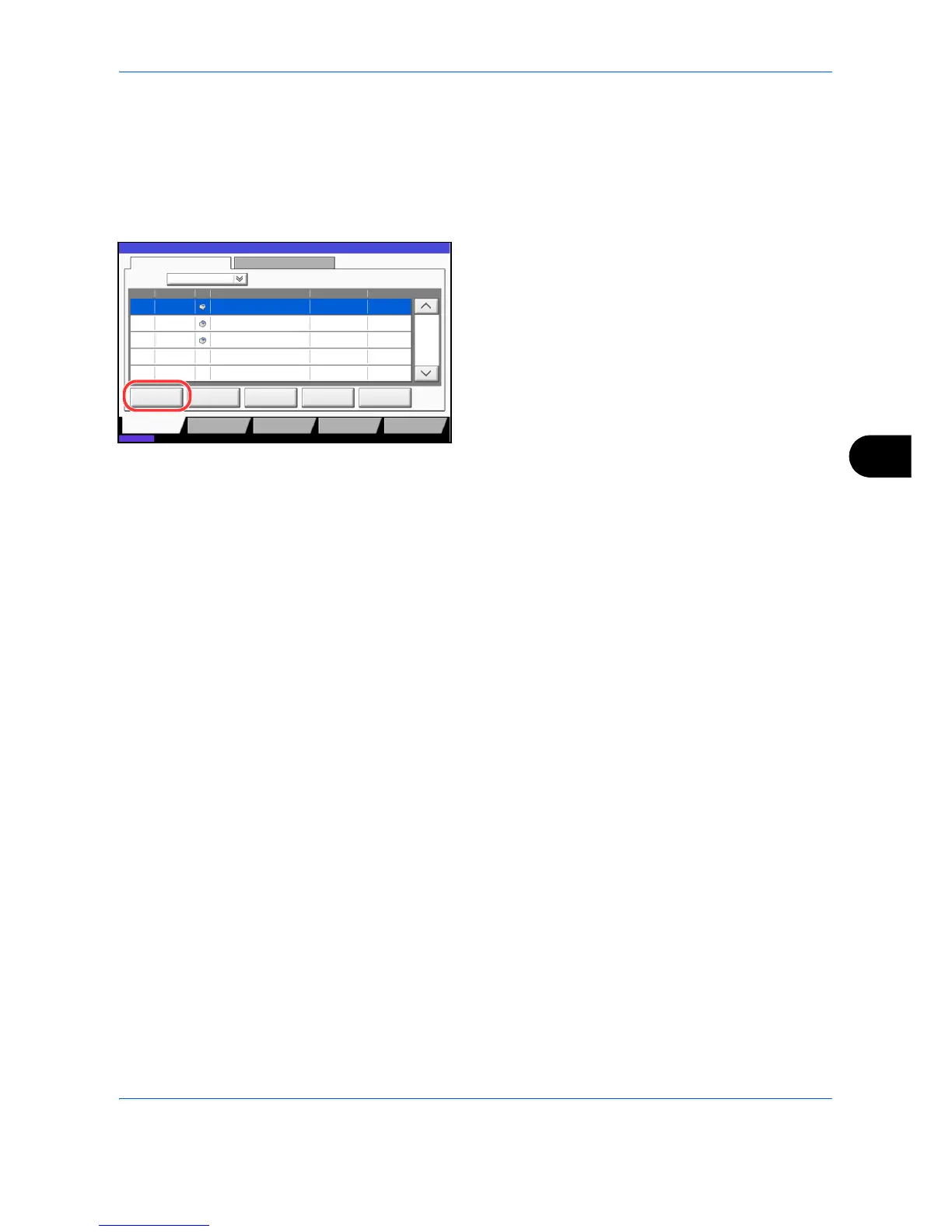
Pause /resume all printing jobs in printing/waiting.
The procedure for pausing and resuming jobs is explained below.
1 Press the Status/Job Cancel key.
2 Press [Pause All Print Jobs] on the Printing Jobs
Status screen. Printing is paused.
3 When resuming the printing of jobs that have been
paused, press [Resume All Print Jobs].
Canceling of Jobs
For more information on canceling jobs, refer to the Canceling Jobs on page 3-42.
08/08/2009 10:10
doc10102008095050 InProcess000001
doc10102008095510 Waiting000002
AAAAA
AAAAA
Pause All
Print Jobs
ancel
Priority
Override
Move Up
Status
Status
Status Log
Job Type All
Job No. End Date Type Job Name User Name Result
1/1
Detail
Paper/Supplies
Dev ce/
Communication
Storing Jobs
Sending Jobs
Printing Jobs
10/10 09:50
10/10 09:55
doc10102008091000 Waiting000003 AAAAA10/10 10:00



 To Next Page