Troubleshooting
OPERATION GUIDE 10-15
10
Clearing Paper Jams
If a paper jam occurs, the touch panel will display Paper
misfeed and the machine will stop. Refer to these
procedures to remove the jammed paper.
Jam Location Indicators
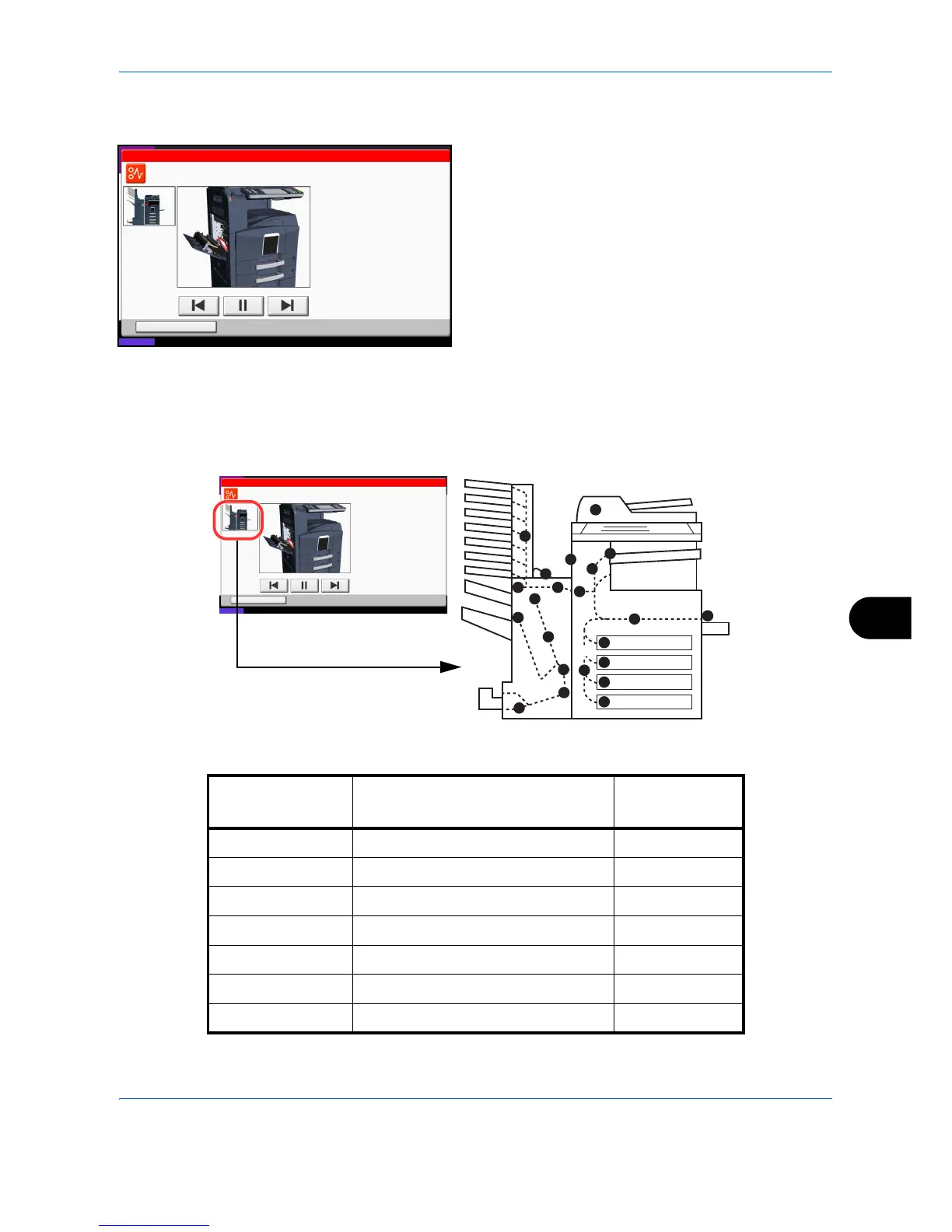
If a paper jam occurs, the location of the jam will be displayed as the following figure with a letter corresponding
to the affected component in the machine. Clearing instructions will also be displayed.
Status
08/08/2009 10:10
Hold
JAM
Paper jam.
01/03
1.Remove the paper.
2.Open the fuser cover and remove
the jammed paper.
3.Close the cover.
Job No.: Job Name: User Name:doc101020081010000021 Mike
Statu
08/08/2009 10 10
Hold
JAM
Paper jam.
01/03
1 Remove the paper
2 Open the fuser cover and remove
the jammed paper
3 Close the cover
Job No : Job Name: User Name:doc101020081010000021 M ke
Paper Jam
Location Indicator
Paper Jam Location Reference Page
A Cassette 1 10-16
B Cassette 2 10-17
C Cassette 3 or 4 (Option) 10-18
D Multi Purpose Tray 10-19
E Inside the left cover 1, 2 or 3 10-20
F Duplex Unit 10-20
G Paper Feed Unit 10-22



 To Next Page