Default Setting (System Menu)
8-36 OPERATION GUIDE
Duplex
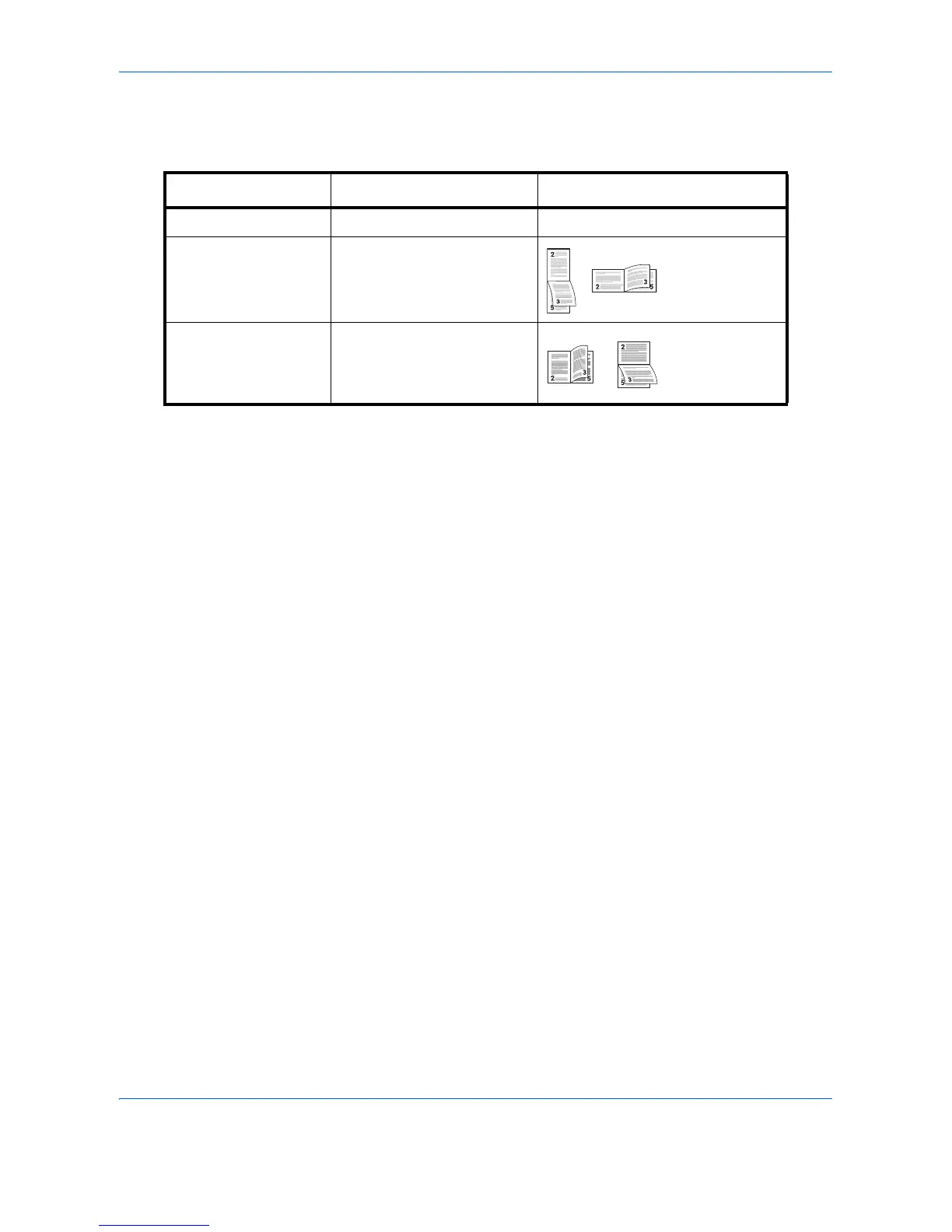
Select binding orientation for duplex mode. The table below shows the available settings.
Use the procedure below to select a duplex setting.
1 Press the System Menu key.
2 Press [Printer] and [Change] of Duplex.
3 Press [1-sided], [2-sided Bind LongEdge], or [2-sided Bind ShortEdge].
4 Press [OK].
Copies
Set the default number of copies, from 1 to 999.
Use the procedure below to specify the default number of copies.
1 Press the System Menu key.
2 Press [Printer] and [Change] of Copies.
3 Press [+],[–] or the numeric keys to set the default number of copies.
4 Press [OK].
Item Description Finish
1-sided No duplex mode
2-sided Bind
ShortEdge
Shorter edge bound
2-sided Bind
LongEdge
Longer edge bound



 To Next Page