Maintenance
OPERATION GUIDE 9-5
9
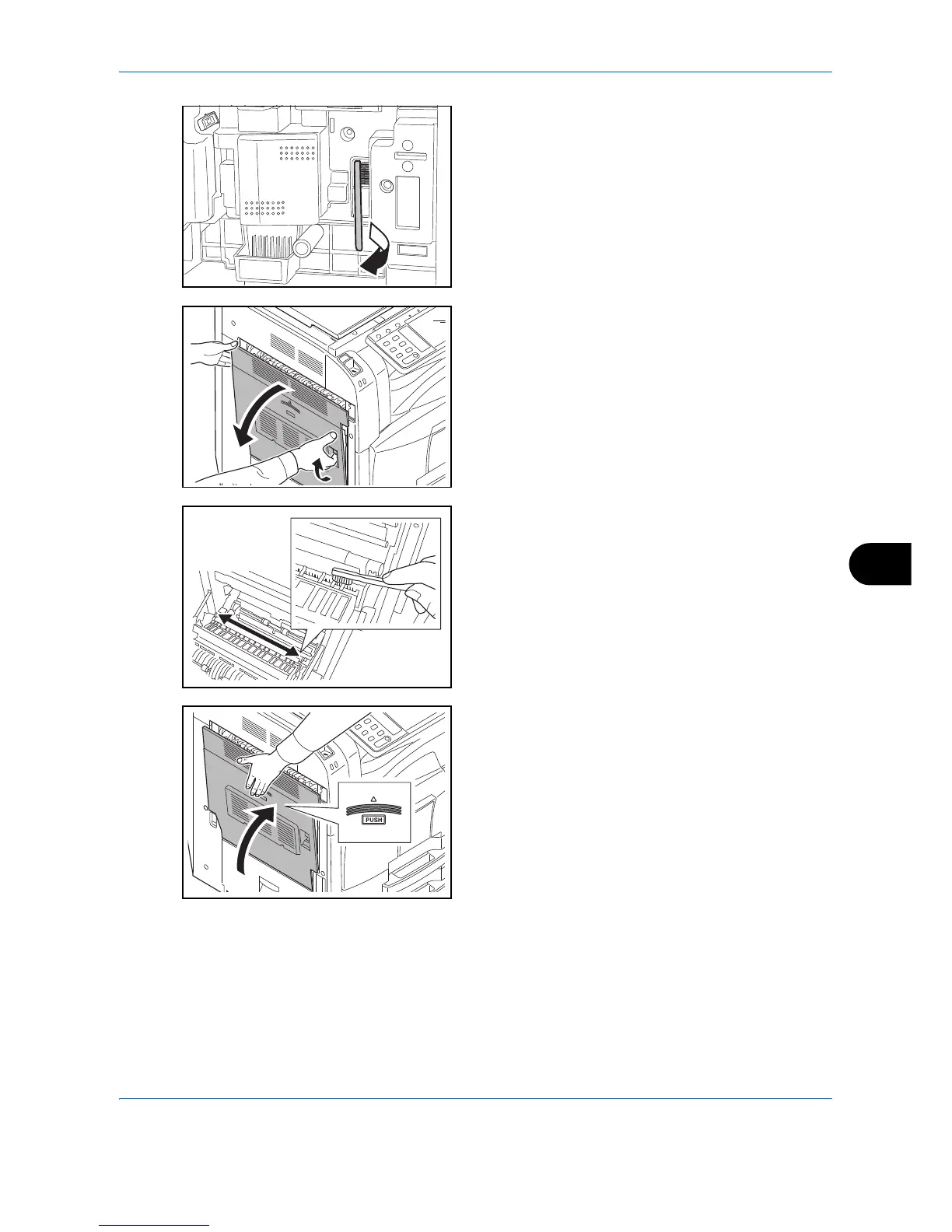
2 Remove cleaning brush (blue colored).
3 Pull up and open left cover 1.
4 As shown in the figure, clean dirt from the separator
by moving the brush from side to side along the
separator.
5 Put away the cleaning brush, press the specified
position of the front cover and left cover 1 to close.



 To Next Page