Basic Operation
OPERATION GUIDE 3-19
3
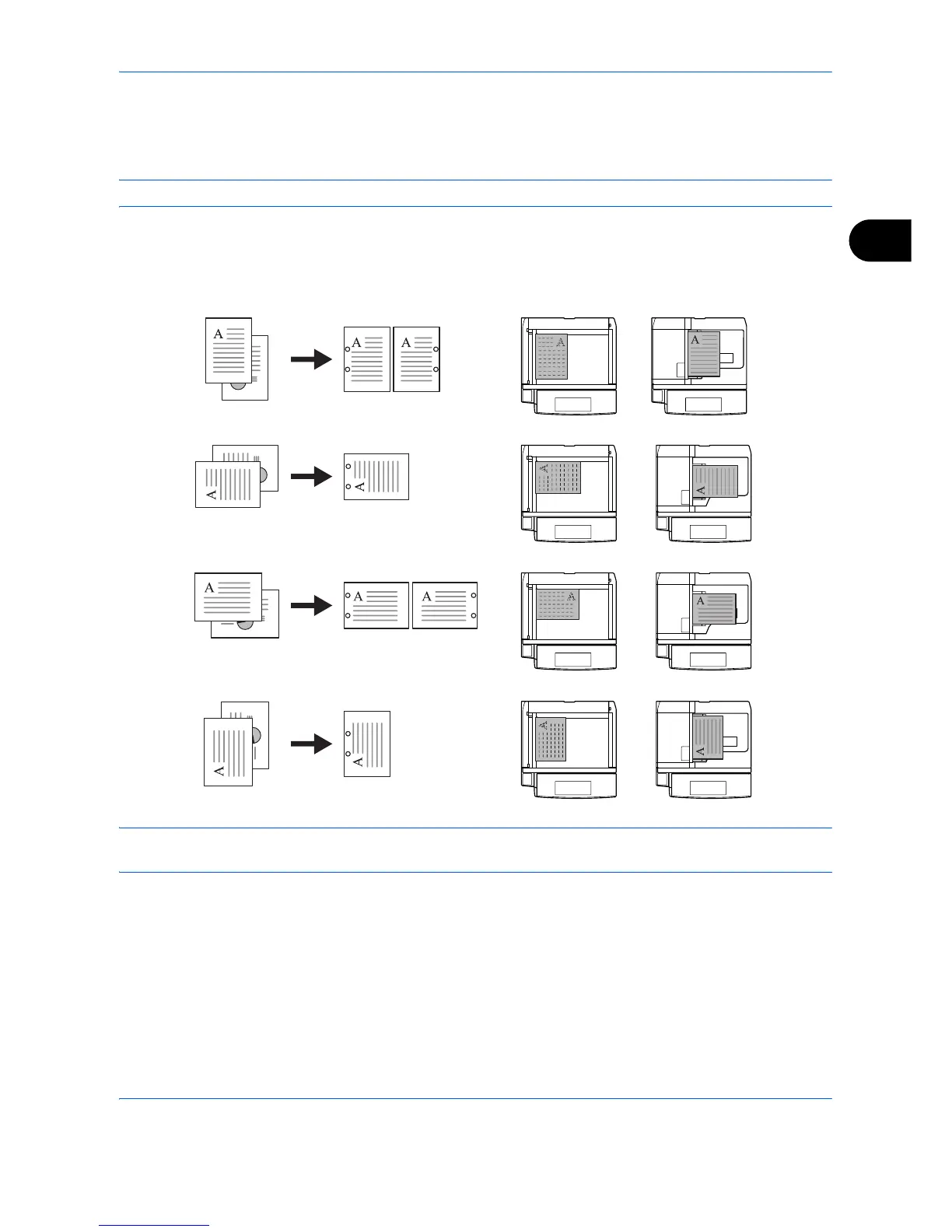
Punch
Punch holes in sets of finished copies in preparation for binding.
NOTE: Requires the optional 3,000 sheet document finisher and punching unit.
The orientations of the original and corresponding punch positions are as follows.
NOTE: The inch model provides two-hole and three-hole punching. The metric model provides two-hole and
four-hole punching.
Follow the steps as below for punching.
1 Press the Copy key.
2 Place the originals on the platen.
3 Press [Org./Paper/Finishing]and then press
[Staple/Punch].



 To Next Page