Footswitch
5-4 ForceTriad User’s Guide
Footswitch
The ForceTriad energy platform in bipolar mode can accommodate a three-pin,
single-pedal bipolar footswitch.
If you plan to use a footswitching bipolar instrument, attach the bipolar
footswitch connector plug to the bipolar footswitch receptacle on the rear panel.
Bipolar Electrode Function
1. Connect a bipolar instrument to the bipolar instrument receptacle on the front
panel.
Note: The Bipolar touchscreen can control only one instrument at one time. If
more than one instrument is attached under this touchscreen, an error
message will display in the touchscreen. Both devices will be inactivated
until one of the devices is removed.
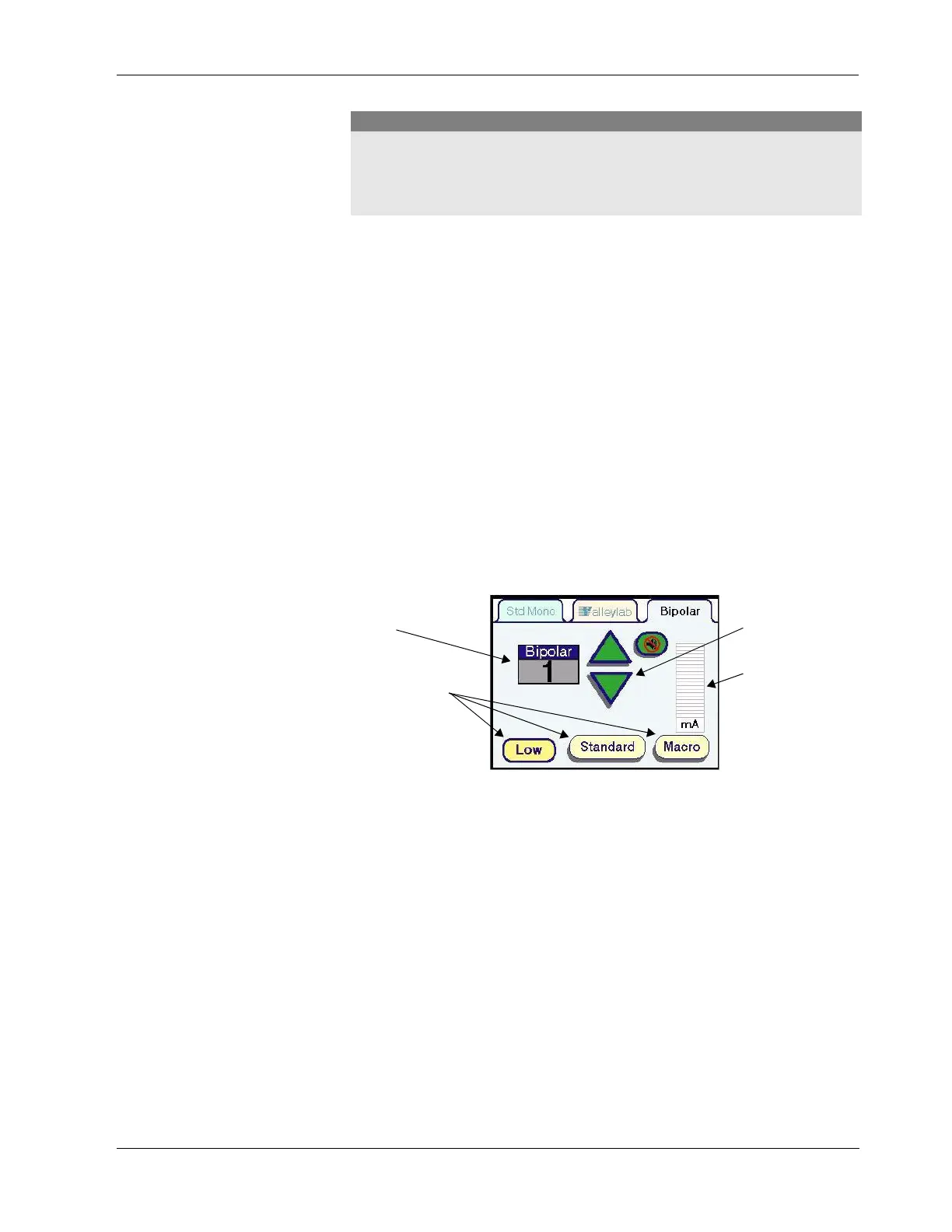
When a bipolar instrument is connected, the bipolar tab displays on the center
touchscreen.
2. Select the power output mode waveform by pressing the associated button at
the bottom of the tab. The waveforms available in the bipolar mode are Low,
Standard, and Macro.
3. Set the power to the desired output level by pressing the green up and down
arrows. Power output is displayed in watts.
4. Activate the bipolar mode by closing the forceps firmly or by stepping on the
single-pedal footswitch. An activation tone will sound, and delivered current
is displayed on the virtual ammeter.
Inspect instruments and cords (especially reusable instruments and cords) for
breaks, cracks, nicks, and other damage before every use. If damaged, do not
use. Failure to observe this precaution may result in injury or electrical shock to
the patient or surgical team.
Caution
Power Output Modes
(Watts)
Power Output
Mode Waveforms
Green Power
Control Arrows
Virtual Ammeter



 To Next Page