Home
Value-Top
DVR
VT-1104WL
Page 107
Value-Top VT-1104WL - Page 107
111 pages
Manual
Save Page as PDF
To Next Page
To Next Page
To Previous Page
To Previous Page
Loading...
USER M
AN
UA
L
6)
T
ouch
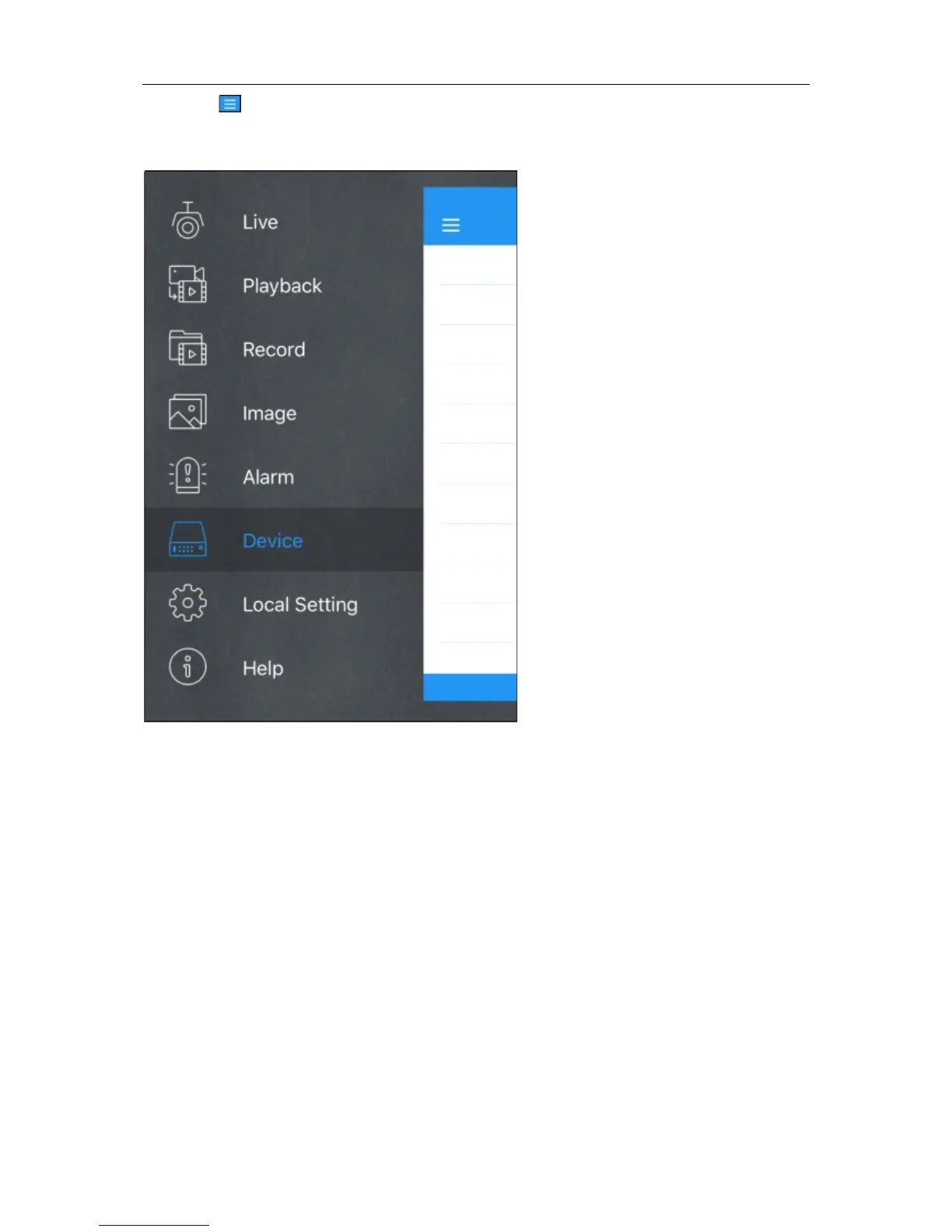
icon to open the Menu l
ist where you ca
n chec
k &
confi
gure the live v
iew
, playback,
local recor
ded videos, cap
tured pictur
es, push alarm
notifications
, Device man
ager
, Local
Setting & Hel
p documents
.
102
106
108
Table of Contents
Main Page
Default Chapter
2
Table of Contents
2
Safety Instruction
5
Chapter 1 Product Overview
6
Rear Panel
6
Remote Controller (for Reference Only)
7
Chapter 2 DVR Installation & Connection
8
HDD Installation
8
Connection Diagram
9
Power Supply Connection
9
Chapter 3 DVR Common Operations
10
Using the Supplied Mouse
10
Using the Virtual Keyboard
10
Password
11
Chapter 4 DVR Starting up
12
Start Wizard
12
Network Configuration
12
Date/Time
14
IP Camera
15
Disk
17
Resolution
17
Mobile
18
Summary
18
Live View Screen Overview
19
Camera Quick Toolbar
20
Taskbar
20
Start Menu
21
Unlock and Lock Screen
21
Shutdown
22
Chapter 5 DVR System Setup
23
Channel
23
Channel
24
Analog Channels
24
IP Channels
24
Protocol Manage
26
Live
27
Image Control
28
Ptz
29
PTZ Control
29
Motion
31
Pir
33
Video Cover
34
Intelligent
35
PID (Perimeter Intrusion Detection)
36
LCD (Line Crossing Detection)
38
SOD (Stationary Object Detection)
40
PD (Pedestrian Detection)
42
FD (Face Detection)
44
CC (Cross-Counting)
45
Intelligent Analysis
48
Intelligent Schedule
48
Record
49
Encode
49
Record
50
Record Schedule
51
Capture
52
Capture Schedule
52
Alarm
53
Motion
53
I/O
53
Pir
54
PTZ Linkage
54
Exception
55
Network
56
General
56
Pppoe
57
Port Configuration
58
Ddns
59
Email
60
Email Configuration
60
Email Schedule
61
Ftp
62
Device
63
Disk
63
Disk Group
64
S.M.a.r.t
65
Cloud
66
System
67
General
67
Date and Time
68
NTP Settings
69
DST Settings
69
Output Configuration
70
Live-Out
71
Multi-User
72
Changing Password
72
Add New Users
73
Setting User Permissions
73
Maintenance
75
Log
75
Load Default
76
Upgrade
77
Parameter Management
77
Auto Reboot
78
IP Camera Maintain
78
Upgrade IP Camera
79
Load Default Settings for IP Camera
79
System Information
80
Information
80
Channel Information
80
Record Information
81
Network State
81
Chapter 6 Search, Playback & Backup
82
Using Search Function
82
Search & Play Video in General
84
Video Clip Backup
84
Event Search, Playback & Backup
86
Event Playback Control
87
Sub-Periods Playback
88
Smart Search & Playback
89
Smart Search Area
90
Picture Search & View
91
Picture Preview Control
92
Chapter 7 Remote Access Via Web Client
93
Basic System Environment Requirements
93
Web Plugin Download and Installation
93
Web Client Manager
96
Live Interface
96
Playback
98
Playback Control Buttons
99
Remote Setting
101
Local Setting
101
Chapter 8 Viewing Backed up Video on Pc/Mac
102
Chapter 9 Remote Access Via Mobiel Devices
105
Chapter 10 Appendix
108
Troubleshooting
108
Usage Maintenance
109
Accessories (for Reference Only)
110


 To Next Page