USER MANUAL
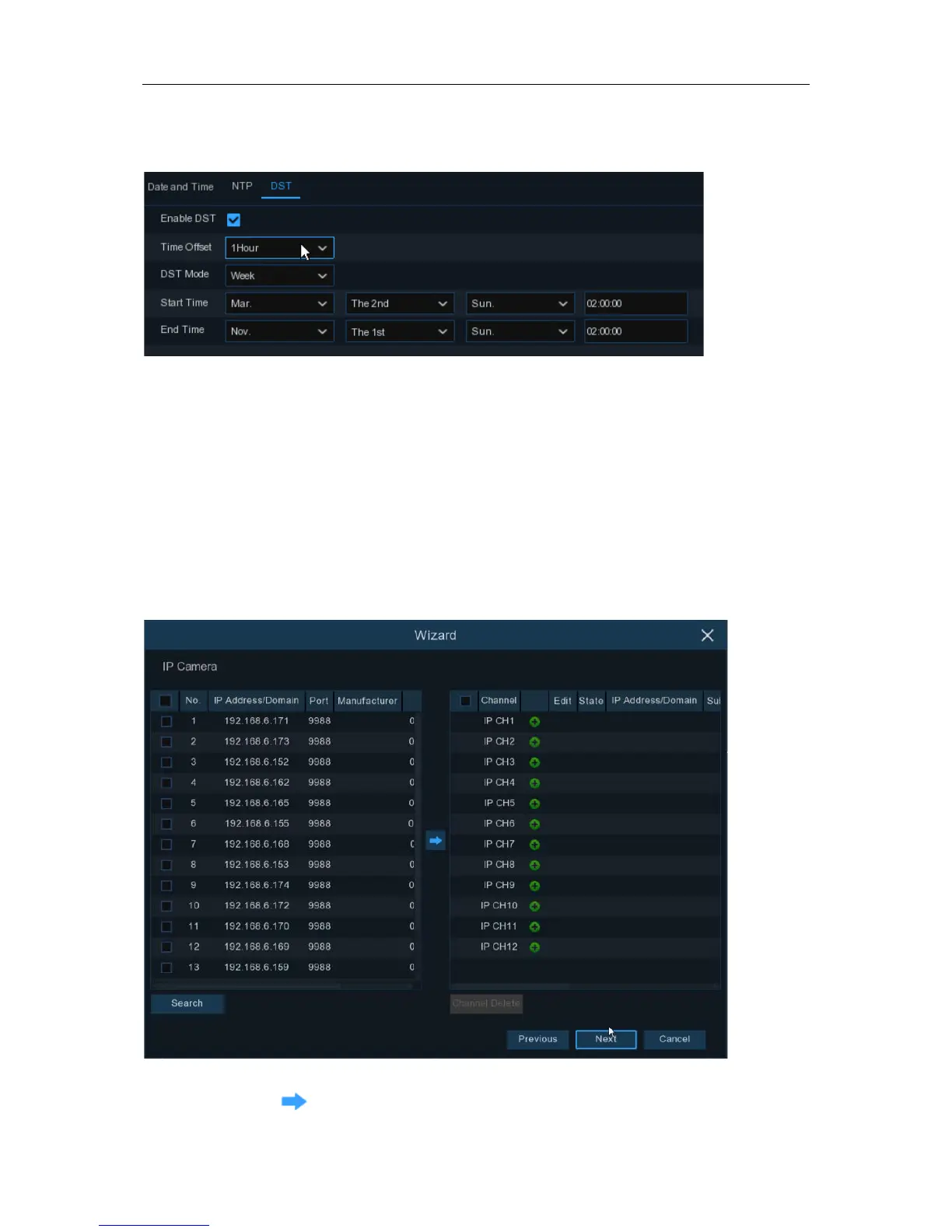
DST
DST stands for Daylight Savings Time.
DST
: Enable if Daylight Saving Time (DST) is observed in your region
Time Offset
: Select the amount of time to offset for DST
Time Mode
: Choose to set the daylight saving time in weeks or in days
Start Time/End Time
: Set the start time and end time for daylight saving
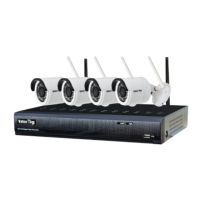
4.1.4 IP Camera
This menu allows you to add IP cameras to the DVR.
Click
Search
to search IP cameras in the same network. Choose the IP camera(s) you want to
add, and then click
icon to add to the DVR.
10


 To Next Page