USER MANUAL
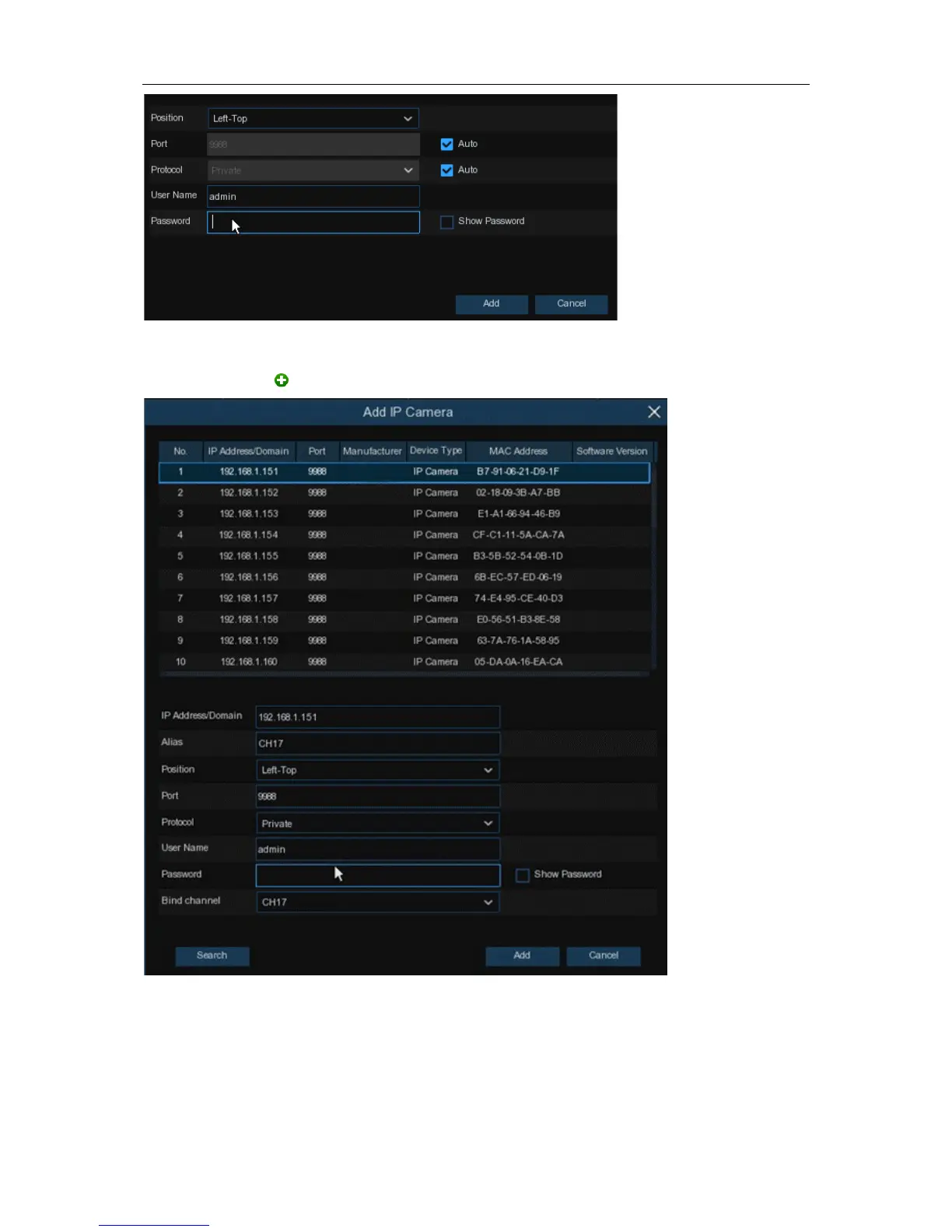
Enter the camera’s user name & password to add the camera(s).
You can also click button to add individual IP camera to a single channel.
Click
Search
button to search IP cameras, and then click one of the IP camera in the device list.
IP Address/Domain:
IP address or domain name of the IP camera
Alias:
Name of the IP camera
Position:
Position to display the camera name on the screen.
Port:
Port of the IP camera
11


 To Next Page