USER MANUAL
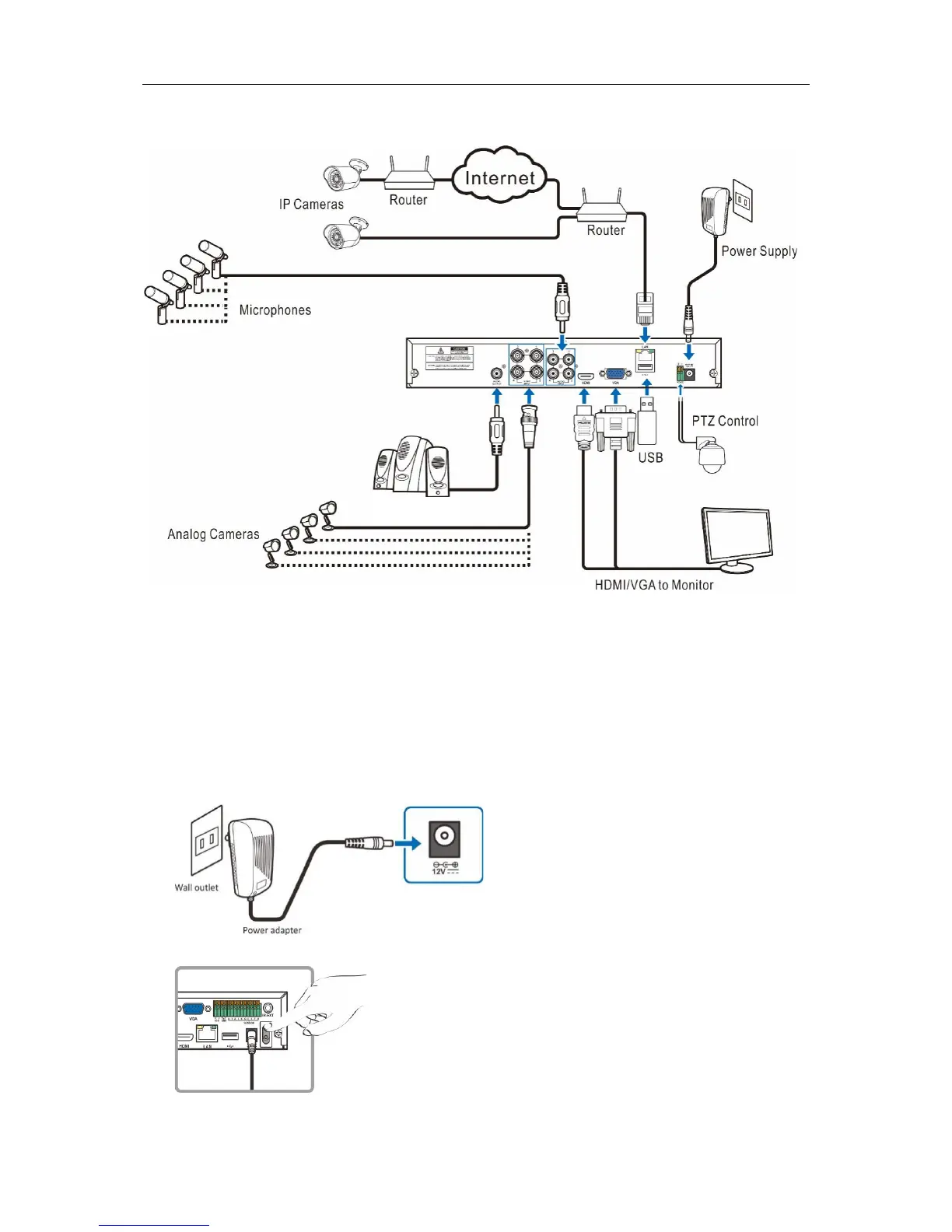
2.2 Connection Diagram
Note: Above diagram is for reference only. The practical connection may be different depending
on the DVR you purchased.
2.3 Power Supply Connection
Caution: Use only the supplied power adapter that came with the DVR
Connect one end of the power adapter to the power connector on the back of the DVR. Plug the other
end of the power adapter into the wall outlet.
For some specific models, you may need to press the Power switch to turn on the power.


 To Next Page