USER MANUAL
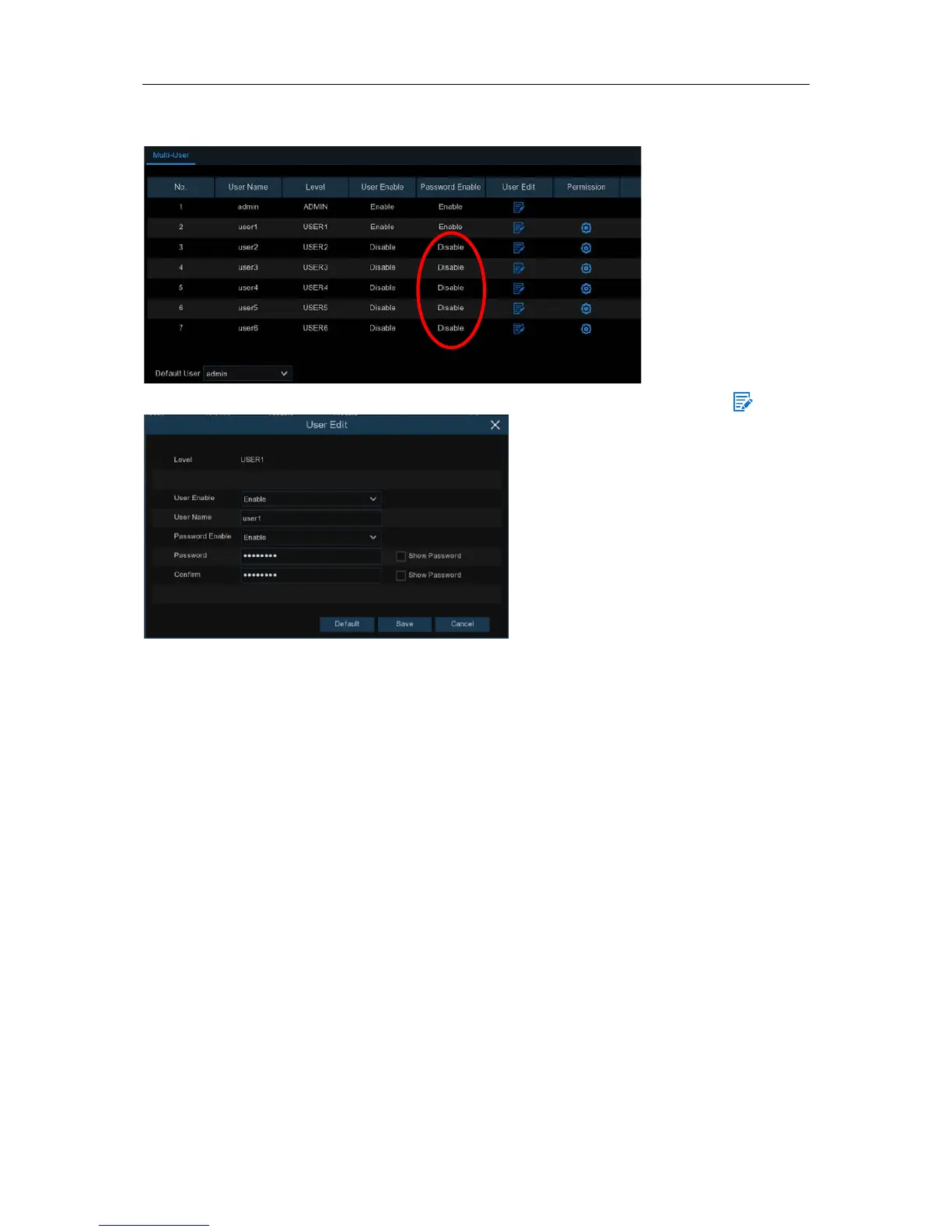
5.6.3.2 Add New Users
1. Select one of the user accounts that is currently disabled, click the User Edit icon .
2. Select
Enable
from the drop-down next to
User Enable
.
3. Click the field next to
User Name
to change the user name for the account.
4. Select
Enable
from the drop-down next to
Password Enable
.
5. Click the field next to
Password
to enter the desired password.
6. Click the field next to
Confirm
to reenter the password.
7. Click
Save
. You will be required to input your Admin password to authenticate.
5.6.3.3 Setting User Permissions
The administrator account is the only account that has full control of all system functions. You can
enable or disable access to certain menus and functions of each user account.
68



 To Next Page