USER MANUAL
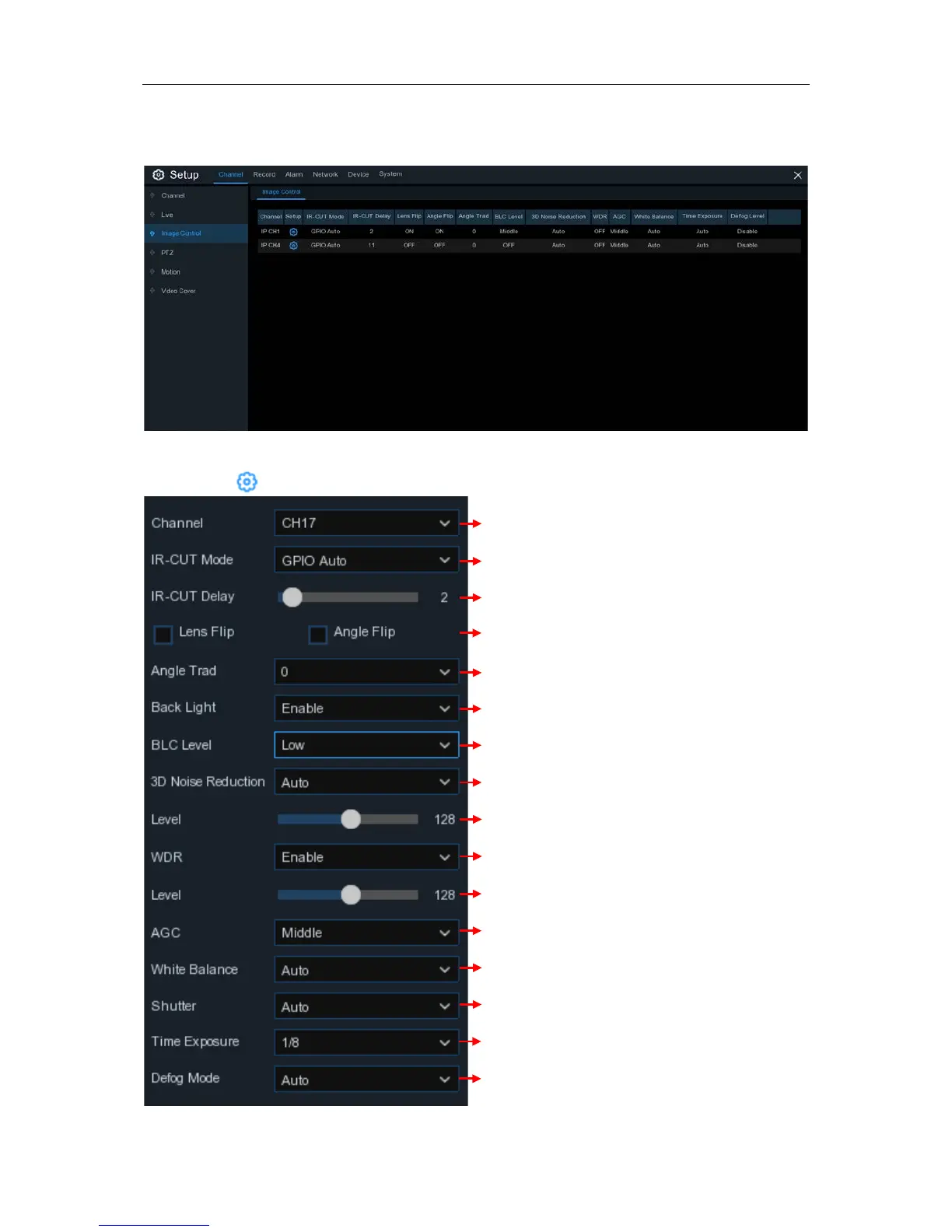
5.1.3 Image Control
This menu allows you to control image settings for supported IP cameras.
Channel:
Channel name.
Setup
: Click icon into the setup page.
Enable to allow automatically adjust the brightness and contrast of the
video when shooting in the darkness with bright light sources.
Choose the exposure time of the camera
Select the desired built-in IR cut filter mode to ensure the camera
works properly both in the day and night.
Set the delay time of IR-CUT switching
Check to enable lens flip and angle flip
Set the flip angle
To enable or disable Backlight compensation
Choose the backlight compensation level
Choose a channel to configure
To enable or disable 3D noise reduction function
Set the 3D noise reduction level
Use in foggy environments to improve the video quality


 To Next Page