USER MANUAL
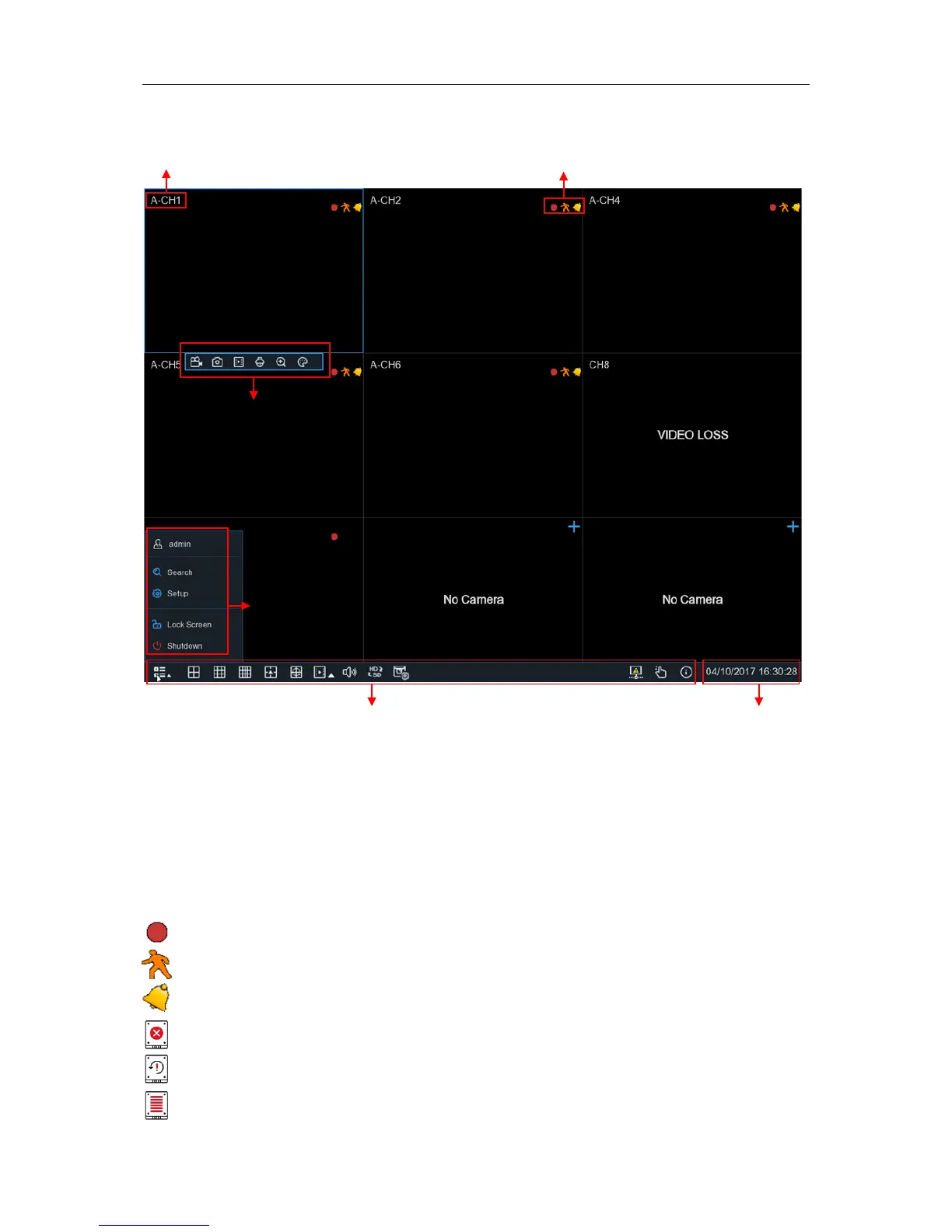
4.2 Live View Screen Overview
Camera Title
To display the camera title
A-
: This indicates that the camera connected is an AHD camera
T-
: This indicates that the camera connected is a TVI camera
C-
: This indicates that the camera connected is a CVI camera
IP
: This indicates that the camera connected is an IP camera
Status Icons
This indicates that the DVR is currently recording.
This icon appears when the camera has detected motion.
The icon indicates that the external I/O alarm device is triggered
This icon indicates that the HDD is in error to work
This icon indicates the HDD is unformatted
This icon indicates the HDD is full.


 To Next Page