USER MANUAL
5.4.1.2 3G
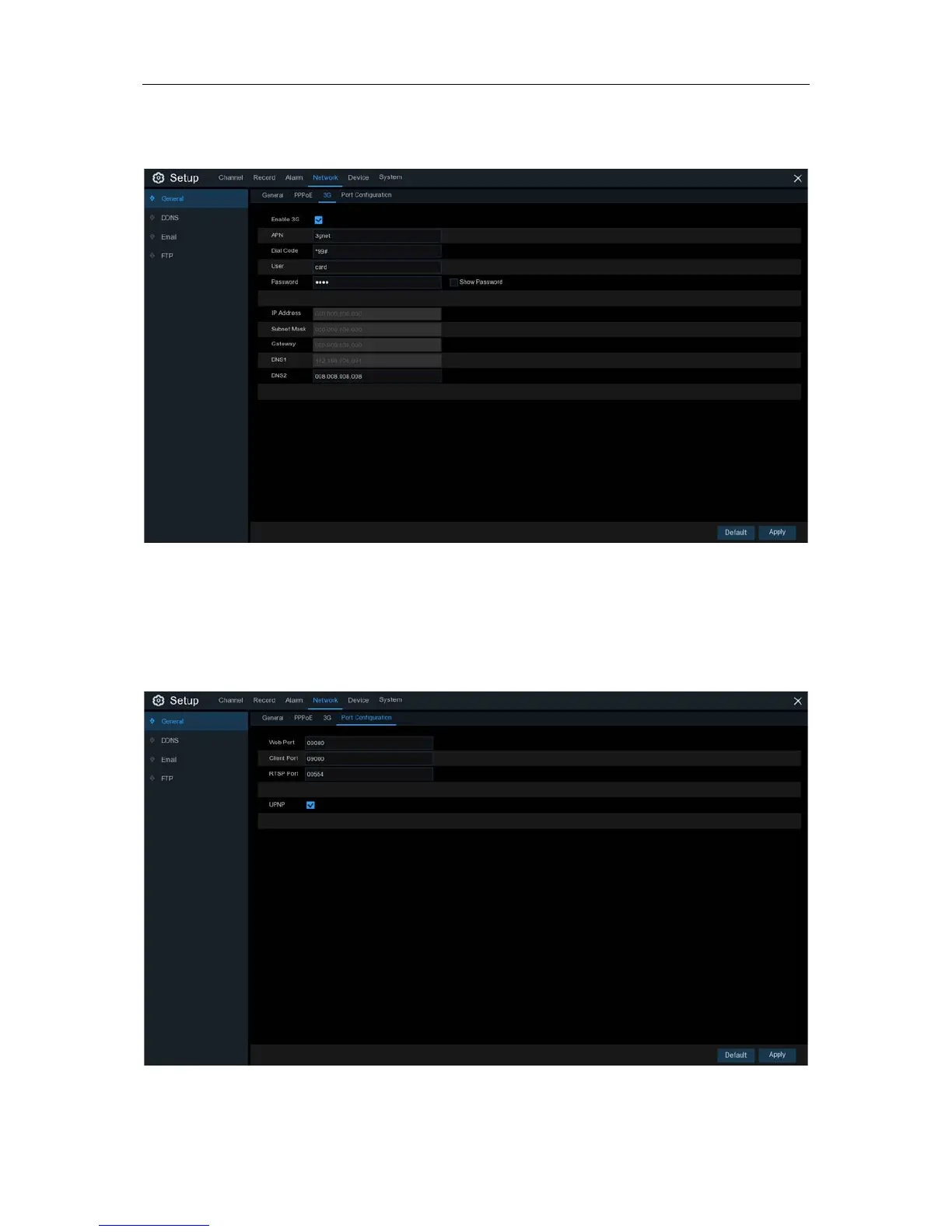
This is a prior using the mobile network, you need to connect a 3G dongle to the DVR.
Enable the 3G option, enter the APN, Dial Code, User name & password according to the
instruction of your 3G dongle device.
Prior using the mobile network, you need to connect a 3G dongle to the DVR
5.4.1.3 Port Configuration
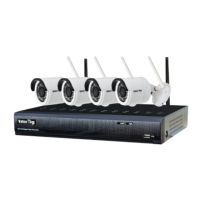
Web Port
: This is the port that you will use to log in remotely to the DVR (e.g. using the Web
Client). If the default port 80 is already taken by other applications, please change it.
53


 To Next Page