USER MANUAL
5.1.6 PIR
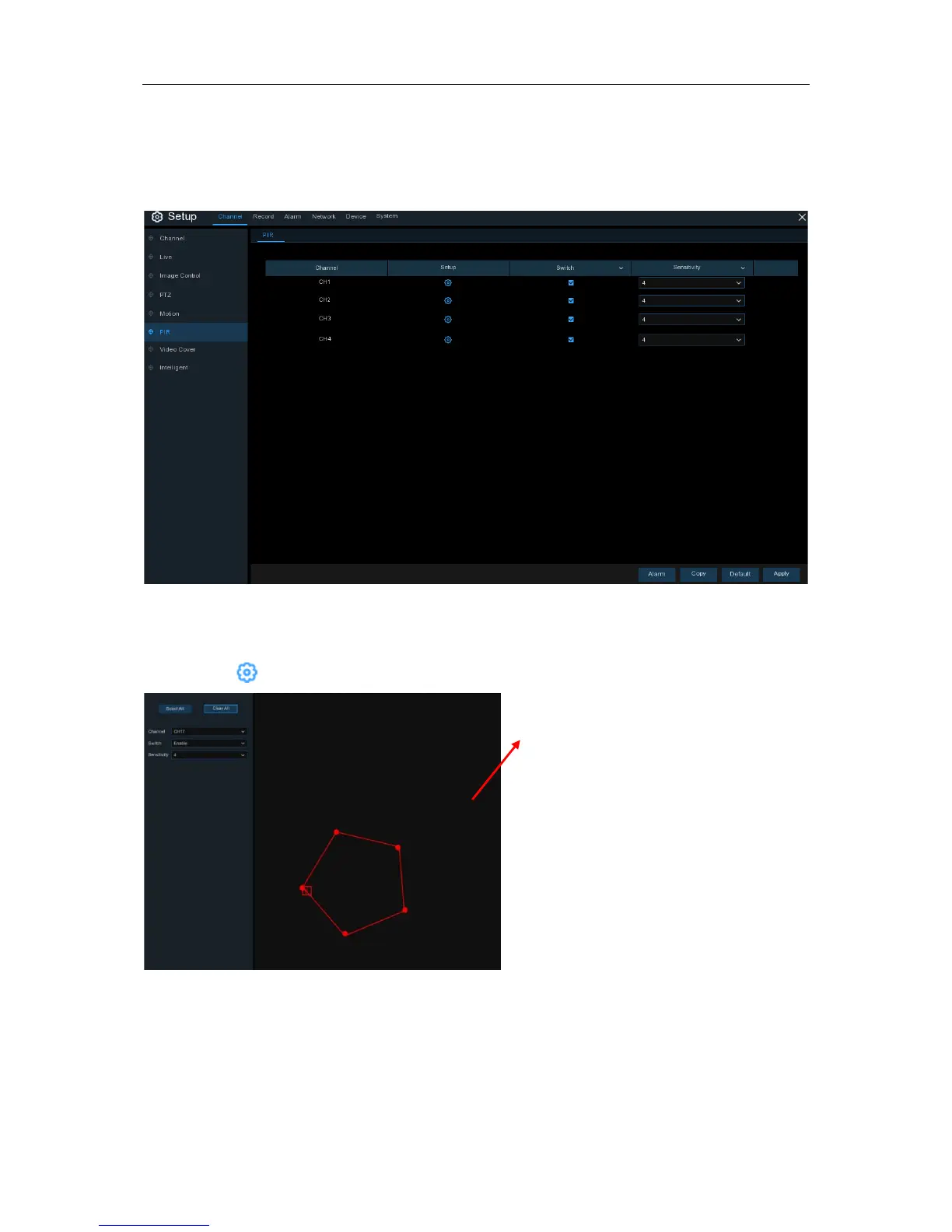
This is an optional function. If your camera has PIR function, you can configure the PIR recording
here.
Switch
: Enable or disable PIR recording.
Sensitivity
: Set the sensitivity level. Level 1 the lowest sensitivity level while level 8 is the highest
sensitivity level.
Setup
: Click icon into the setup page.
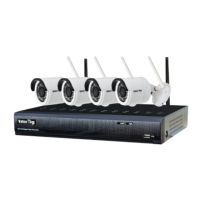
PIR Detection Area:
Click Select All to set the whole screen of the
camera as PIR detection area. Click Delete
All to clear the area.
You can also set an area in the screen by
drawing a pentagon in the screen.
If you want to edit the size of the area, please
check the box and change the position.
After setting is completed, click the right
button of your mouse to return and click Save
to make the area setup effective.
28


 To Next Page