USER MANUAL
Chapter 7 Remote Access via Web Client
Use the Web Client to remotely access your DVR at any time via a PC. Before you access the
Web Client, you need to ensure that the internet settings of the DVR are configured properly.
7.1 Basic System Environment Requirements
The minimum requirements for hardware and OS required to run Web Client are given as below.
7.2
Web Plugin Download and Installation
To access the Web Client, do the following:
For IE/Chrome/Firefox:
1.
Launch the explorer on your PC and enter the DVR IP address or DDNS domain name (Host
Name) you have set on DVR in the URL box.
2.
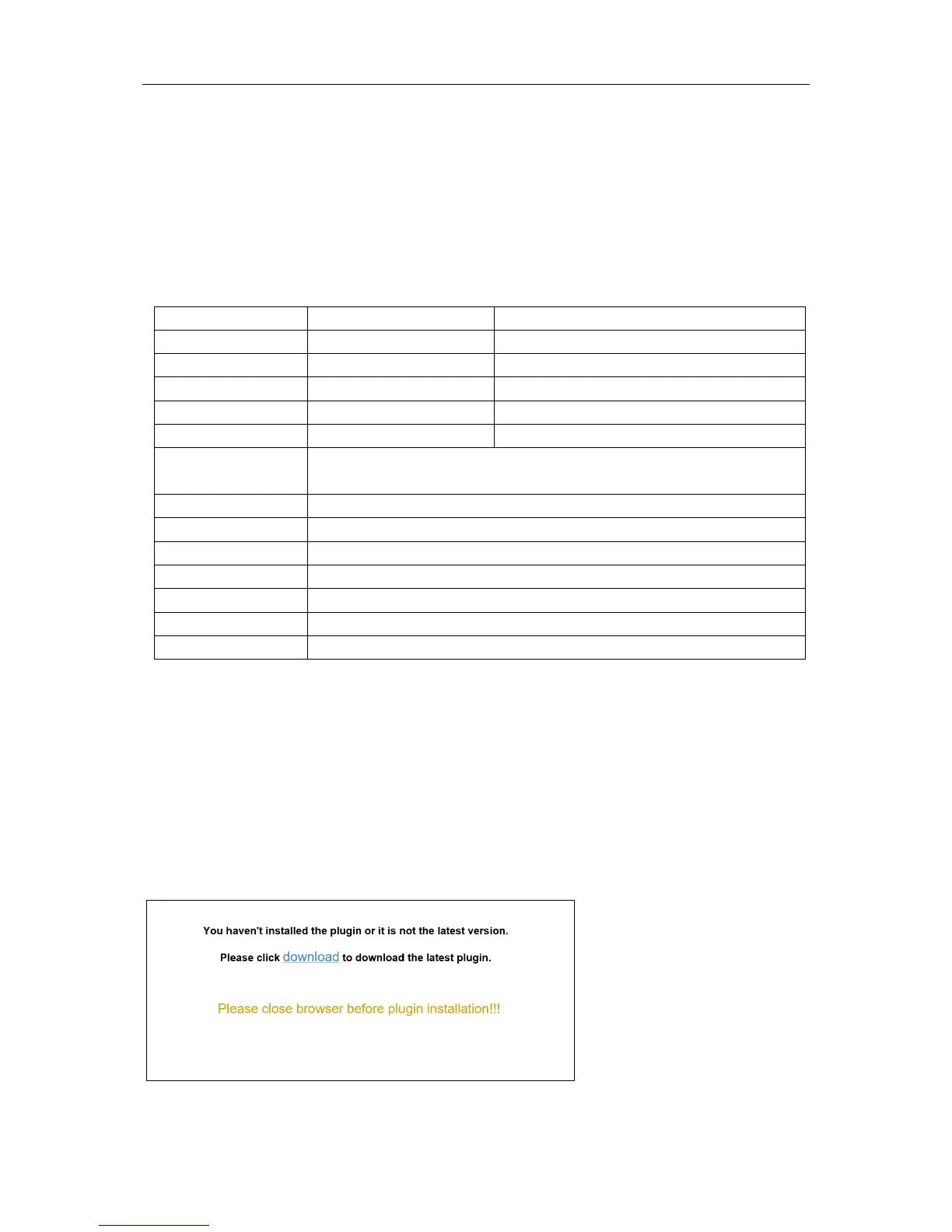
For the first time you run the web client, system will require to install the web client plugin. Click
download
to download the plugin and install to your computer.
Item Minimum Recommended
CPU
Intel® Core™ i5 CPU
Intel® Core™ i5 CPU or higher
RAM 4G or more 8G or more
IE Microsoft Internet Explorer (Ver. 11,10,9,8). It doesn’t support Edge.
Mozilla Firefox V51 or below. It doesn’t support V52 or above version.
Google Chrome V44 or below. It doesn’t support V45 or above version.
Mac Safari 5.1 or above
88


 To Next Page