Operation and configuration
2 Local panel user interface
2.2 Local panel operations
VAMP 24h support phone +358 (0)20 753 3264
Menu structure of protection functions
The general structure of all protection function menus is
similar although the details do differ from stage to stage. As an
example the details of the second overcurrent stage I>> menus
are shown below.
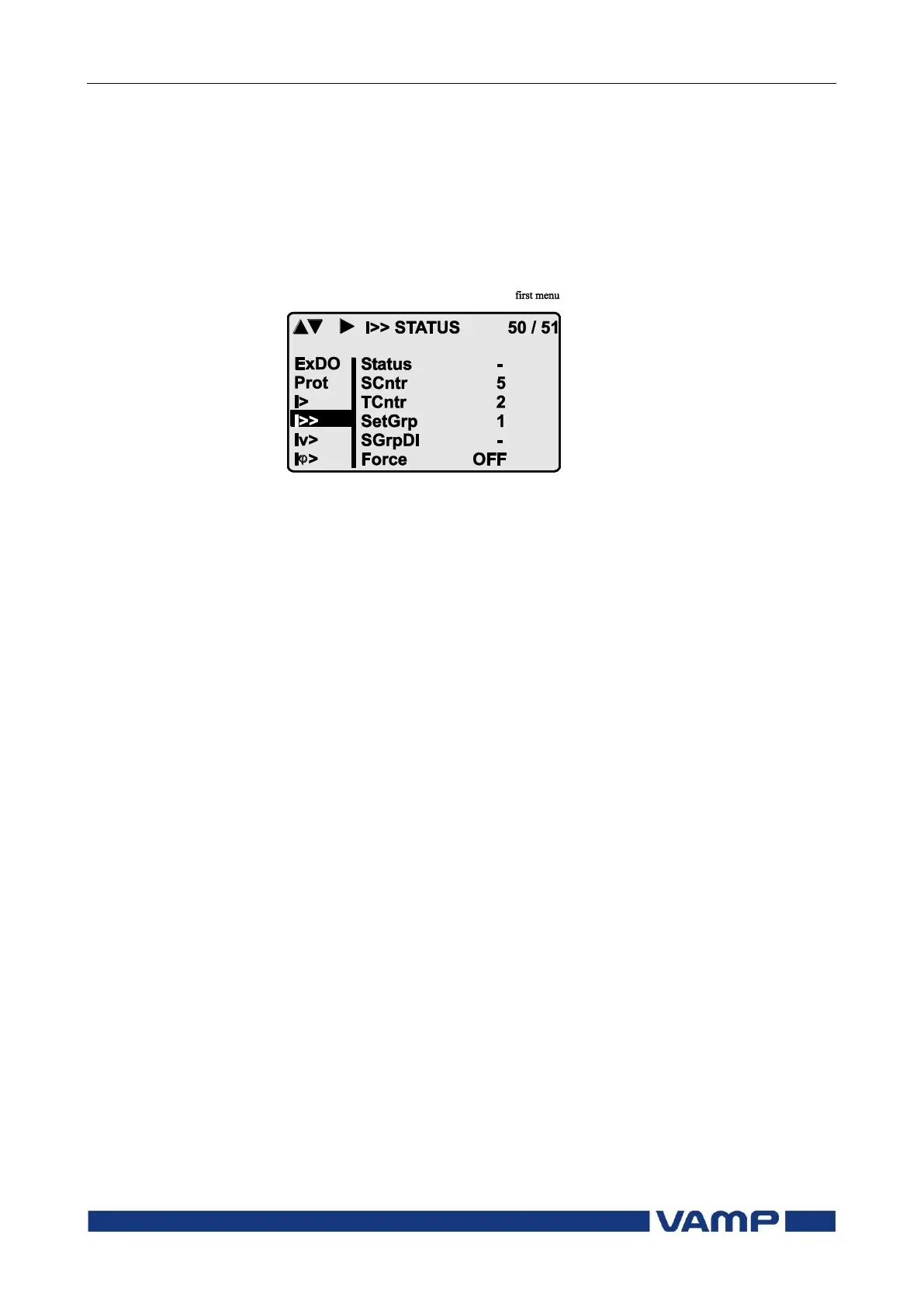
First menu of I>> 50/51 stage
Figure 0-1 First menu of I>> 50/51 stage
This is the status, start and trip counter and setting group
menu. The content is:
Status –
The stage is not detecting any fault at the moment. The
stage can also be forced to pick-up or trip is the operating
level is “Configurator” and the force flag below is on.
Operating levels are explained in chapter 2.2.5
SCntr 5
The stage has picked-up a fault five times since the last
reset or restart. This value can be cleared if the operating
level is at least “Operator”.
TCntr 2
The stage has tripped two times since the last reset or
restart. This value can be cleared if the operating level is at
least “Operator”.
SetGrp 1
The active setting group is one. This value can be edited if
the operating level is at least “Operator”. Setting groups are
explained in chapter 2.2.3.
SGrpDI –
The setting group is not controlled by any digital input. This
value can be edited if the operating level is at least
“Configurator”.
Force Off
The status forcing and output relay forcing is disabled. This
force flag status can be set to “On” or back to “Off” if the
operating level is at least “Configurator”. If no front panel



 To Next Page