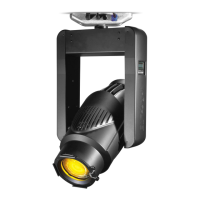
VARI❋LITE® - VL2402™ WASH LUMINAIRE USER’S MANUAL
24 17-Sept-01 02.9671.0001 C
Addressing
Program Starting Address
The address setting for DMX console or Virtuoso console controlled systems is
entered using the Menu Display. (Refer to Chapter 4: Menu System for detailed
instructions.)
The luminaire retains the DMX and Virtuoso addresses that are stored even if power is
removed.
Note: Refer to your console operating instructions for specific information regarding
its addressing requirements.
Program a DMX or Virtuoso starting address:
1. Press [Menu].
2. Press [Up] / [Down] arrows until ADDR (Address) appears. Press [Enter].
3. Press [Up] / [Down] arrows to access DMX (DMX console control) or VIRT
(Virtuoso protocol). Press [Enter].
4. Press [Up] / [Down] arrows to enter starting address.
5. Press [Enter] to set.
Program Starting Address Without Calibrating the
Luminaire
It is possible to bypass the calibration sequence and go directly to the Menu Display
programming in order to pre-program an address setting.
Program starting address without calibrating luminaire:
• While powering up luminaire, press and hold [Menu]. Program address as in
Program Starting Address above.
Note: The luminaire will require a reset to restore control.


 To Next Page