TROUBLESHOOTING AND MAINTENANCE : ROUTINE MAINTENANCE
A
02.9671.0001 C 17-Sept-01 93
Color Filter Replacement
WARNING: Remove power from luminaire before performing maintenance.
Tools:
Screwdriver, Phillips #2
Cotton gloves
To remove and replace a color filter:
1. Remove power from luminaire.
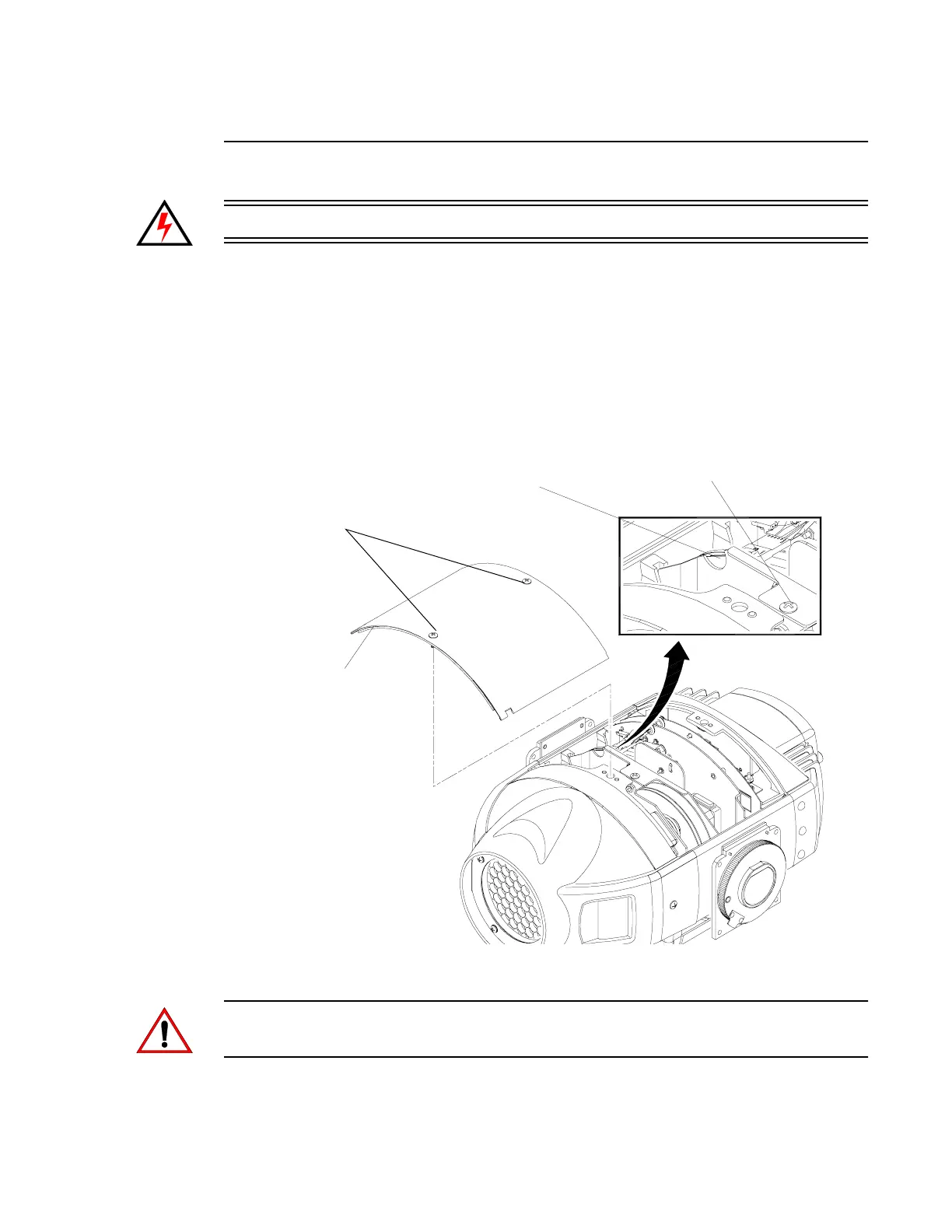
2. At removable cover, using #2 Phillips screwdriver, turn two captive screws
one-quarter turn and remove cover. (It will remain attached by tether.) See
Figure A-2.
Figure A-2: Filter Removal
CAUTION: Do not touch color filters with bare fingers. Wear cotton gloves or other
covering while replacing. Clean with glass cleaner and soft cloth if required.
Captive Screws
Removable
Cover
Bulkhead Captive Screw
Finger Access
Cutout


 To Next Page