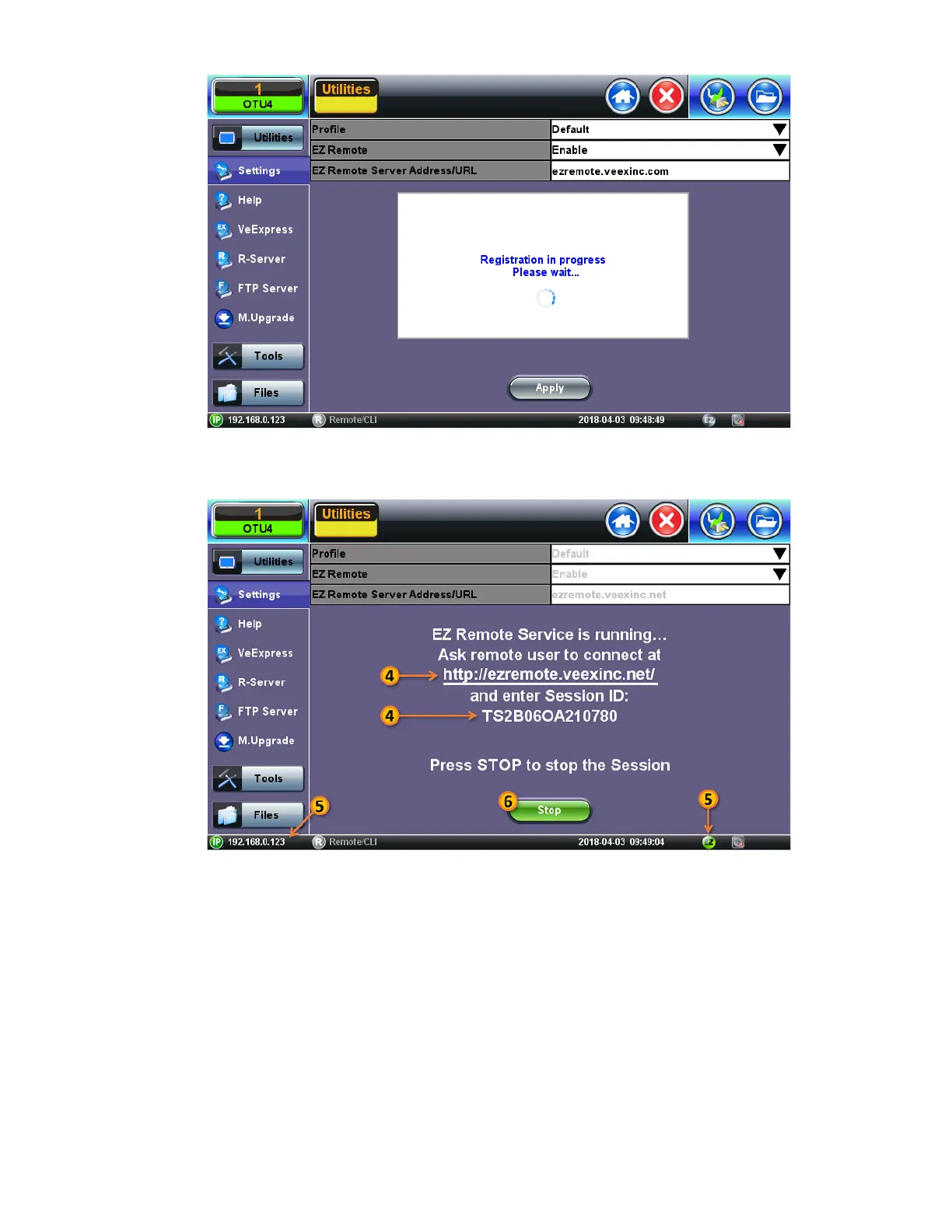
4. Provide the resulting URL and Session ID to the intended remote user.
5. You may continue to use the test set until a remote user logs in, then both will share control over the unit. Make sure the test
set remains connected to the LAN/WLAN/Internet and that the
EZ remote session indicator at the bottom of the screen stays
green.
6. When finished, use the Stop button to terminate the EZ Remote session and disconnect from the server.
TX300s_Platform_Manual_RevB00



 To Next Page