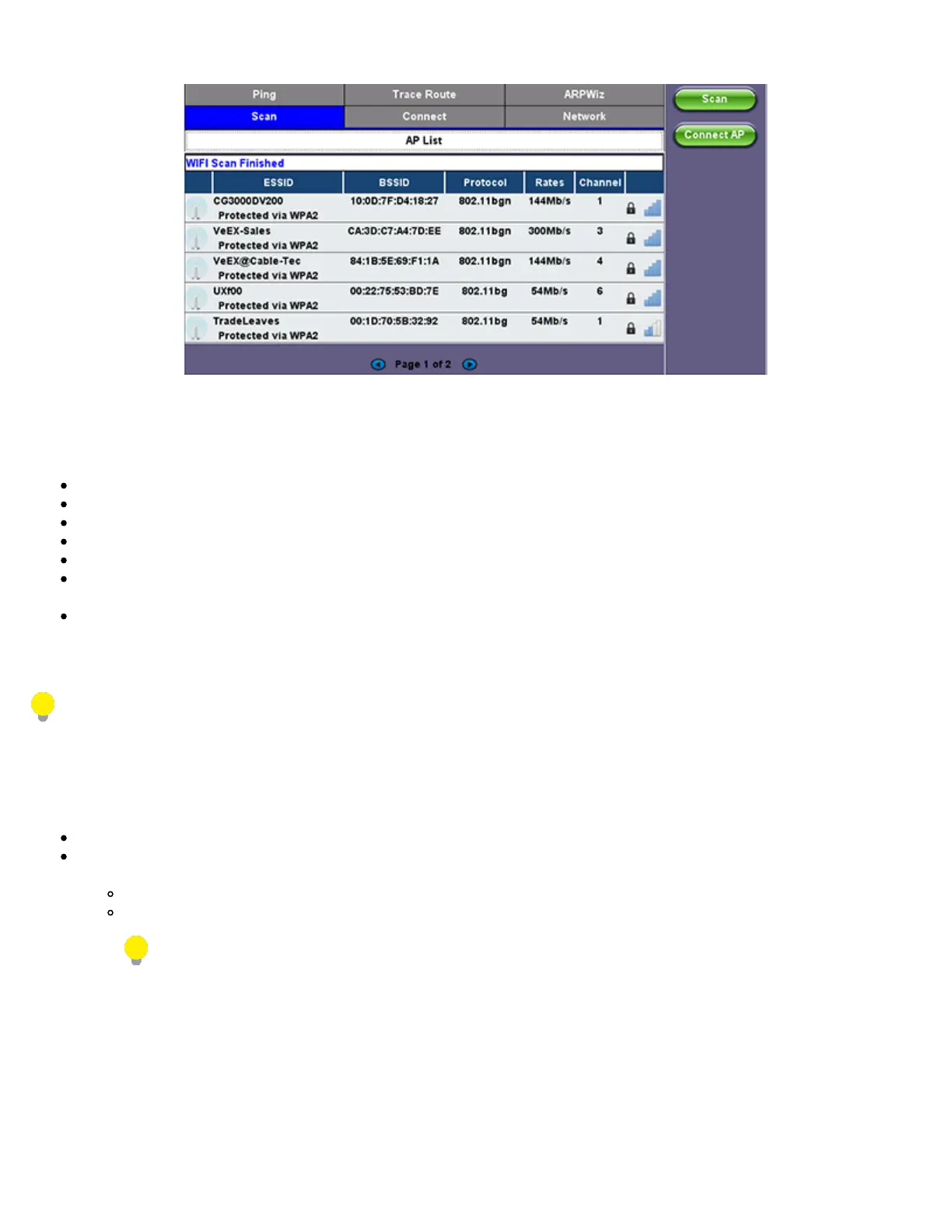
WiFi Wiz - AP List
AP List
The following information is displayed for each AP:
SSID name of the AP
BSSID (MAC address) of the AP
802.11 protocol version supported by the AP
Max data rate supported by the AP
AP's radio channel number
Lock symbol indicates if security is set on the AP (WEP, WPA or WPA2)
When the AP is unsecured, no lock symbol is displayed
Signal strength of the AP
Select one of the Access Points (AP) to start a connection. If the AP is locked, a network key is required to complete the connection.
The key can either be 10 characters or 26 characters.
If the user enters the wrong network key, the test set will still connect to the Access Point, but will not be able to connect to the
web or preform the Ping test.
Once selected, an Edit Settings function button appears on the right hand side bar.
Tap on Edit Settings or Connect AP to change the Encryption Type and enter the WiFi Key.
Encryption Type: Supported encryption types include WEP, WPA, and WPA2
Key: Security phrase or password necessary to access SSID and network. Tap the Key field to enter the AP password on the
pop-up keypad.
ASCII formatting supported
The password/phrase can be hidden (Global Settings > Show Password > Yes/No).
Password/phrase can be case sensitive.
Press Apply after selecting the Encryption Type and entering the Key. If the encryption menu was accessed via Edit Settings,
press Connect AP to connect to the AP. If the encryption menu was accessed via Connect AP, the test set will connect to the AP
automatically after pressing Apply.
TX300s_Platform_Manual_RevB00



 To Next Page