60
HPS50 PersonalScope
TM
Screen memory
Memory
Fig 50
1
Fig 51
2
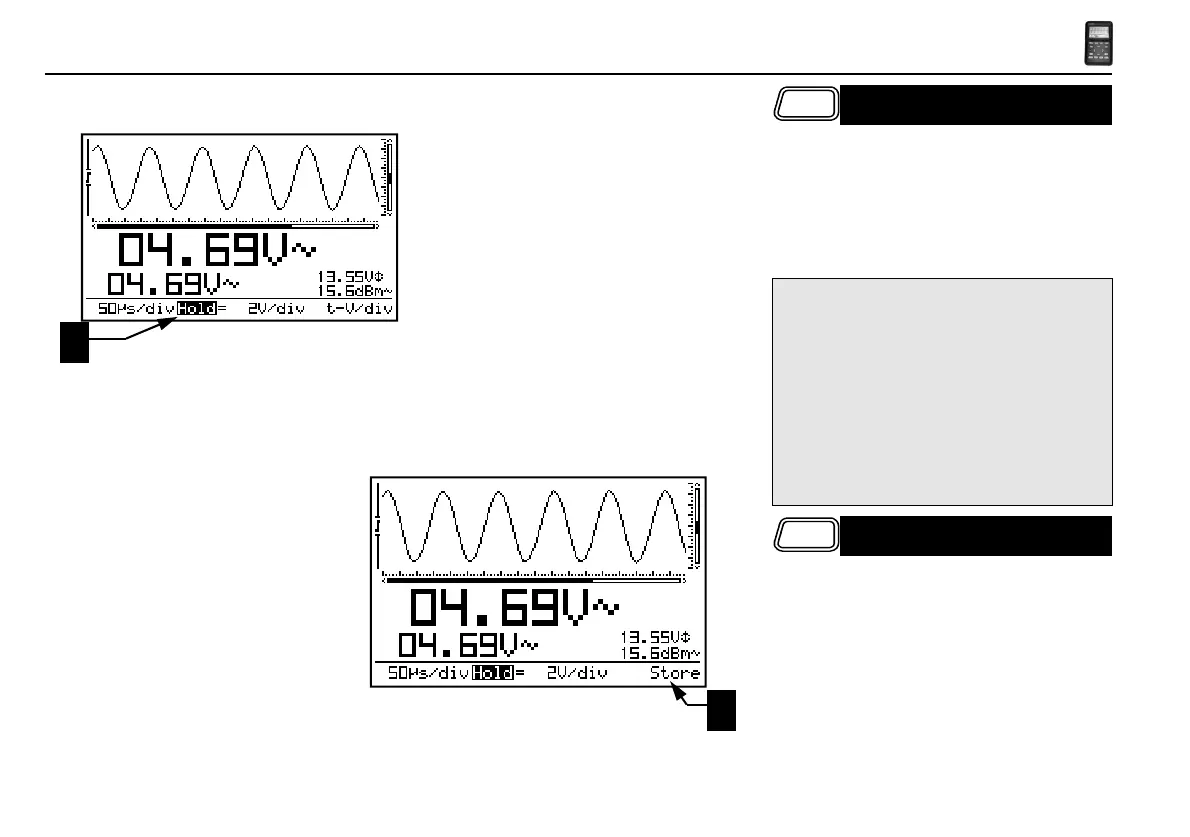
Press the ‘Memory’-key to freeze the waveform
on-screen. It may be useful to "freeze" certain
signals on your screen. This will allow the user
to study the signal using the markers. (Fig 50)
HOLDING THE SCREEN
Remarks:
• Most of the keyboard functions are disabled.
• Pressing the Memory key immediately stops
sampling at slow timebases. The rest of the
sample buffer will be cleared.
• ‘HOLD’ will be displayed inverted. (1)
• Releasing the ‘Hold’-mode will remove the
waveform from the screen.
Memory
STORE A SCREEN
• Press the Memory key to “Hold” the waveform
on-screen.
• A long keypress of the ‘Trigger’-key mode
stores the current screen into memory. (2)



 To Next Page
 Loading...