Firmware
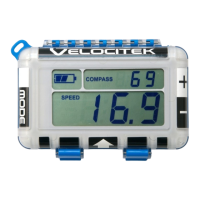
Firmware is the software that runs on the ProStart. Periodically firmware updates will be available with
bug fixes and enhanced features. To update the firmware, you must connect your ProStart to a Mac,
Windows or Linux computer. ProStart firmware are .hex files. You do not need to open a .hex file or
assign a default program to open a .hex file to change the firmware on your ProStart.
New versions of firmware can be found on the Velocitek website here:
https://www.velocitek.com/pages/prostart-firmware
Instructions for changing ProStart:
1. Connect the ProStart to a computer.
2. It will behave like a thumb drive (or any other USB mass storage device).
3. Open the ProStart, and then open the Firmware folder.
4. Remove the existing .hex from the Firmware folder.
5. Drag and drop the new .hex firmware file into the folder.
6. Unplug your ProStart from the computer.
7. Turn your ProStart off and then back on again.
8. Wait for a moment for the firmware update to begin.
9. You will know the firmware is updating when the ProStart counts from 0 to 100 on screen.
10. When it hits 100, the update is complete and the ProStart will begin operating normally, using
the new firmware.
Contact Velocitek technical support (support@velocitek.com) if you have questions about the firmware
on your ProStart.


 To Next Page