13 | Page
Version 00
© Verder Liquids B.V
Ds500, Ds500+ Operating manual
Original instructions (en)
7. Layout and Function
TheVerderexDs500isanindustrialperistaltic,self-priming
pumpdesignedformetering,dosingandtransfer(uid/
chemical) with a focus on accuracy and minimum downtime,
at pressures of up to 7 bar(g).
7.1 Design Details
The medium to be pumped is contained within the tube
and additional pipework and is totally contained within
the cartridge. A rotor shoe passes along the length of
the enclosed tube, compressing it. This motion forces
the contents of the tube directly in front of the shoe to
move forward along the length of the tube in a ‘positive
displacement’ peristaltic movement. In the wake of the
shoe’s compressing action, the natural elasticity of the
tube material causes the tube to recover and regain its
roundprole.Thiscreatessuctionpressurewhichrells
the tube.
7.2 Labelling
Figure 3. - Rear label
Item Description
1 Productdesignation&certication
2 Serial number / year of manufacture
Table 9. - Rear label details
When requesting spares or assistance the model and serial
numbershouldalwaysbequoted.
1 2
7.3 Layout
7.3.1 Front
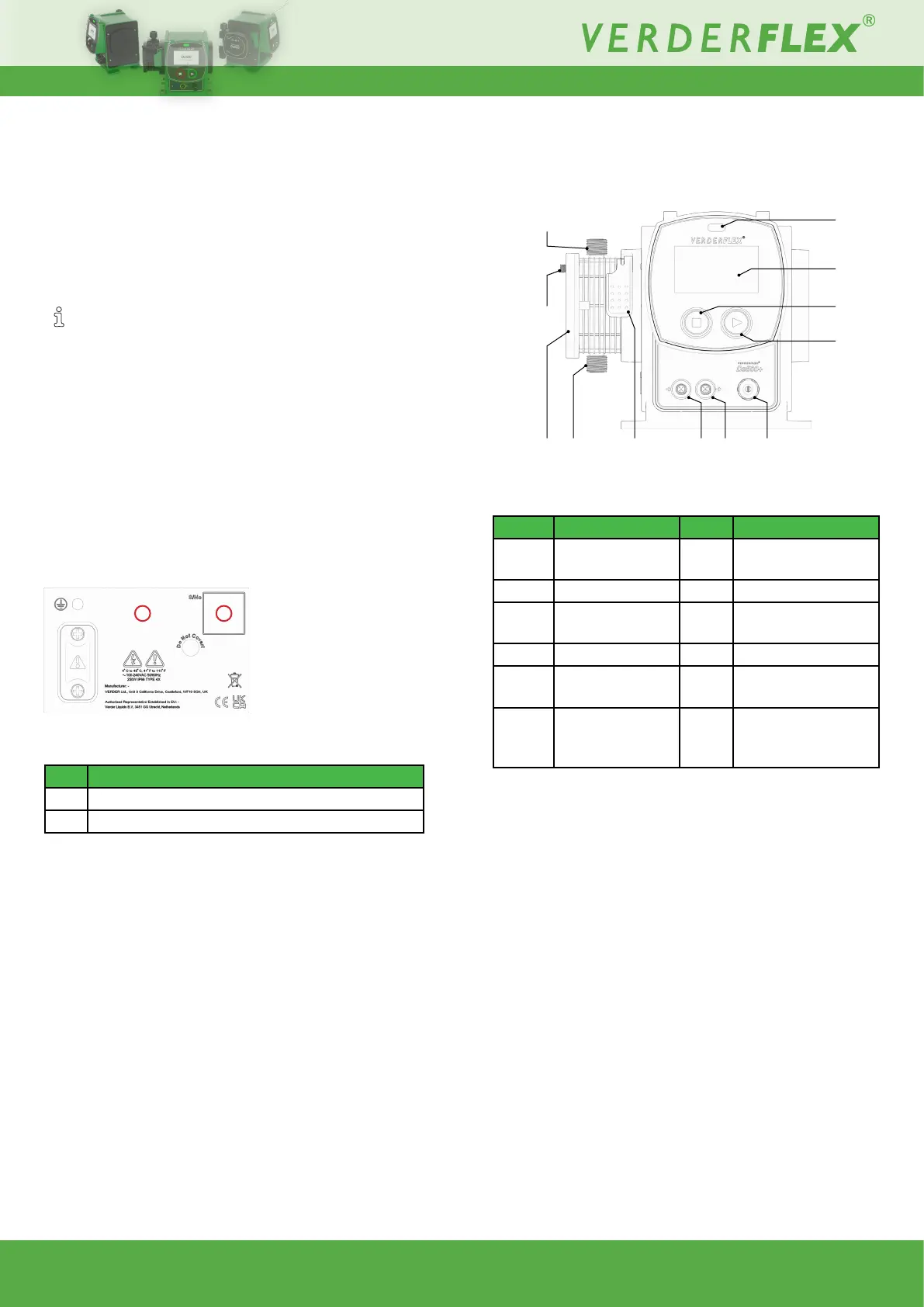
Figure 4. - Ds500+ front
(screen protector removed)
Table 10. -
Item Description Item Description
1
LED status
indicator
2
HMI
(HumanMachineInterface)
3 Stop (red) 4 Start (green)
5
Discharge point
(out)
6 Breather point
7 Cartridge 8 Suction point (in)
9 Cartridge lock 10
Externalcontrolinput
(Ds500+ only)
11
Externalcontrol
output
(Ds500+ only)
12
Mains input (pre-
tted)
Layout (front)
LED status indicator
– Red = Stopped
Redashing=Error/fault
– Green = Running with no errors
Green ashing = Pump running with Fluid Level Monitor
warning threshold reached.
– Purpleashing=Runningwithactiveerror/fault
– Whiteashing=Firmwareupdateinprogress
HMI
– Presents information to the user about the status of the
pump.
– Allowstheoperatortomakeselectionsandadjustments.
– Can be operated by touch or suitable stylus.
Stop
1
2
3
4
5
6
7 8 9 10
11
12



 To Next Page