22 | Page
Version 00
© Verder Liquids B.V
Ds500, Ds500+ Operating manual
Original instructions (en)
uidshavebeenused.
Presstoconrmthatthecartridgehasbeenreplaced
Apopupwillappeartoconrmthatanewcartridgehasbeen
tted:
Presstoconrmthatanewcartridgehasbeentted;
the counters will be reset.
or
Press to decline so that the counters are not reset.
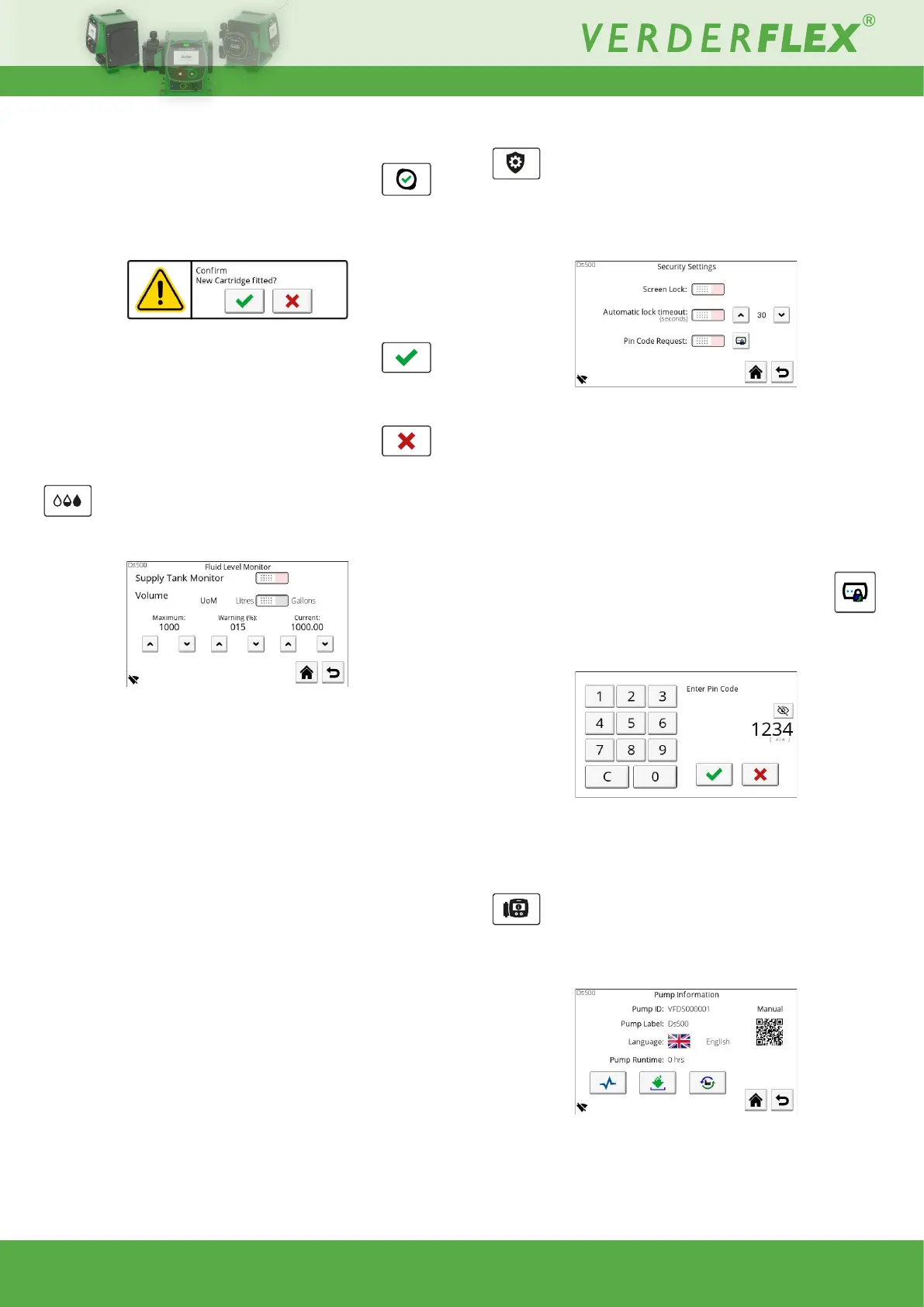
10.3.4 Fluid level monitor
This screen allows the operatorto set the uid level monitor
parameters:
Figure 29. - Fluid Level Monitor
10.3.4.1 Supply tank monitor
Use the toggle switch to enable/ disable the data reported on
the main screen.
Thefollowingparametersareusedtocalculateremaininguid.
10.3.4.2 Maximum
Usetheup/downbuttonstosetthemaximumcapacityofthe
tank you are drawing from.
10.3.4.3 Warning
Set the value(%) at which the main screen warning should
appear.
NOTE: The pump will not stop automatically when 0% is
reached.
10.3.4.4 Current
Set the value of what is currently in the tank.
10.3.5 Security settings
This screen allows for a screen lock to be enabled/ disabled,
adjustmentoftimebeforethescreenlockactivatesandwhether
a PIN code should be entered to unlock the screen:
Figure 30. - Security Settings
• Screen lock
If enabled, the Operating screen can be manually locked /
unlocked.
• Automatic lock timeout:
Adjustdelaybeforethescreenautomaticallylocks.
• PinCodeRequest:
Enable/ disable pin entry to unlock screen.
Change system PIN code
Presstochangethepincode;apopupnumerickeypadwill
bedisplayedwheretheoperatorwillberequiredtoenterthe
current PIN code (default 1111):
Figure 31. - PIN code entry
Now a new PIN code can be entered.
Re-enter the PIN code then accept to continue.
10.3.6 Pump information
This screen displays information about the pump and allows
congurationofPumpLabelandLanguagealongwithaccess
to the Diagnostics, Software and Factory Reset screens:
Figure 32. - Pump Information



 To Next Page