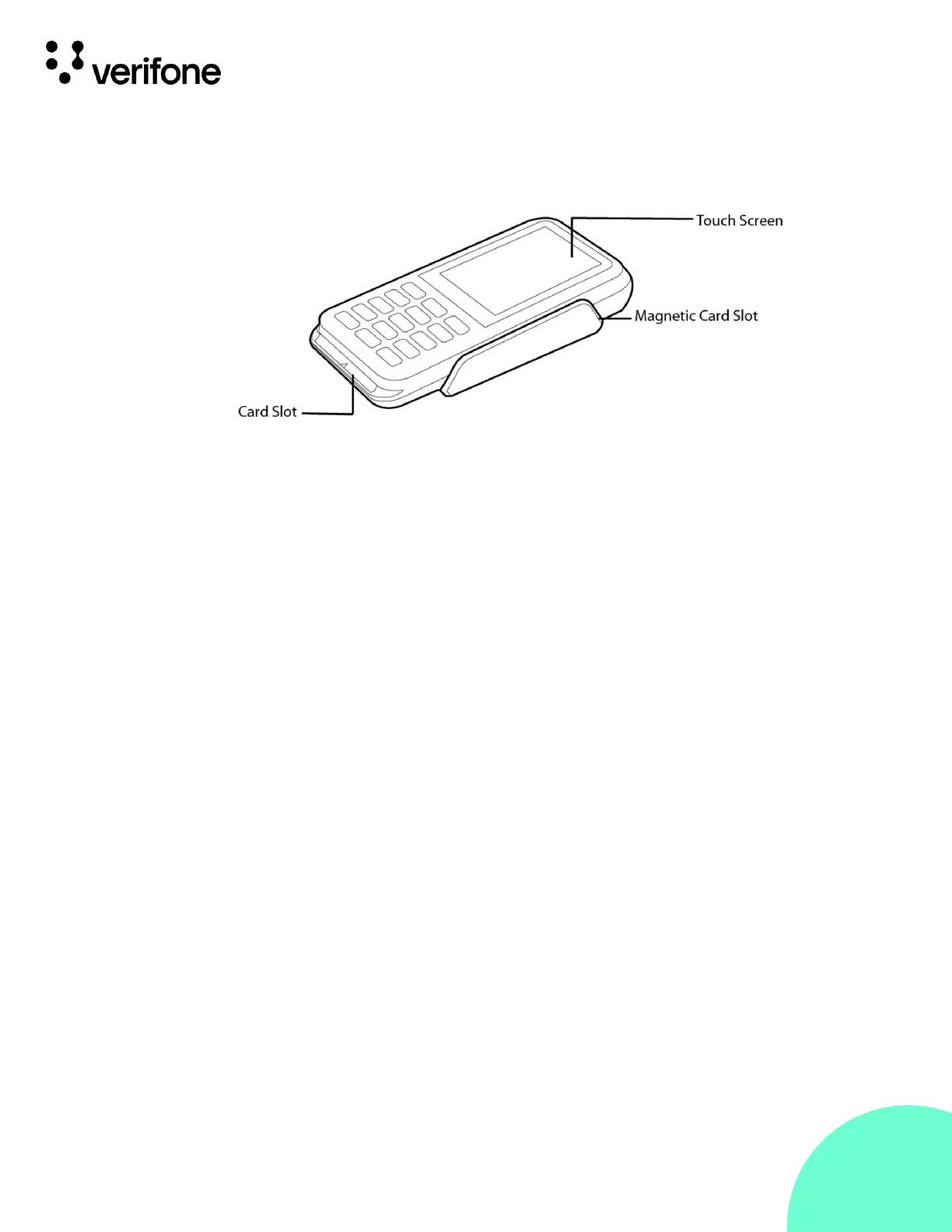
The P630 includes the following features:
• Capacitive touch LCD
• Secure keypad supporting 3x5 matrix containing 0-9, *, #,
Cancel, Backspace/Clear and Enter keys
• Supports telco-style format
• Dual-function Backspace/Clear key
• Customer-entry for Cancel and Enter keys
The rear of the P630 device shows the following:
• Cable connector compartment.
• Threaded grommets for attaching the mounting plate.
• A dual-stack (uSD+2SAMs) is built into the back of the unit
to support stored-value card programs or other merchant
card requirements.











 To Next Page