EasyManua.ls Logo

VeriFone P630 - Conducting a Credit;Debit Card Transaction

VeriFone P630
56 pages
Print Icon
To Next Page IconTo Next Page
To Previous Page IconTo Previous Page
Loading...
Installation Guide P630
30
© Verifone Inc. All rights reserved.
Magnetic Stripe
Card Reader Use
The P630 has a magnetic card reader that uses a triple-track stripe
reader. This gives the unit greater reliability over a wide range of
swipe speeds and operating environments.
Contactless
Transactions
The P630 supports contactless transactions through an integrated
contactless module. The terminal only becomes active for
contactless smart card transactions when initialized by an
application.
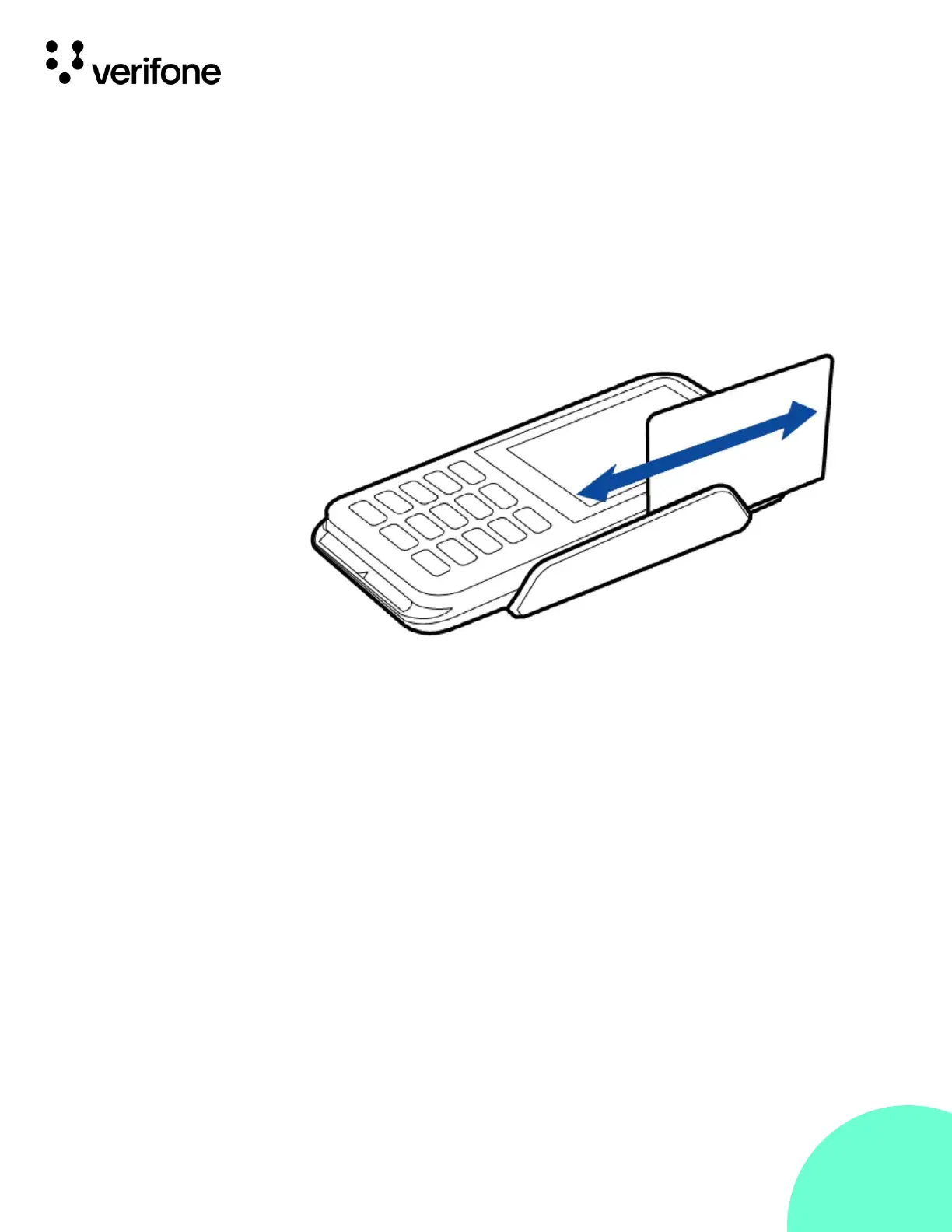
Figure 10:
Using the
Magnetic Stripe
Card Reader
Conducting a
Credit/Debit Card
Transaction
To conduct a credit or debit card transaction:
1.
Position a magnetic card with the stripe facing the keypad.
2.
Swipe it through the magnetic card reader.

Table of Contents