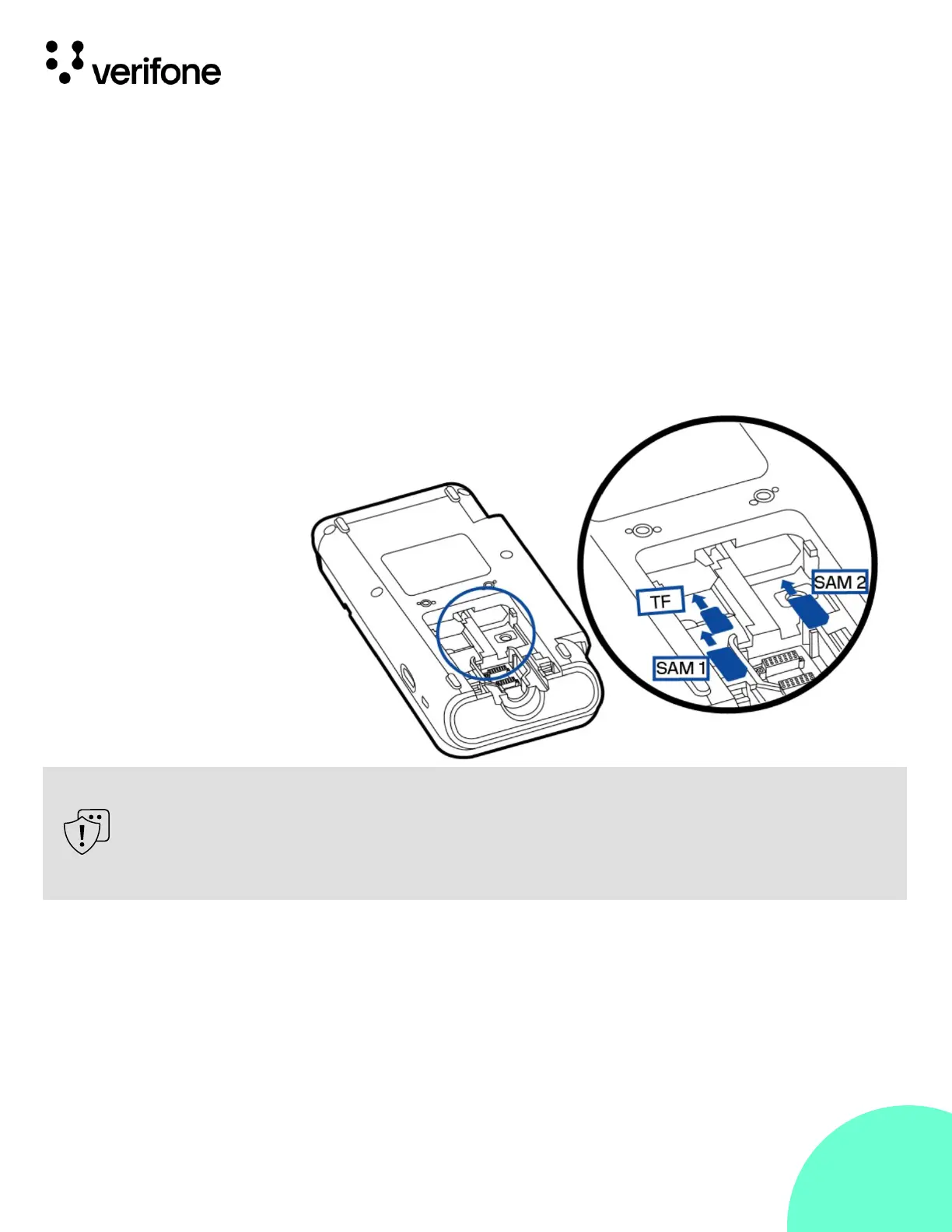
You may need to install one or more security access module (SAM) cards
or replace the old cards.
To install or replace SD card:
1.
Turn off the terminal.
2.
Place the terminal face down on a soft and clean surface.
3.
Remove cable cover as shown in Error! Reference source not found.
4.
Insert the card into the slot.
Observe standard precautions in handling electrostatically sensitive devices.
Electrostatic discharges can damage the equipment. Verifone recommends
using a grounded anti-static wrist strap.












 To Next Page