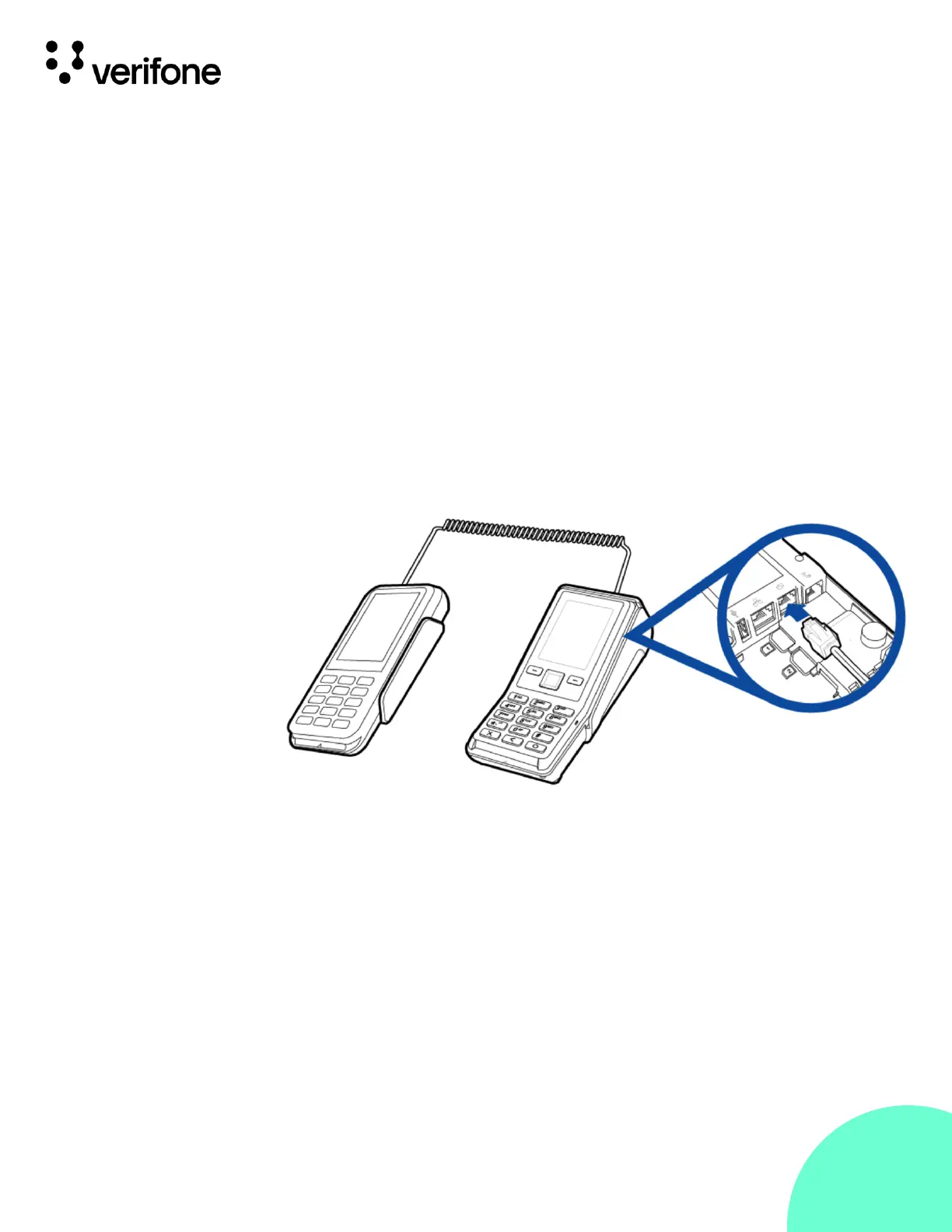
The P630 can be powered by another Verifone terminal by Serial Connection.
Serial Connection
• Conguration 1 - P630 to V200c
The P630 device is powered by the Countertop terminal via USB where the
output power of the V200c.
Connect the 28-pin connector of the coiled serial cable (Connected to
MOD 10 port, cable VPN - CBL435-002-01-A) to P630, then insert the other
end of the cable to the multi-communication port of V200c.
• Conguration 2 - P630 Full Feature
The PINpad accessories on the opposite side is to connect the PC
and the Electronic Cash Register (ECR) connection.






 To Next Page