Turn off or unplug the terminal when connecting or disconnecting the device
to avoid device memory corruption and data loss.
Refer to the controlling device instructions for any terminal-specic warnings.
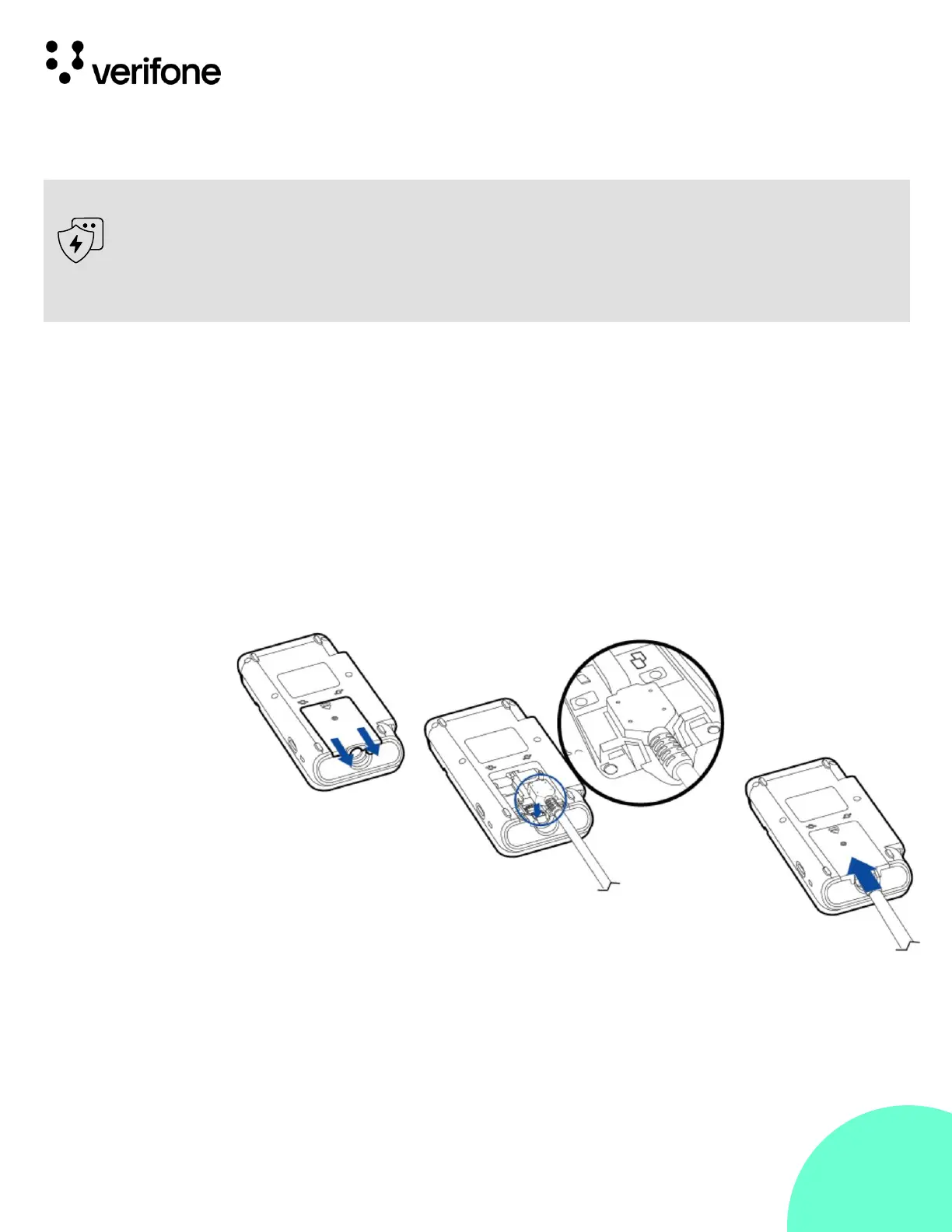
The cables rst have to be attached to the P630. To attach a cable to
the terminal, follow steps:
Step 1: Release the screw.
Step 2: Slide out the cable cover.
Step 3: Attach the 28-PIN connector of the cable to the terminal.
Step 4: Slide in the cable cover.
Step 5: Fix the screw.












 To Next Page