Liebert CR012 Precision Air Conditioning User Manual
36 Chapter 3 Micro-Controller
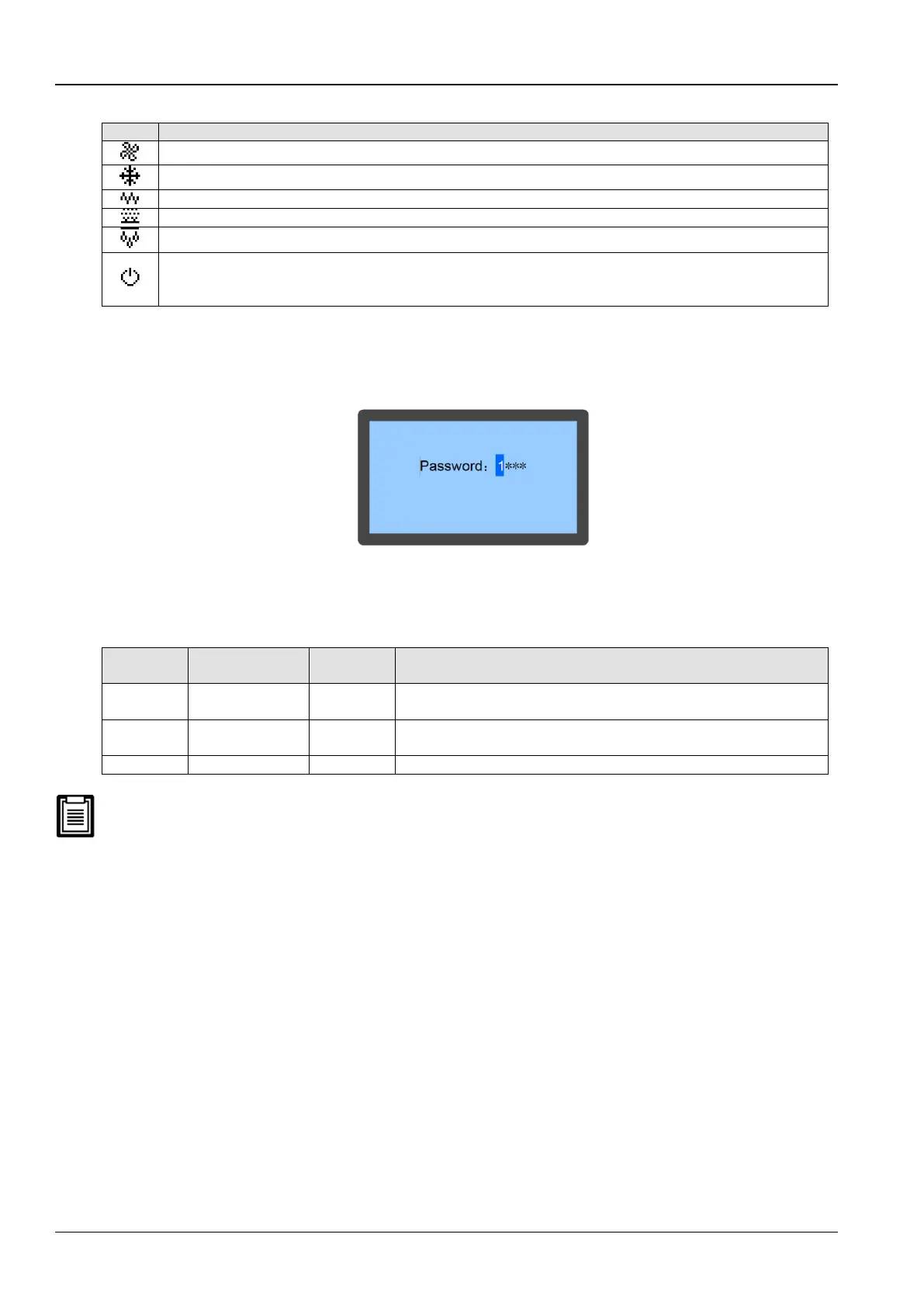
Fan rotating speed. Displaying the percentage of actual fan rotating speed
Compressor capacity. Displaying the percentage of actual compressor capacity
Heating state. Displaying 100% in heating mode, otherwise, displaying 0%
Humidifying state. Displaying 100% in humidifying mode, otherwise, displaying 0%
Dehumidifying state. Displaying 100% in dehumidifying mode, otherwise, displaying 0%
Unit property/operation status. S: single; T: teamwork; ON: running; R-OFF: remote shutdown; L-OFF: local shutdown;
M-OFF: monitoring shutdown;
MANU: manual mode; BKUP: backup; Lock: lock
3.5 Password interface
Press the Enter button on the Main screen following which the Password screen appears as depicted in Figure 3-4.
Figure 3-4 Password Interface
The table 3-3 depicts the 3 levels of passwords for accessing the menu. The detailed explanation is provided in the
same table:
Table 3-3
Browse all menu information. Only set temperature and humidity Setpoints.
Cannot change any values and settings
Browse all menu information. Set all parameters
On entering an incorrect password, the users cannot change the settings; however, they can view the menu. To go
back to the Main screen, press the Esc button and then click on the Enter button to get access to the Password
interface again. If the users do not enter a password and press the Enter button, then similar to the incorrect
password example, the users can view the menu settings but cannot change any parameters.
3.6 Menu Structure
In this section, the different kinds of menu and sub-menu options will be discussed to help users get a grip on the
Controller functions.
Main Menu
By entering the correct credentials for the password and confirming it, the Main Menu screen will be accessible. For
more information, refer to the Appendix 2 Menu Structure Of Micro-Processing Controller which defines the menu
structure of the Micro-processing controller.
On selecting a menu item, that item will be highlighted. Figure 3-5 depicts the Main Menu screen:









 To Next Page