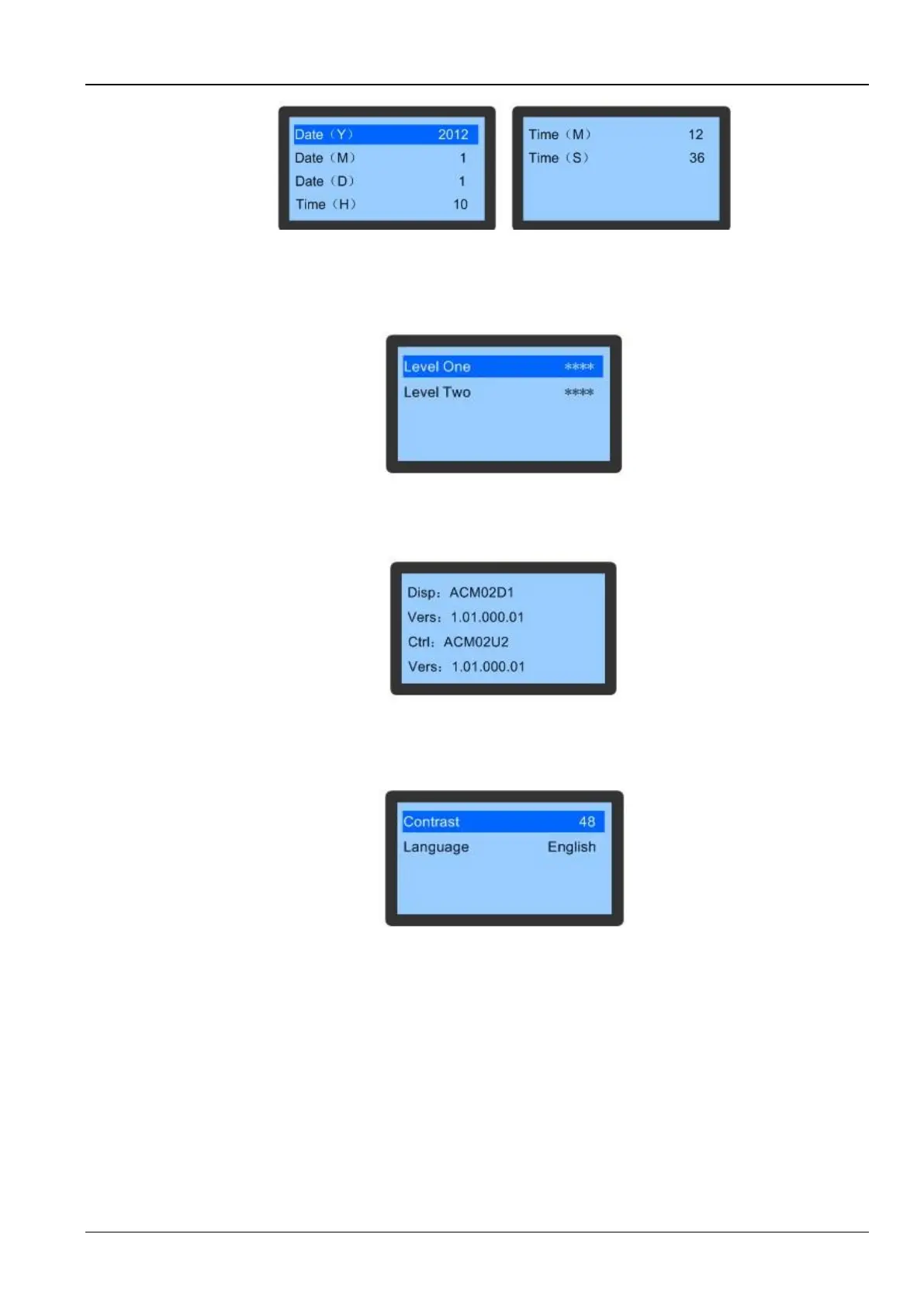
Figure 3-33 Date & Time screen
Password
The Password settings will not be lost in case of a power failure.
Figure 3-34 depicts the Password menu:
Figure 3-34 Password Menu screen
Version Info
This facility is used to view the software version as depicted in Figure 3-35:
Figure 3-35 Version Info
Display Set
Finally, select Display Set on the Main menu screen to see the menu items as depicted in Figure 3-36:
Figure 3-36 Display Set
3.7 Teamwork
Master unit will share teamwork parameters, temperature, and humidity set point, fan control mode, compressor
control mode to the slave unit. Slave unit upload serious alarm signs, independent operation signs, high temperature
alarm signs to the master unit.
3.7.1 Main and standby functions
The usual condition of standby unit is the fan off (other parts associated with the fan are also closed). If a working unit
has an alarm, a standby unit will start to operate, depending on the type of alarm. The “critical fault alarms” will cause
the unit to go into standby. The “secondary fault alarms” will remove the unit from the “running unit” number, but will
continue to operate.









 To Next Page