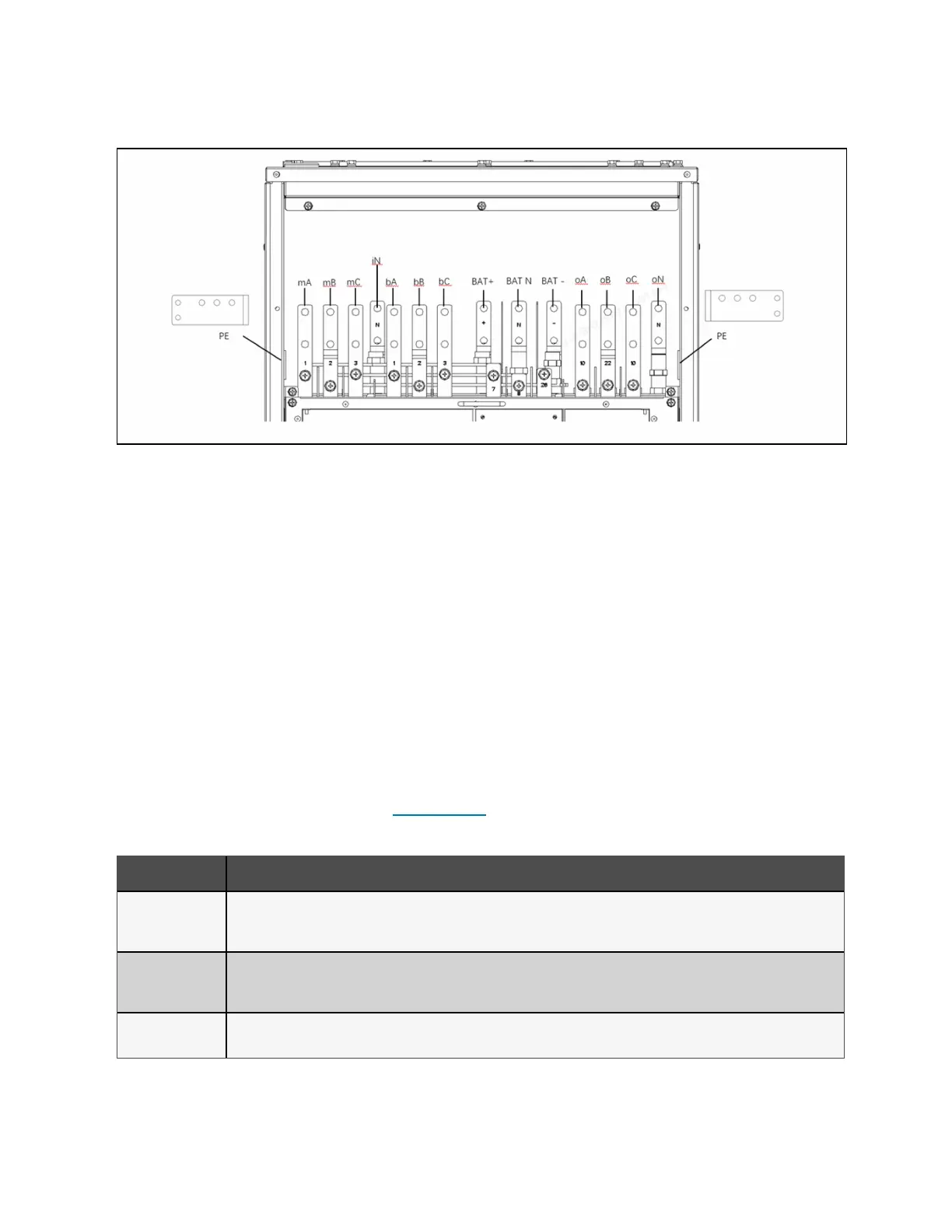
Figure 3.4 Terminal Detail
3.4 Communication Connections
The communication ports, shown in Figure 2.2 on page7, include:
• Two Vertiv™ Liebert® IntelliSlot™ card ports.
• I/O, programmable dry contacts
• REPO port
• USB port
3.4.1 Liebert® intelliSlot™ ports
The UPS has two IntelliSlot ports on the front of the unit. The IntelliSlot and USB ports may be used simultaneously.
We recommend that you route the communication cable for the IntelliSlot ports from the rear of the UPS through the built in
wiring pass through to connect to the installed cards. See Figure 2.2 on page7, for the location of the pass through.
If included, the cards are factory installed in the ports. Table 3.8 below, describes the cards available. The instructions for
configuring and using the cards are available at www.Vertiv.com.
Card Description
Vertiv™ Liebert®
IS-UNITY-LIFE™
Card
Communicates with Vertiv™ LIFE™Services remote monitoring.
Vertiv™ Liebert®
IS-UNITY-SNMP™
Card
Communicates via SNMP protocol to Vertiv montiring/shut down applications or any third party network management system.
Vertiv™ Liebert®
IS-UNITY-DP Card
Communicates with upto two third party platforms including SNMP, Modbus, BACnet, and YDN-23 protocols to network connected
Vertiv montiring/shut down applications or third party shut down software.
Table 3.8 Liebert® intelliSlot™ Communication Cards
26 Proprietary and Confidential ©2023 Vertiv Group Corp. 3 Installation and Commissioning
Vertiv™ Liebert® EXS Installer/User Guide











 To Next Page