4.3 LCD Menu and Screens
The menu driven LCD user interface lets you browse the UPS status, view operating parameters, customize settings, control
operation, and view alarm/event history. Use the function keys to navigate through the menu, and view statuses or select
settings in the screens.
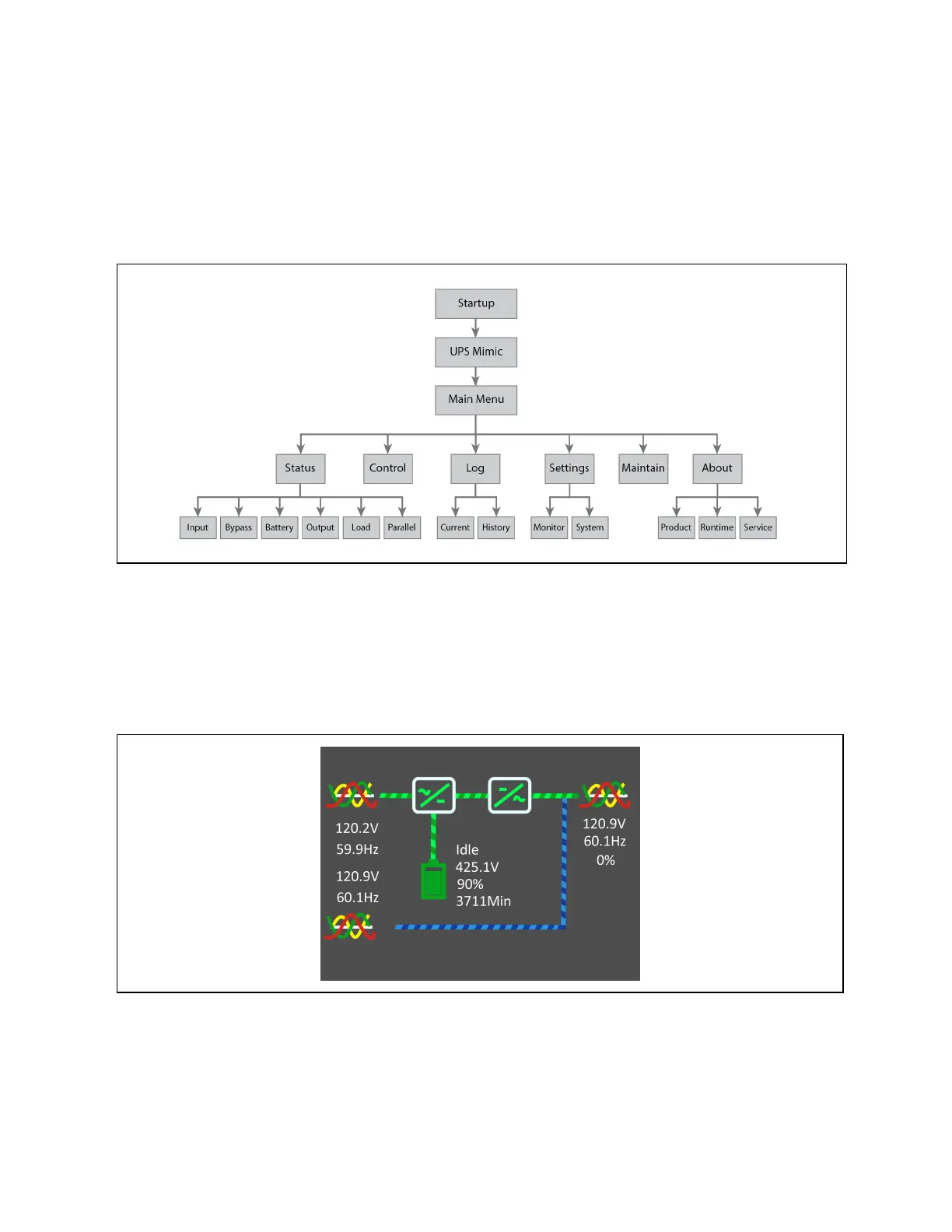
Figure 4.3 LCDMenu Structure
4.3.1 Startup and UPS mimic screens
At startup, the UPS executes a system test and displays the Vertiv logo screen for 10to15 seconds as shown in Figure 4.1 on
page31. After the test completes, an overview screen shows status information, the active (green) power path, and the non-
working power path (gray).
Figure 4.4 UPS Mimic Screen
4 Operation and Display Panel Proprietary and Confidential ©2023 Vertiv Group Corp. 33
Vertiv™ Liebert® EXS Installer/User Guide











 To Next Page