AHD DVR User Manual
9
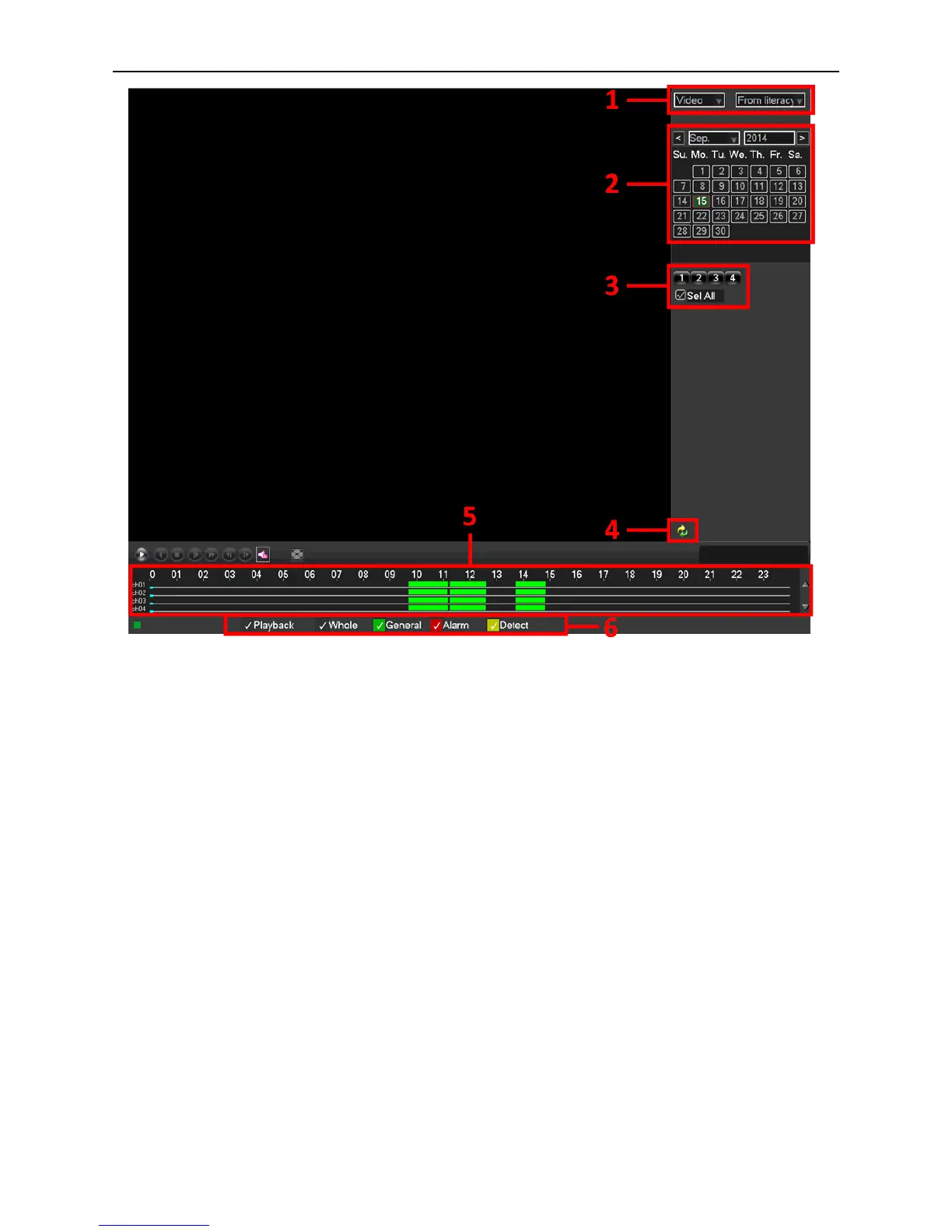
Picture 3.3 Playback
1. HDD Switch 2. Recording Search Calendar 3.Playback Channel Selection
4. Playback Page Switch 5. Playback Time Selection 6. Playback File Type
Select a HDD, a certain date in the calendar, and the channels which need to search video, set the recording type, tick off
“Playback” to realize multi-channel playback synchronously, find the playback time in the Playback Time Selection and
double click it.



 To Next Page