AHD DVR User Manual
19
Channel: Choose the corresponding channel number to set its recording parameters.
Set: Recording parameter (main stream) and network parameter (extra stream).
Video/Audio: Set whether to record video and audio simultaneously.
Resolution: Set recording resolution. The Higher resolution, the better recording quality, occupies more HDD capacity.
Conversely, the lower resolution, the worse recording quality, occupies less HDD capacity.
Frame Rate (FPS): Set recording FPS; the higher recording FPS, the better fluency of recording images and occupies
more HDD capacity. Conversely, the lower recording FPS, the worse fluency of recording images and occupies less HDD
capacity.
Bit Rate Control: Constant bit rate (CBR) or variable bit rate (VBR) which means recording stream changes automatically
according to image changes.
Quality: Adjust the video quality, six grades are optional.
Bit Rate (Kb/S): Set recording stream statics under fixed stream state (CBR). The Higher stream statics, the better
recording quality and occupies more HDD capacity. Conversely, the lower stream statics, the worse recording quality and
occupies less HDD capacity.
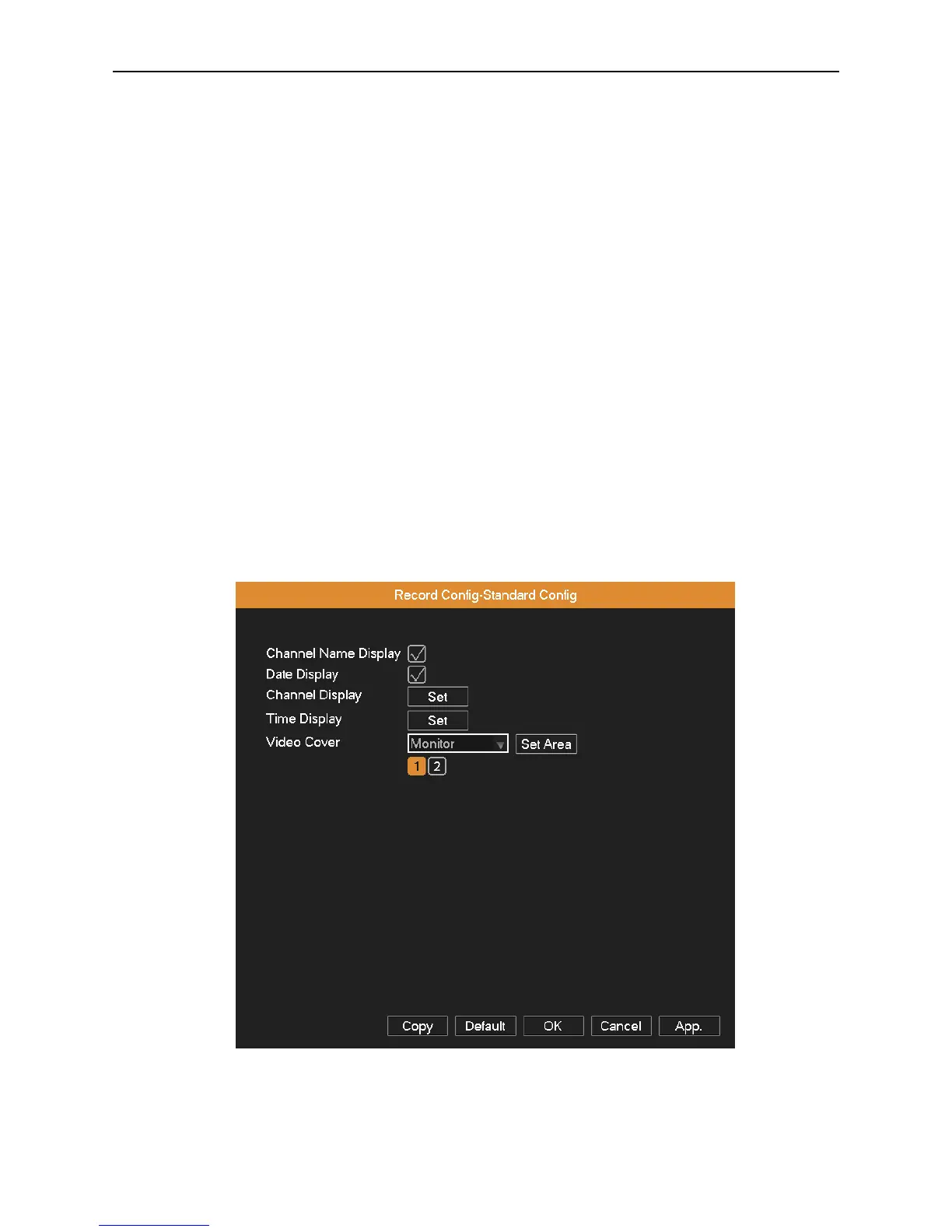
Video Overlay: Set whether to display channel name, time and date on screen overlay, and adjust the position of time title
and channel title on screen. Select the monitor and click Set Area button to enter relative channel, user can choose the size
of region overlay, each channel can maximum set 2 regions (the video output is black of the covered region).
Picture 4.4 Video Overlay
Record Plan: Set DVR’s recording plan and trigger mode. The column means the seven days of a week from Monday to
Sunday; the row means 24 hours of a day



 To Next Page