35
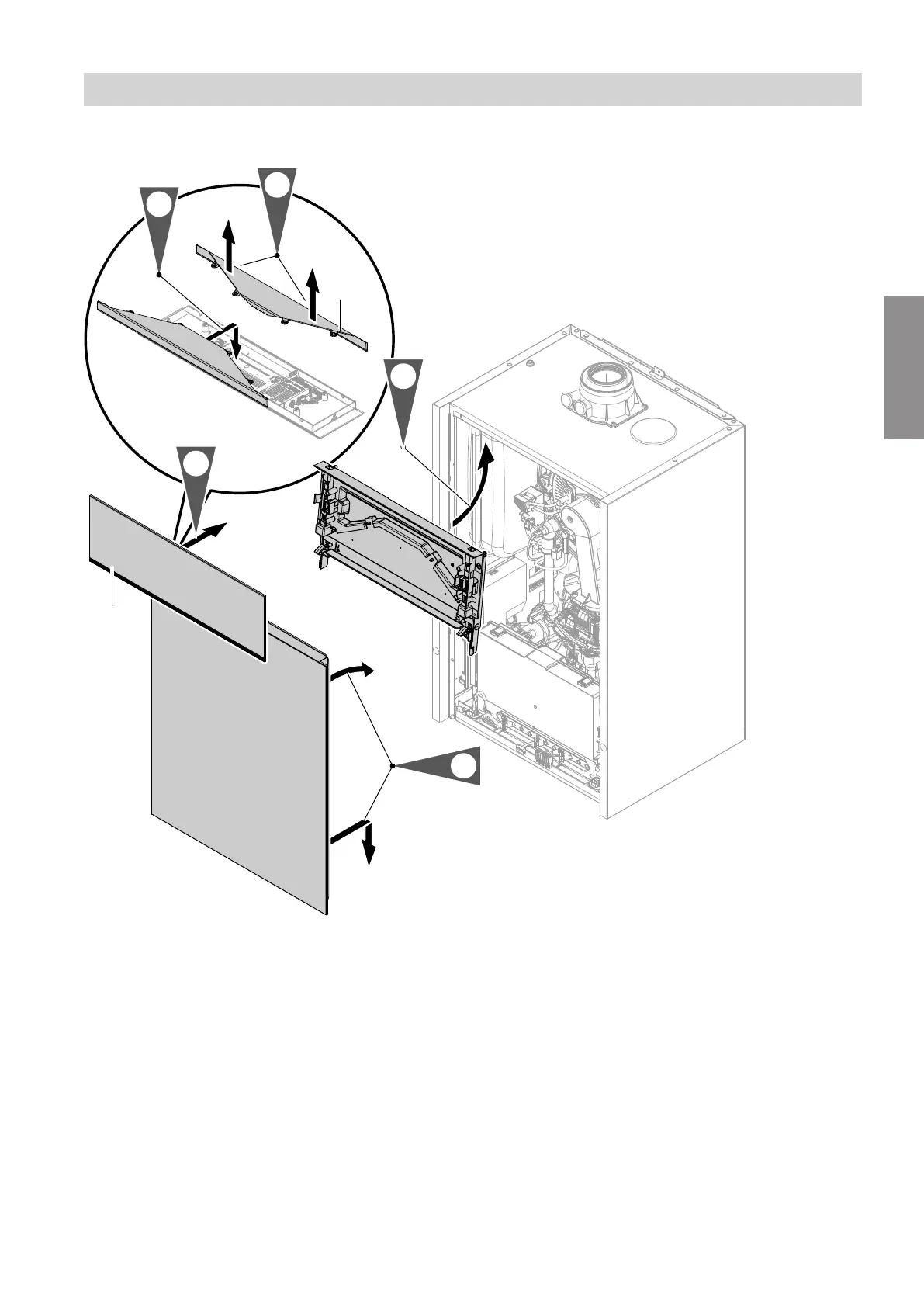
Programming unit located at the top
Fig. 28
1. Install the mounting panel for the programming unit
at the top. See page 18.
Reconnect the plugs to the mounting panel on the
right. Do not alter where and how the cable is
secured (fixing point of the cable tie).
2.
Pull Lightguide
A
out of all 4 detents at once and
remove. As you do so, pull it upwards between 2
detents, in the middle and at the same time.
Ensure that the locking tabs do not break off.
3.
Turn Lightguide
A
around and clip it into place at
the bottom of the programming unit.
4. Fit the front panel.
5.
Fit the programming unit with Lightguide
A
at the
bottom.
Installation sequence
Fitting the programming unit and front panel (cont.)
5593201
Installation




 To Next Page