49
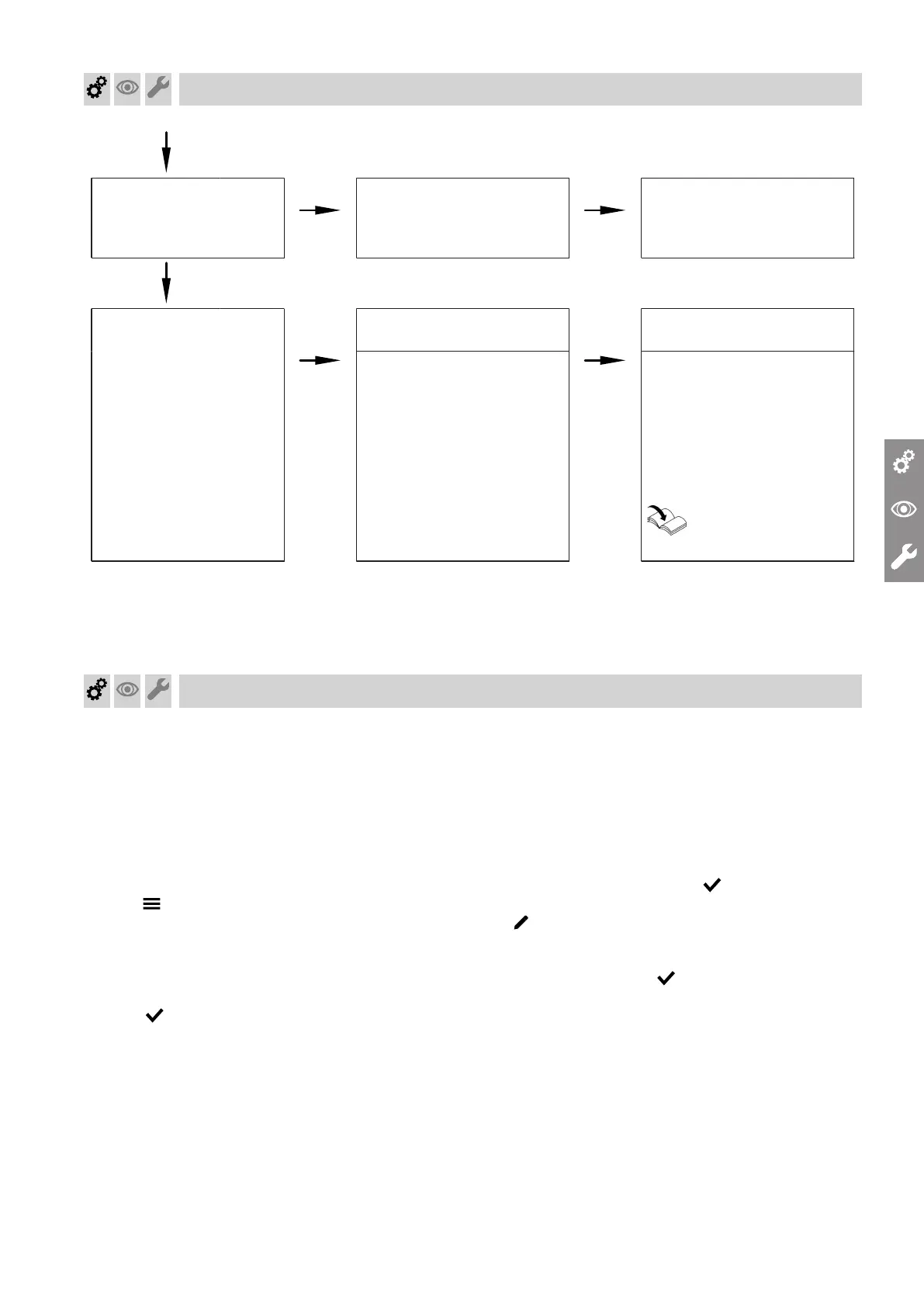
Yes
Burner in operation
No
Shuts down below the set
boiler water temperature and
restarts immediately.
Check the flue system for
tightness (flue gas recircula-
tion). Check gas flow pres-
sure.
Yes
Automatic calibration of
the combustion controller
No
Fault F.62, F.373
Ensure adequate heat trans-
fer. Reset device.
Fault F.346, F.377 Check gap between ionisa-
tion electrode and burner
gauze assembly.
Check flue system. Remove
flue gas recirculation if re-
quired.
Reset device.
Operating instructions
For further details regarding faults, see page "Trouble-
shooting".
Setting the max. heating output
A limit can be set on the maximum heating output for
heating mode. The limit is set via the modulation
range.
Note
The flow rate must be checked before the max. heat-
ing output can be adjusted. Ensure adequate heat
transfer.
01. Tap .
02. Select "Service".
03. Enter password "viservice".
04. Use to confirm.
05. Select "System configuration".
06. Select "Boiler".
07. Parameter 596.0 "Maximum heating output"
08. Check that a sufficient flow rate is ensured. If nec-
essary, increase the heat transfer.
Confirm the message with " ".
09.
10. Set required value as a % of the rated heating out-
put and confirm with . Factory setting 100 %.
11. End service functions.
Commissioning, inspection, maintenance
Function sequence and possible faults (cont.)
5593201




 To Next Page