15
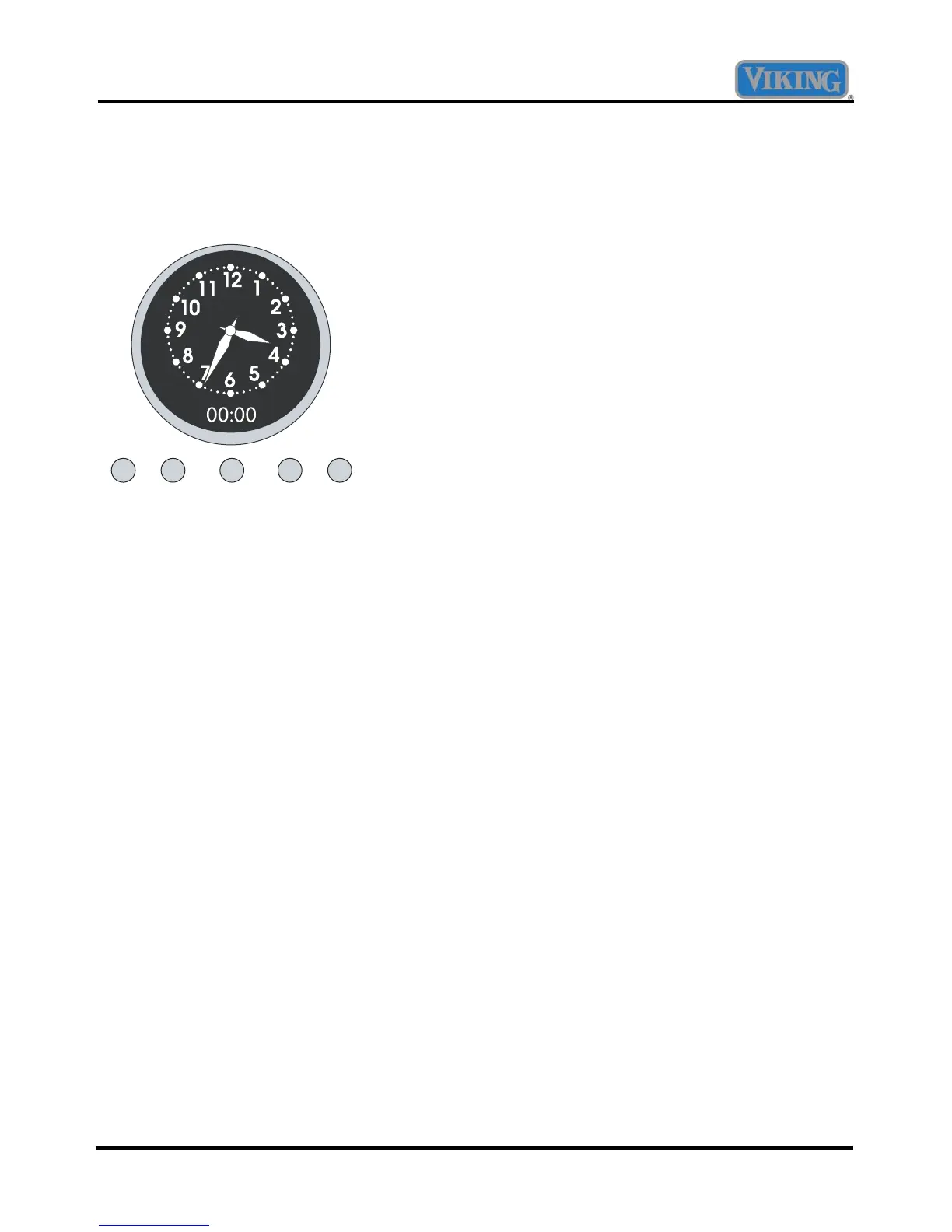
Setting the Analog Display
The time-of-day must be set before any other
program can be used. When the oven is first
connected to the power, the digital display will
show 00:00.
min/sec
timer
bake
time
start
time
Set
probe
temp
To program the time-of-day:
1. Push and hold the “min/sec timer” and
“bake time” buttons at the same time.
2. Turn the “Set” knob until correct time is
displayed on the digital clock.
3. Release the buttons.
The analog clock will automatically set after the
digital time is set.
Setting the Min/Sec Timer
The Min/Sec Timer is designed for accurate
timing and can be used at the same time the Bake
Time or Start Time functions are in use. It can be
used for timing up to 24 hours.
To program the Min/SecTimer
4. Push and release the “min/sec timer”
button.
5. Rotate “Set” knob until desired duration
of time is displayed. Timer starts seconds
after “Set” knob stops rotating. A tone
indicates the timer has started.
When the timer has one minute remaining, the
timer will sound twice and begin to countdown by
seconds. A tone will sound three times indicating
the time is complete and twice every ten seconds
after completion until timer function is cleared.
NOTE
Press any function button to clear a completed
cycle or function.
Setting the Bake Time Program
The Bake Time program is used for controlled
timing of baked or roasted foods. At the end of the
timed cycle, the oven automatically turns off.
Setting the Automatic Start Time Bake
Program
The Bake Time program is used for controlled
timing of baked or roasted foods. At the end of the
timed cycle, the oven automatically turns off.
To Set the Bake Time Program
1. Turn the “manual” knob to “upper timed”
or “lower timed” position, depending
upon the oven mode and oven being used.
2. Set the Oven Function Selector to the
BAKE, CONVECTION BAKE, or
TRUCONVEC position, depending upon
the type of baking being used.
3. Set the temperature control knob to the
desired temperature and allow for
preheating.
4. Press and release the “bake time” button.
The timer will display :00 with the words
SET and COOK in the upper right corner
of the digital display.
5. Turn the “Set” knob until the desired
baking time is displayed in hours and
minutes. The cook time/remaining time
and the word COOK will be displayed.
The word COOK will flash and the tone will
sound three times when the time is completed;
oven will turn off. The tone will sound twice
every ten seconds after completion until timer
function is cleared.
6. Turn off the oven.



 To Next Page