© 2009 Viking Preferred Service
17
Diagnostics
Mode A Functions
Reading Temperature Display
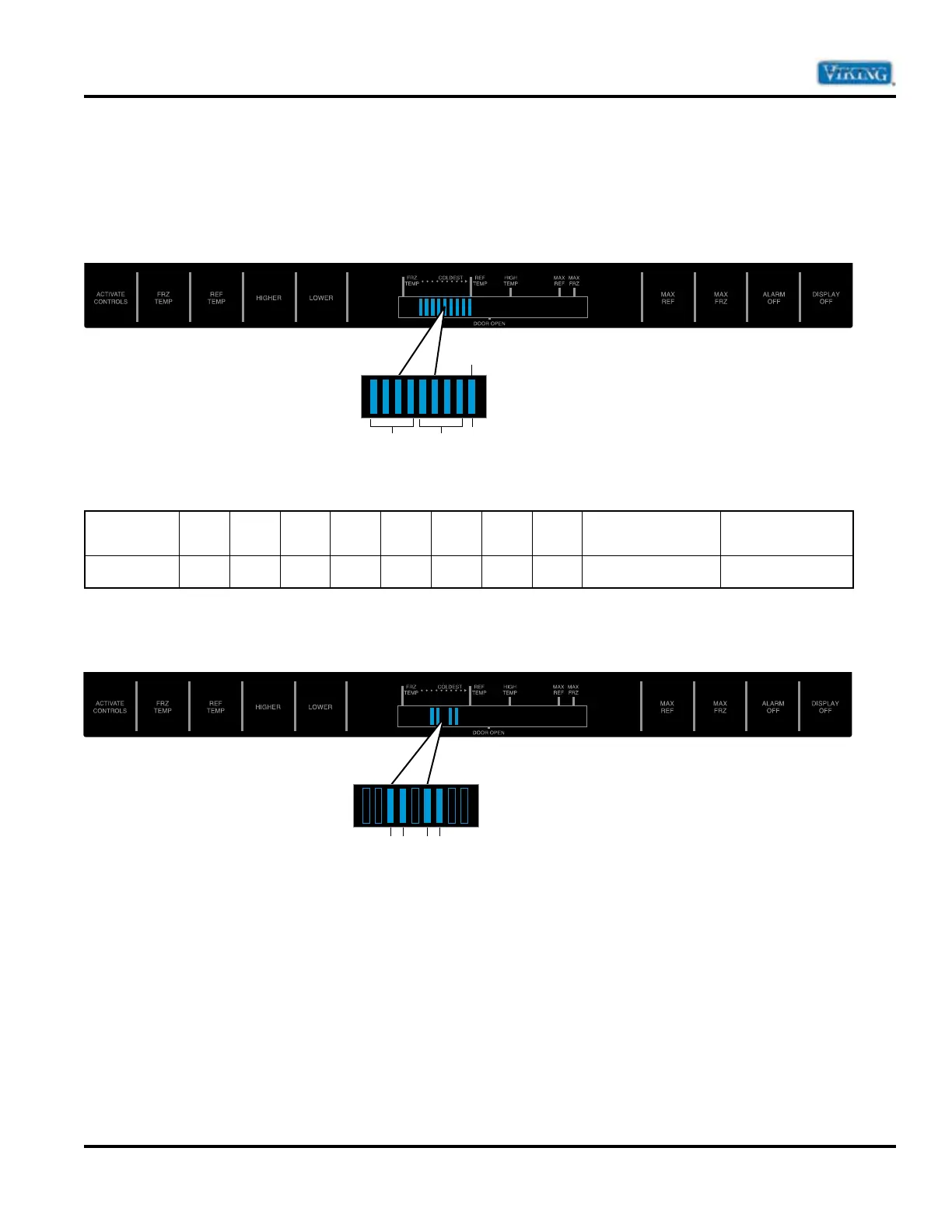
The temperature display will show thermistor temperature in binary code. The display has nine indicator
lights that will light up to display the temperature. Lights 1 – 4 indicate the first digit of the compartment
temperature and lights 5 – 8 indicate the second digit of the compartment temperature. The ninth light will
light up for a negative temperature.
To read the temperature of the unit from the display, refer to the code chart below
Indicator
12345678 9
Not Illuminated
9
Illuminated
Value
84218421+ Temperature - Temperature
Below is an example of the Fresh Food Thermistor. In the first group of 4 indicators (10’s column) indicator
3 and 4 are lit. In the second group of 4 indicators (0’s column) indicator 6 and 7 are lit. Add al the values to
calculate the compartment.
Indicator 3 is illuminated this is a value of 2 or 20 degrees
Indicator 4 is illuminated this is a value of 1 or 10 degrees
Add Indicator 3 and 4 together to get a total temp of 30 degrees for the 10’s column.
Indicator 6 is illuminated this is a value of 4 or 4 degrees
Indicator 7 is illuminated this is a value of 2 or 2 degrees
Add Indicator 6 and 7 together to get a total temp of 6 degrees for the 1’s column.
Indicator 9 is not illuminated so the temperature is positive.
The compartment temperature for this example would be 36 degrees.
1-4 5-8 9
Negative temp
34 67


 To Next Page