© 2009 Viking Preferred Service
28
Diagnostics
Special Features (continued)
Enter Showroom Mode
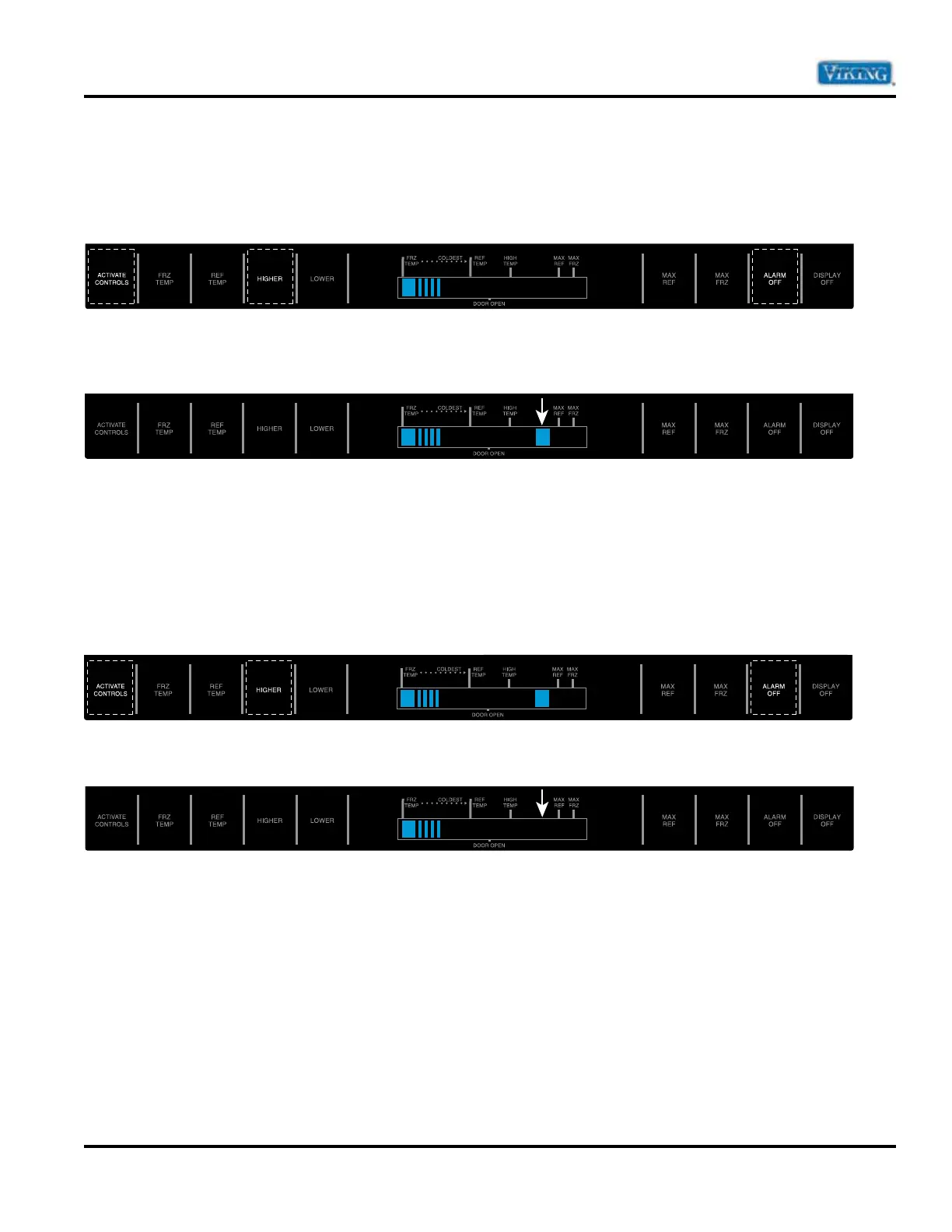
To enter Showroom mode: Press and hold the “ACTIVATE CONTROLS” pad. While holding, press and hold
the “HIGHER” and “ALARM OFF” pad simultaneously. One beep will be heard indicating that sequence was
entered properly.
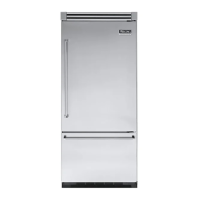
Continue holding until three beeps are heard and then the Blue LED two steps to the right of the HIGH TEMP
indicator will illuminate. Showroom mode activated. Showroom mode is entered.
When the control is in Showroom Mode, the compressor/condenser fan, evaporator fan, DC fan, and defrost
heater switches remain disabled. The keyboard, display, and interior lights operate as normal. Interior lights
turn off 10 minutes after feature is enabled and High Temperature and Open Thermistor Alarms are disabled.
Exit Showroom Mode
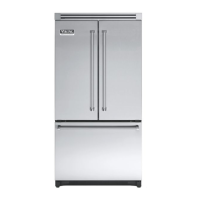
To exit Showroom mode: Press and hold the “ACTIVATE CONTROLS” pad. While holding, press and hold
the “HIGHER” and “ALARM OFF” pad simultaneously. One beep will be heard indicating that sequence was
entered properly.
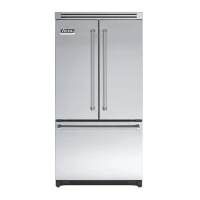
Continue holding until three beeps are heard. The display will revert to normal operation.


 To Next Page