© 2009 Viking Preferred Service
22
Diagnostics
Mode B Functions (continued)
Door Alarm Delay
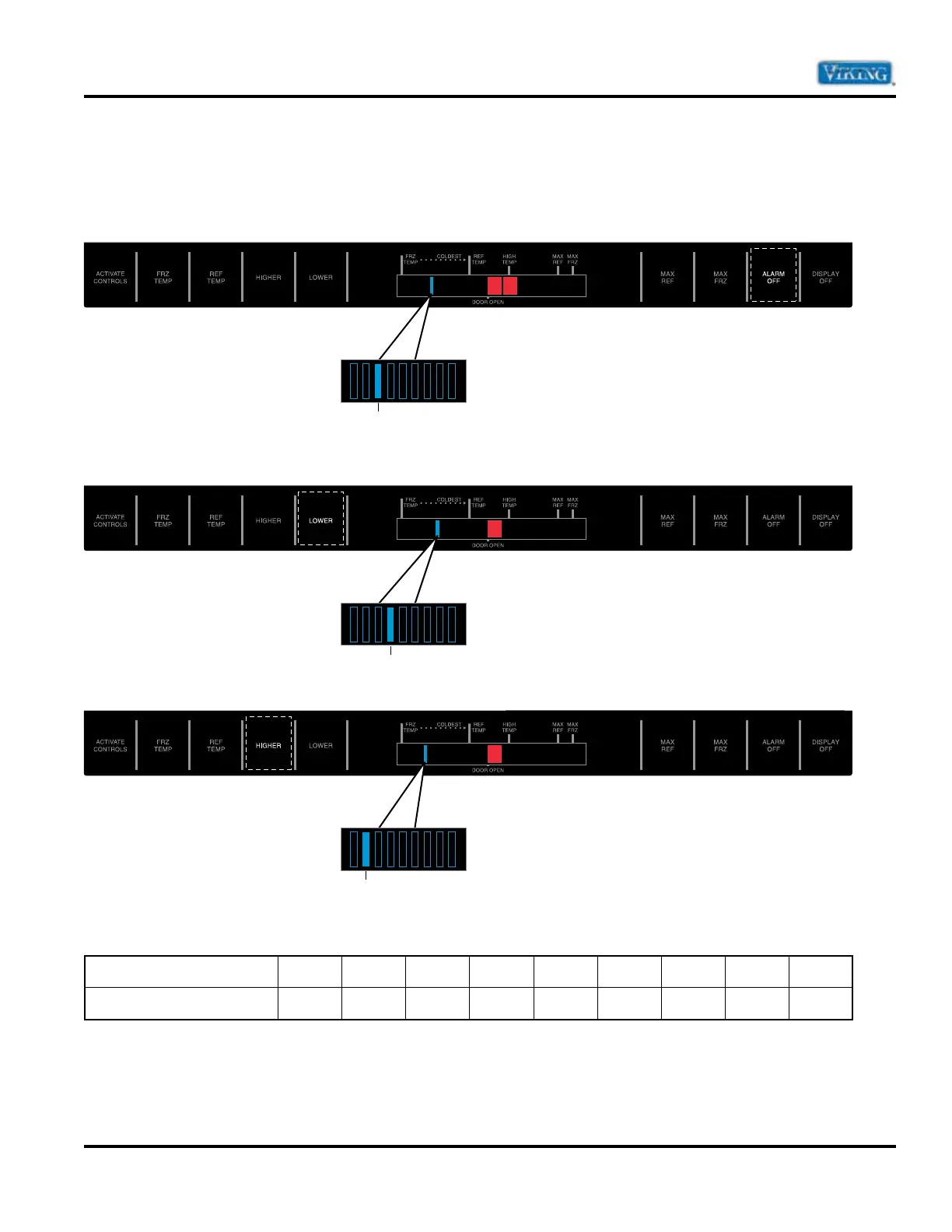
Press “ALARM OFF” pad. Door open indicator will glow. One temperature indicator should glow indicating
present delay setting. Indicator light one glowing means one minute, indicator light two glowing means two
minutes, etc. The default setting is 3 minutes.
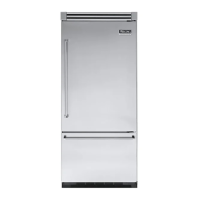
To increase the default delay time, press “LOWER TEMP” pad to increase by one minute.
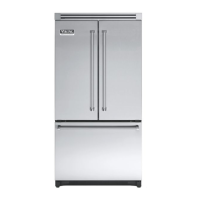
To decrease the default delay time press “HIGHER TEMP” pad to decrease by one minute.
The indicator light and corresponding default times are listed below.
Indicator
12
3*
456789
Default Delay Time
1 min 2 min
3 min
4 min 5 min 6 min 7 min 8 min 9 min
* Default setting
3
4
2


 To Next Page