ALARM
OFF
HIGHER
FRZ
TEMP
LOWER
HIGHER
Freezer Cut-Out
Model Value
5301 -8
5361 -6
DISPLAY
OFF
HIGHER
LOWER
Service Procedures
©2012 Viking Preferred Service 31
Cut-Out hysteresis for the refrigerator and
freezer is set to predetermined values, based
upon model of refrigerator. This value can
be set in Mode A as a separate adjustment
or can be set automatically in Mode B when
selecting model code, where several control
values are set by eeprom. Table 1, Page 39,
lists eeprom values set by model code.
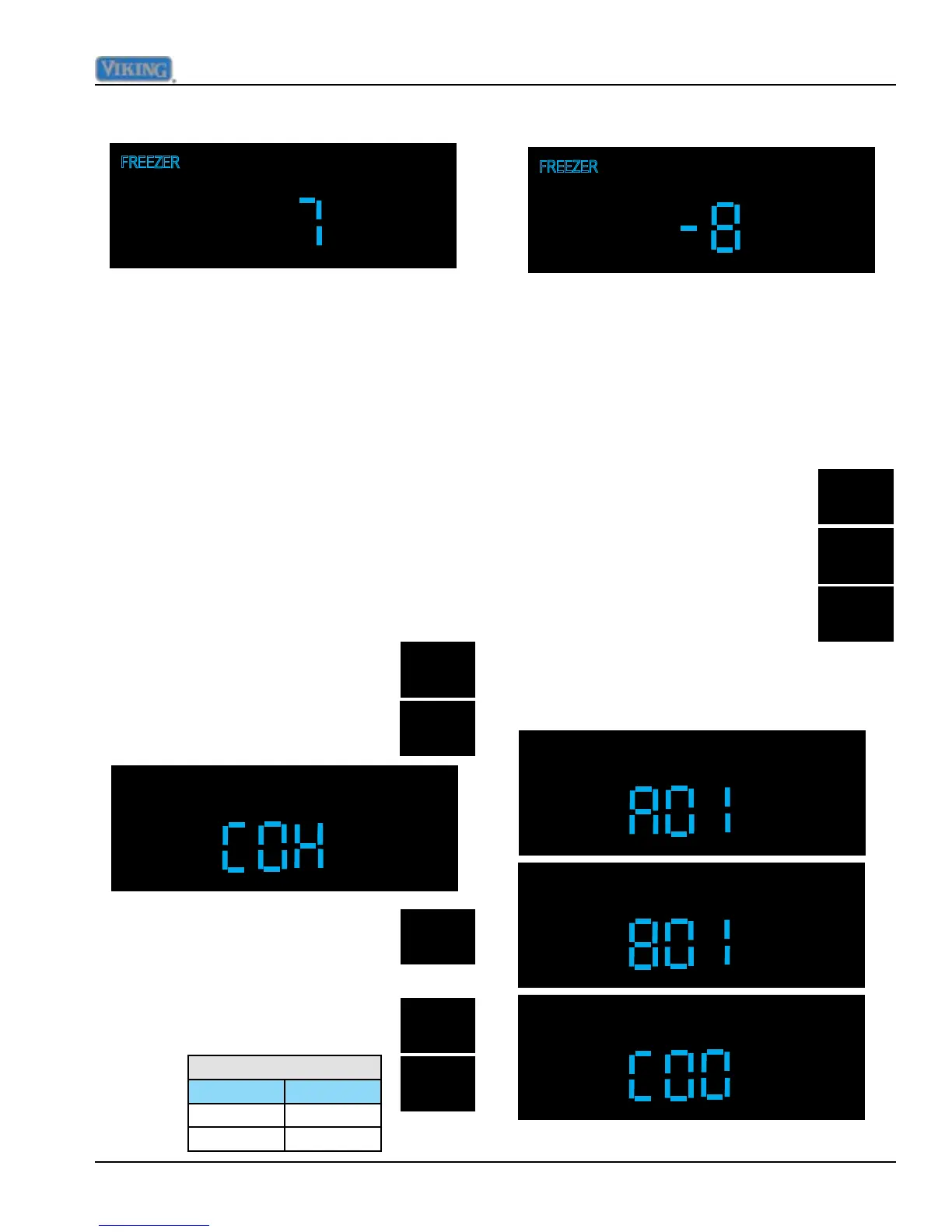
Using Higher and Lower pads set to correct
value as in illustration below.
While still in Mode A press and hold
"ALARM OFF" and "LOWER" pads
at the same time for three seconds,
the display will change to "COH".
To exit the cut-in adjustment press and
release "ACTIVATE CONTROLS" one time
which will result in "PrA" being displayed. You
are now back in Mode A.
Adjust Cut-Out Hysteresis
Press and release "FRZ TEMP",
this will result in "FREEZER"
illuminating on display.
The freezer section should be set to
appropriate value in table below.
Using Higher and Lower pads set to correct
value as in illustration below.
While in Mode A, press and hold
"DISPLAY OFF" for three seconds
to show the software version on
the temperature display. Pressing
"HIGHER or LOWER" will cycle
between a letter prex and a two
digit version as follows:
"A" + the major version
"B" + the minor version
"C" the build number
To exit the cut-out adjustment press and
release "ACTIVATE CONTROLS" one time
which will result in "PrA" being displayed. You
are now back in Mode A.
Display Software Version



 To Next Page