ACTIVATE
CONTROLS
ACTIVATE
CONTROLS
FRZ
TEMP
LOWER
HIGHER
ACTIVATE
CONTROLS
LOWERHIGHER
FRZ
TEMP
FAST
COOL
MAX
FRZ
ALARM
OFF
DISPLAY
OFF
FREEZER
SAB SHOW
FAST COOL
MAX FRZ MAX REF
HIGH TEMP
POWER
DOOR OPEN
REFRIGERATOR
FO
O
c
Operation
6 ©2012 Viking Preferred Service
To adjust temperature , enable
the key pad controls by pressing
and releasing the "ACTIVATE
CONTROLS" pad. Press and
release "FRZ TEMP" pad. The
temperature is then adjusted in
the freezer section by
pressing "HIGHER or
LOWER" pad while
observing digital readout.
Key Press Conrmation
The key press conrmation is the "beep" that
is heard when a control pad is pressed. This
audible conrmation can be made active or
inactive.
To deactivate the conrmation beep press
and hold "ACTIVATE CONTROLS" pad
for three seconds, three long beeps will be
heard, conrming deactivation.
To activate the conrmation beep press and
hold "ACTIVATE CONTROLS" pad for three
seconds, three long beeps will be heard,
conrming activation.
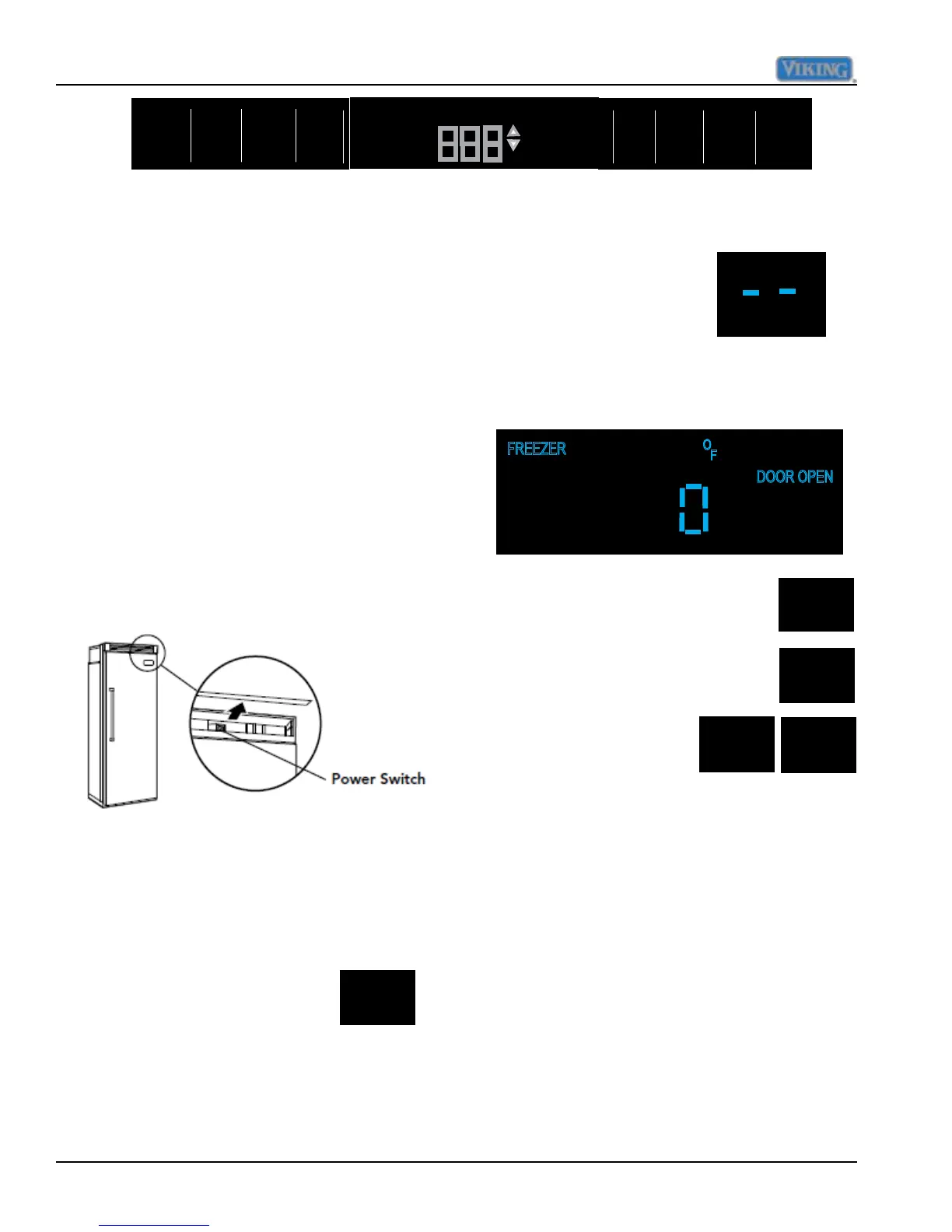
When power is rst applied to the refrigerator,
there will be two dashes
displayed as in illustration.
After approximately thirty
seconds the digital display
will change to numbers,
indicating temperature in the freezer
compartment along with the word FREEZER
and degrees Fahrenheit.
Electronic Temperature Settings
Settings and Functions
In order for your new refrigerator to work
properly, it is important that you understand
its various features, controls, and how to use
them.
Power On/Off Switch (Power Interruption
Switch) The power on/off switch is located
behind your refrigerator’s top grille. It is used
to turn the power “OFF” when cleaning the
refrigerator or changing the light bulbs. Your
refrigerator arrives from the factory with the
power interruption switch “ON”.
To turn power “OFF”, remove the center
grille blade. Press the power on/off switch to
the “OFF” position.
To turn power “ON”, press power on/off
switch to the “ON” position. Replace the
center grille blade.
Your refrigerator’s electronic controls are
located behind the door above
the cabinet interior. To activate
the electronic control panel,
press “ACTIVATE CONTROLS”
pad. All other pads, except the “Alarm Off”
pad, will remain inactive until the ”ACTIVATE
CONTROLS” pad is pressed. Once activated,
pad remains programmable for at least ten
minutes
IMPORTANT: Be sure the power on/off
switch is in the “ON” position after cleaning or
changing light bulbs.
Electronic Temperature Settings



 To Next Page